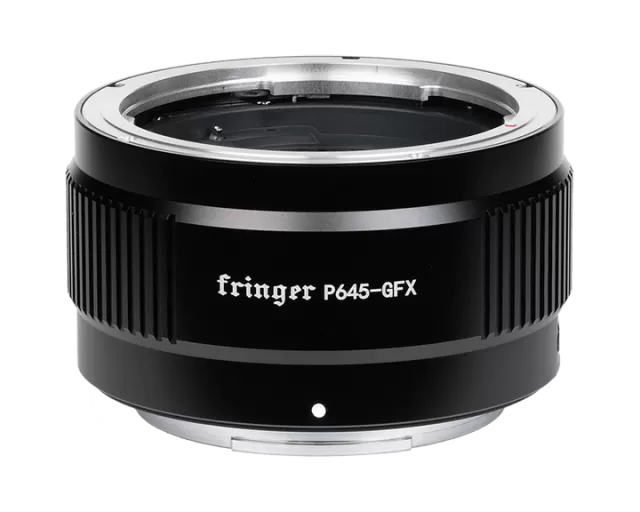
Fringer Nikon F to Fujifilm X firmware
Fringer · Nikon F to Fujifilm X · Lens
Latest firmware for the Fringer Nikon F to Fujifilm X is v2.10 (March 10, 2026).
Changelog
Nikon F to Fujifilm X firmware changelog
Firmware history
-
Release notes not published by vendor — see official page.
Release notes & download -
Release notes & download
Show release notes Hide release notes
- Added following lenses to the tested and optimized lens list:
- SIGMA AF 50-150mm f/2.8 II EX DC HSM
- SIGMA APO 120-300mm F2.8 EX DG OS HSM
- SIGMA APO 120-300mm F2.8 EX DG OS HSM + 1.4X
- AF-S NIKKOR 120-300mm f/2.8E FL ED SR VR
- AF-S NIKKOR 120-300mm f/2.8E FL ED SR VR + 1.4X
- AF-S NIKKOR 120-300mm f/2.8E FL ED SR VR + 2X
2
-
Release notes & download
Show release notes Hide release notes
- For some lenses with anti-shake feature (VR/OS/VC), the waiting time when the camera switches to playback mode or is turned off is greatly shortened.
- Added following lenses to the tested and optimized lens list:
- AF-S NIKKOR 400mm f/2.8D IF-ED
- AF-S NIKKOR 400mm f/2.8D IF-ED + 1.4X
- AF-S NIKKOR 400mm f/2.8D IF-ED + 1.7X
- AF-S NIKKOR 400mm f/2.8D IF-ED + 2X
- SIGMA AF 50-150mm f/2.8 EX DC HSM
- SIGMA APO MACRO 150mm F2.8 EX DG OS HSM
- SIGMA APO MACRO 150mm F2.8 EX DG OS HSM + TC-1401
- Further optimized the following lens to get better AF performance
- AF-S DX NIKKOR 16-80mm f/2.8-4E ED VR
-
Release notes & download
Show release notes Hide release notes
- Fixed PDAF issues for some lenses of the following model: Lens didn’t get recognized by the adapter due to different lens version.
- SIGMA 150mm f/2.8 EX DG HSM APO Macro
- Added following lenses to the tested and optimized lens list:
- TAMRON SP 15-30mm F/2.8 Di VC USD A012
- AF-S DX NIKKOR 55-200MM F/4-5.6G ED VR II
- AF-S NIKKOR 800mm f/5.6E FL ED VR
- AF-S NIKKOR 800mm f/5.6E FL ED VR + 1.25X
- AF-S NIKKOR 800mm f/5.6E FL ED VR + 1.4X
- AF-S NIKKOR 800mm f/5.6E FL ED VR + 1.7X
- AF-S NIKKOR 800mm f/5.6E FL ED VR + 2X
-
Release notes & download
Show release notes Hide release notes
- Added following lenses to the tested and optimized lens list:
- AF-S NIKKOR 17-35mm f/2.8D ED
- AF-S VR NIKKOR 200mm f/2G IF-ED
- AF-S VR NIKKOR 200mm f/2G IF-ED + 1.4X
- AF-S VR NIKKOR 200mm f/2G IF-ED + 1.7X
- AF-S VR NIKKOR 200mm f/2G IF-ED + 2X
- AF-S VR NIKKOR 300mm f/2.8G IF-ED
- AF-S VR NIKKOR 300mm f/2.8G IF-ED + 1.4X
- AF-S VR NIKKOR 300mm f/2.8G IF-ED + 1.7X
3
- AF-S VR NIKKOR 300mm f/2.8G IF-ED + 2X
- AF-S NIKKOR 400mm f/2.8E FL ED VR
- AF-S NIKKOR 400mm f/2.8E FL ED VR + 1.4X
- AF-S NIKKOR 400mm f/2.8E FL ED VR + 1.7X
- AF-S NIKKOR 400mm f/2.8E FL ED VR + 2X
- AF-S NIKKOR 500mm f/4E FL ED VR
- AF-S NIKKOR 500mm f/4E FL ED VR + 1.4X
- AF-S NIKKOR 500mm f/4E FL ED VR + 1.7X
- AF-S NIKKOR 500mm f/4E FL ED VR + 2X
- AF-S NIKKOR 600mm f/4E FL ED VR
- AF-S NIKKOR 600mm f/4E FL ED VR + 1.4X
- AF-S NIKKOR 600mm f/4E FL ED VR + 1.7X
- AF-S NIKKOR 600mm f/4E FL ED VR + 2X
- AF-S NIKKOR 180-400mm f/4E TC1.4 FL ED VR
- SIGMA 14mm F1.8 DG HSM A017
- SIGMA 28mm F1.4 DG HSM A019
- SIGMA 500mm F4 DG OS HSM S016
- SIGMA 500mm F4 DG OS HSM S016 + TC-1401
- SIGMA 500mm F4 DG OS HSM S016 + TC-2001
- SIGMA 60-600mm F4.5-6.3 DG OS HSM S018
- SIGMA 120-300mm f/2.8 DG OS HSM S013
- SIGMA 120-300mm f/2.8 DG OS HSM S013 + TC-1401
- TAMRON SP 15-30mm F/2.8 Di VC USD G2 A041
- TAMRON 17-35mm f/2.8-4 Di OSD A037
- Bug fixed: When focusing on stationary subjects in AF-Cmode, sometimes the lens AF may move back and forth repeatedly in a small range.
-
Release notes & download
Show release notes Hide release notes
- Fixed PDAF issues for some lenses of the following model: Lens didn’t get recognized by the adapter due to different lens version.
- SIGMA 17-50mm f/2.8 EX DC OS HSM
- Added following lenses to the tested and optimized lens list:
- AF-S DX NIKKOR 18-200mm f/3.5-5.6G ED VR
- SIGMA 105mm F2.8 EX DG OS HSM MACRO
- Bug fixed: Sometimes the diaphragm of TAMRON SP 85mm f/1.8 Di VC USD F016 may stay in the minimum position.
- Fixed compatibility issues with Zeiss Fmount lenses (ZF, ZF.2)
-
Release notes & download
Show release notes Hide release notes
4
- Bug fixed: When the camera is set to MF mode, if AF-ON button is pressed for instant auto focus, even the focus indicator (the green square) is displayed on the screen, it may actually be out of focus.
- Added following lenses to the tested and optimized lens list:
- AF-P DX NIKKOR 70-300mm f/4.5-6.3G ED
- AF-P DX NIKKOR 18-55mm f/3.5-5.6G
- TAMRON SP 85mm f/1.8 Di VC USD F016 (Lens firmware V4) *
- TAMRON SP 35mm f/1.8 Di VC USD F012 (Lens firmware V3) *
- TAMRON SP 45mm f/1.8 Di VC USD F013 (Lens firmware V3) *
- Note: Similar to Nikon FTZ, these lenses require the latest firmware to be supported. For F016 you may use Tamron Tap-in Console to update it. For F012 and F013, if the original firmware version is V2, you may use Tap-in Console. But if it is V1, you need to deliver it to Tamron service to do the update. Please ask the relevant department of Tamron for more details.
-
Release notes & download
Show release notes Hide release notes
- Bug fixed: When cameras equipped with X-Trans IV CMOS (X-T3, X-T4, X- S10, etc.) work with some of fast, telephoto and macro lenses, there may be repeatedly AF hunting when aperture isn’t wide open.
- Bug fixed: On some cameras like X-T3, after a photo was taken, if playback button is pressed and then shutter button is half-pressed in short time, the camera may be frozen until the adapter or the battery is taken off the camera.
- Issue fixed: When using some Fmount lenses with certain internal defect, it may cause the camera blackout and reboot repeatedly. Now it works normally with those lenses with that defect.
- Fixed PDAF issues for some lenses of the following model: Lens didn’t get recognized by the adapter due to different lens firmware version.
- TAMRON SP 70-200mm F/2.8 Di VC USD A009
- Added following lenses to the tested and optimized lens list:
- SIGMA 30/1.4 EX DC HSM
- TAMRON 70-210mm F4 Di VC USD A034
- SIGMA 24-35mm F2.0 DG HSM A015
-
Release notes & download
Show release notes Hide release notes
- Added following lenses to the tested and optimized lens list:
- AF-S DX NIKKOR 18-55mm f/3.5-5.6G VR
- AF-S DX NIKKOR 55-200mm f/4-5.6G ED VR
- AF-S DX MICRO NIKKOR 85mm f/3.5G ED VR
- AF-S NIKKOR 200-400mm f/4G IF-ED VR
- AF-S NIKKOR 200-400mm f/4G IF-ED VR + 1.4X
5
- AF-S NIKKOR 200-400mm f/4G IF-ED VR + 1.7X
- AF-S NIKKOR 200-400mm f/4G IF-ED VR + 2X
- AF-S NIKKOR 200-400mm f/4G ED VR II
- AF-S NIKKOR 200-400mm f/4G ED VR II + 1.4X
- AF-S NIKKOR 200-400mm f/4G ED VR II + 1.7X
- AF-S NIKKOR 200-400mm f/4G ED VR II + 2X
- AF-S NIKKOR 400mm f/2.8G ED VR
- AF-S NIKKOR 400mm f/2.8G ED VR + 1.4X
- AF-S NIKKOR 400mm f/2.8G ED VR + 1.7X
- AF-S NIKKOR 400mm f/2.8G ED VR + 2X
- TAMRON 10-24mm f/3.5-4.5 Di II VC HLD B023
- TAMRON 16-300mm f/3.5-6.3 Di II VC PZD MACRO B016
- TAMRON SP 24-70mm F/2.8 Di VC USD A007
- TOKINA AT-X 11-16mm f/2.8 PRO DX II
- TOKINA AT-X 11-20mm f/2.8 PRO DX
- TOKINA AT-X 12-28mm f/4 PRO DX
- TOKINA AT-X 14-20mm f/2 PRO DX
-
Release notes & download
Show release notes Hide release notes
- Added following lenses to the tested and optimized lens list:
- AF-S NIKKOR 500mm f/5.6E PF ED VR
- AF-S NIKKOR 500mm f/5.6E PF ED VR + 1.4X
- AF-S NIKKOR 500mm f/5.6E PF ED VR + 1.7X
- AF-S NIKKOR 500mm f/5.6E PF ED VR + 2X
- AF-S NIKKOR 70-200mm F2.8G ED VR
- AF-S NIKKOR 70-200mm F2.8G ED VR + 1.4X
- AF-S NIKKOR 70-200mm F2.8G ED VR + 1.7X
- AF-S NIKKOR 70-200mm F2.8G ED VR + 2X
- AF-S NIKKOR 35mm f/1.8G ED
- AF-S NIKKOR 28-300mm f/3.5-5.6G ED VR
- AF-S DX NIKKOR 10-24mm f/3.5-4.5G ED
- SIGMA 17-70mm f/2.8-4 DC MACRO OS HSM
- SIGMA 50mm f/1.4 EX DG HSM
-
Release notes & download
Show release notes Hide release notes
- Added following lenses to the tested and optimized lens list:
- AF-S NIKKOR 600mm f/4G ED VR *
- AF-S NIKKOR 600mm f/4G ED VR + 1.4X *
- AF-S NIKKOR 600mm f/4G ED VR + 1.7X *
- AF-S NIKKOR 600mm f/4G ED VR + 2X *
6
- AF-S NIKKOR 500mm f/4G ED VR
- AF-S NIKKOR 500mm f/4G ED VR + 1.4X
- AF-S NIKKOR 500mm f/4G ED VR + 1.7X
- AF-S NIKKOR 500mm f/4G ED VR + 2X
- AF-S NIKKOR 300mm f/2.8G ED VR II
- AF-S NIKKOR 300mm f/2.8G ED VR II + 1.4X
- AF-S NIKKOR 300mm f/2.8G ED VR II + 1.7X
- AF-S NIKKOR 300mm f/2.8G ED VR II + 2X
- AF-S NIKKOR 80-200mm f/2.8D
- AF-S NIKKOR 80-200mm f/2.8D + 1.4X
- AF-S NIKKOR 80-200mm f/2.8D + 1.7X
- AF-S NIKKOR 80-200mm f/2.8D + 2X
- AF-S NIKKOR 300mm f/4D IF-ED
- AF-S NIKKOR 300mm f/4D IF-ED + 1.4X
- SIGMA 150-600mm F5-6.3 DG OS HSM S014
- SIGMA 150mm f/2.8 EX DG HSM APO Macro
- SIGMA 10-20mm f/4-5.6 EX DC HSM
- Be noted: Due to the limited power supply of the small mirrorless cameras, AF-S600/4G VR may drain too much current and work unstable. If that happens, please turn off VR to save power consumption.
- Fixed compatible issues with some old Nikon AF and AF-Dlenses. Following lenses were not compatible and work normally (MF only) now. (Although not tested, yet, more Nikon AF and AF-Dlenses should be compatible now)
- AF Fisheye-Nikkor 16mm f/2.8D
- AF Nikkor 85mm f/1.8D
- AF Nikkor 85mm f/1.4D
- AF Micro Nikkor 105mm f/2.8D
- AF DC Nikkor 135mm f/2D
- AF Nikkor 24mm f/2.8
- AF Nikkor 50mm f/1.8
- AF Nikkor 35-135/3.5-4.5
- AF Nikkor 75-300mm f/4.5-5.6
- Increased AF speed in movie mode for the following lenses:
- AF-P NIKKOR 70-300mm f/4.5-5.6E ED VR
- AF-P DX NIKKOR 70-300mm f/4.5-6.3G ED VR
- AF-S DX NIKKOR 16-80mm f/2.8-4E ED VR Click here to understand how to upgrade.
Version 1.00 Initial version
You need a PC or MAC and a USB Micro Bcable to upgrade the adapter.
- Connect the adapter to your computer.
- Find a new driver named “FRINGER” and copy new firmware to it.
7
- Wait for 20 seconds. The adapter will disconnect itself from the computer and reconnect. If it doesn’t reconnect automatically, you may disconnect the USB cable and reconnect it manually.
- Check installed firmware version (VERSION.TXT on the adapter)
For example: Before upgrade:
After upgrade:
Troubleshooting: Some of the cables in the market are for charging only and not suitable for data transfer. Thus, if you can’t find the “FRINGER” drive when adapter is connected to the computer, check your cable!
You may also read the adapter’s firmware version by Fujifilm’s method, i.e. press and hold DISP button before power on the camera. The “Lens version” on the screen is actually the adapter’s firmware version.
Watch the Nikon F to Fujifilm X for updates
Get an email the moment Fringer publishes new firmware. Just your email — no account or password needed.