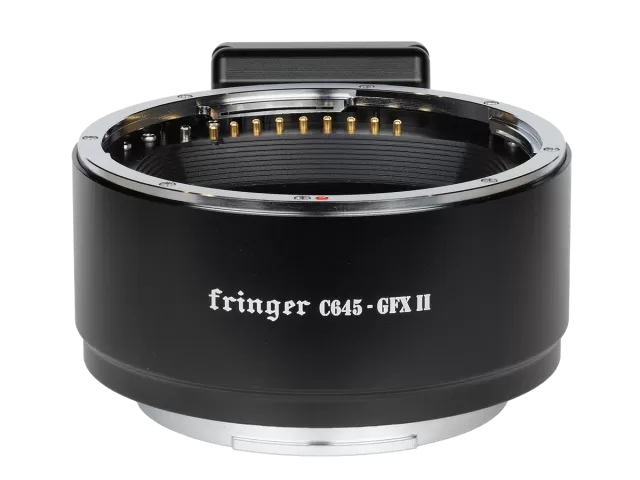
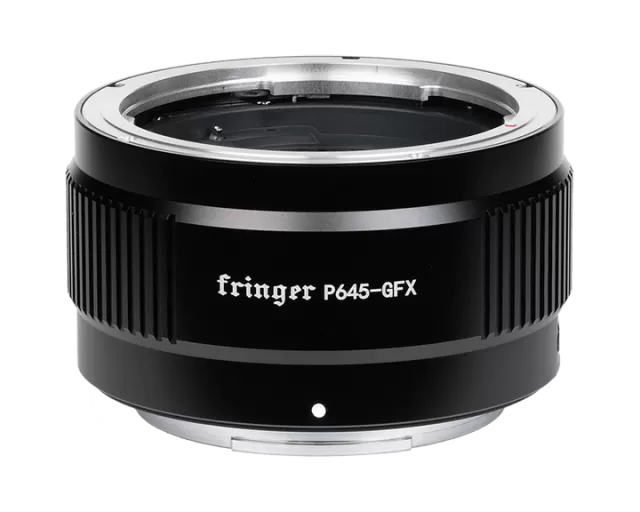
Fringer Canon EF to Fujifilm GFX firmware
Fringer · Canon EF to Fujifilm GFX · Lens
Latest firmware for the Fringer Canon EF to Fujifilm GFX is v2.30 (September 28, 2026).
Changelog
Canon EF to Fujifilm GFX firmware changelog
-
v2.20v2.30Added LAOWA lenses to optimization, improved correction accuracy, fixed AF and EXIF issues.
Firmware history
-
Added LAOWA lenses to optimization, improved correction accuracy, fixed AF and EXIF issues. — summary by updatemystuff.com
Release notes & downloadShow release notes Hide release notes
- Added following lenses to the tested and optimized lens list.
- LAOWA FF 35mm F2.8 CA-Dreamer Macro 1X
- LAOWA FF 100mm F2.8 CA-Dreamer Macro 2X
- For the following lenses, more accurate in-camera automatic correction methods have been employed to correct LaCA, vignetting, and distortion.
- Canon EF 16-35mm f/2.8L III USM
- Canon EF 70-300mm f/4-5.6 L IS USM
- Canon EF 85mm f/1.4L IS USM
- LAOWA FF 35mm F2.8 CA-Dreamer Macro 1X
- LAOWA FF 100mm F2.8 CA-Dreamer Macro 2X
- Fixed AF-not-working issue for the following lens and TC combination.
- Canon EF 180mm f/3.5 L USM + 2X
- Issue fixed: Lens names recorded in EXIF for the following lens are not accurate.
- ZEISS MILVUS Apo Sonnar T* 135mm F/2 ZE
-
Release notes & download
Show release notes Hide release notes
- Issue fixed: Lens names recorded in EXIF for the following lens are not accurate.
- ZEISS Planar T* 50mm f/1.4 ZE
- Fixed AF-not-working issue for the following lens and TC combination.
- Canon EF 200-400mm f/4L IS USM + 2X
- Added following lenses to the tested and optimized lens list.
- MEIKE 85mm f/1.8 SE II
- Added in-body vignetting and distortion correction profile for the following lenses.
Lens model Configuration item default MEIKE 85mm f/1.8 SE II ForceNativeMeike8518se2 1 Note: We have fixed the IBIS performance issues when activating in-body correction functions.
Now there is no need to turn off the auto corrections for IBIS.
But if you prefer to manually set the correction in camera menu, you may still disable the auto corrections.
To disable it for individual lens: change the corresponding configuration item’s value to 0.
-
Release notes & download
Show release notes Hide release notes
- Issue fixed: When no lens or a manual lens without electronic contacts installed, returning to shooting mode from play back mode may cause the camera restarts repeatedly and eventually report a lens error.
-
Release notes & download
Show release notes Hide release notes
- Added following lenses to the tested and optimized lens list:
- SIGMA 150mm F/2.8 APO EX DG HSM Macro
- Canon EF 600mm f/4L IS USM + 2X
- Canon EF 400mm f/2.8 L USM
- Canon EF 400mm f/2.8 L USM + 1.4X
- Canon EF 400mm f/2.8 L USM + 2X
- LAOWA 180mm f/4.5 1.5X Ultra Macro APO
2
- LAOWA AF FF 200mm f/2 C-Dreamer
- Fixed AF issues for some lenses of the following models: Lens didn’t get recognized by the adapter due to different lens version.
- SIGMA 150-600mm F5-6.3 DG OS HSM C015/S014 + 1.4X
- Added in-body vignetting and distortion correction profile for the following lenses.
Lens model Configuration item default SIGMA 150mm F/2.8 APO EX DG HSM Macro ForceNativeSigma15028EX 1 LAOWA 180mm f/4.5 1.5X Ultra Macro APO ForceNativeLaowa18045 1 LAOWA AF FF 200mm f/2 C-Dreamer ForceNativeLaowa2002 1 Note: We have fixed the IBIS performance issues when activating in-body correction functions.
Now there is no need to turn off the auto corrections for IBIS.
But if you prefer to manually set the correction in camera menu, you may still disable the auto corrections.
To disable it for individual lens: change the corresponding configuration item’s value to 0.
-
Release notes & download
Show release notes Hide release notes
- Added following lenses to the tested and optimized lens list:
- Tokina AT-X 16-28 F2.8 PRO FX
- Canon EF 600mm f/4L IS III USM
- Canon EF 600mm f/4L IS III USM + 1.4X
- Canon EF 600mm f/4L IS III USM + 2X
- Canon EF 28-70mm f/2.8L USM
- Canon EF 70-300mm f/4-5.6 IS USM
- SIGMA ZOOM 28-80mm 1:3.5-5.6 II MACRO ASPHERICAL
- Issue fixed: Sometimes EF85/1.2L II may be misrecognized as SAMYANG 85/1.2.
- Added in-body vignetting and distortion correction profile for the following lenses.
Lens model Configuration item default Canon EF 35mm f/1.4L USM ForceNativeEF3514L 1 Canon EF 600mm f/4L IS III USM ForceNativeEF6004LIS3 1 Canon EF 70-300mm f/4-5.6 IS USM ForceNativeEF70300IS 1 Note: We have fixed the IBIS performance issues when activating in-body correction functions.
Now there is no need to turn off the auto corrections for IBIS.
But if you prefer to manually set the correction in camera menu, you may still disable the auto corrections.
To disable it for individual lens: change the corresponding configuration item’s value to 0.
-
Release notes & download
Show release notes Hide release notes
3
- Issue fixed: If you take a picture and play it back immediately, then within a very short time press the shutter button halfway to return to shooting mode, sometimes the camera may go into an error state with overexposure and autofocus failure until the next time you power cycle the camera.
- Issue fixed: The auto-correction parameters for EF70-200mm f/4L USM in some focal length are incorrect, resulting in pincushion distortion.
- Fixed AF-not-working issue for the following lens and TC combinations:
- Canon EF70-200mm f/4L USM + 2X
- Added following lenses to the tested and optimized lens list:
- Canon EF70-200mm f/4L USM + 2X
- SAMYANG AF 85mm F1.4 EF
- Added in-body vignetting and distortion correction profile for the following lenses.
Lens model Configuration item default SIGMA 50mm f/1.4 EX DG HSM ForceNativeSigma5014EX 1 TAMRON SP 70-200mm F/2.8 Di VC USD G2 A025 ForceNativeTamron7020028VCG2 1 SAMYANG AF 85mm F1.4 EF ForceNativeSamyang8514AF 1 Note: We have fixed the IBIS performance issues when activating in-body correction functions.
Now there is no need to turn off the auto corrections for IBIS.
But if you prefer to manually set the correction in camera menu, you may still disable the auto corrections.
To disable it for individual lens: change the corresponding configuration item’s value to 0.
-
Release notes & download
Show release notes Hide release notes
- Issue fixed: When no lens or a manual lens without electronic contacts installed, returning to shooting mode from play back mode may cause the camera restarts repeatedly and eventually report a lens error.
- Issue fixed: For some lenses, when the in-body vignetting and distortion correction is on (i.e. set the camera in native mode), IBIS may not work properly. Now there is no difference regarding the IBIS performance between native mode and adapter mode.
- Issue fixed: When zooming to a non-wide focal position using a floating aperture lens, the logic of the aperture ring switching between the minimum aperture position and the A(uto)/C(ommand) position is incorrect.
- Issue fixed: Lens name recorded in EXIF for the following lens is not accurate.
- Irix 150mm f/2.8 Macro 1:1
- Added following lenses to the tested and optimized lens list:
- Canon EF 24mm f/2.8 IS USM
- Canon EF 100-400mm f/4.5-5.6 L IS USM
- Canon EF 100-400mm f/4.5-5.6 L IS USM + 1.4X
- Canon EF 100-400mm f/4.5-5.6 L IS USM + 2X
- SIGMA 28mm F1.8 EX DG ASPHERICAL MACRO
4
- TOKINA atx-i 100mm F2.8 FF MACRO
- Fixed AF issues for some lenses of the following models: Lens didn’t get recognized by the adapter due to different lens version.
- Tokina AT-X 24-70mm f/2.8 PRO FX
- Added in-body vignetting and distortion correction profile for the following lenses.
Lens model Configuration item default Canon EF 50mm f/1.4 USM ForceNativeEF5014 1 Canon EF 135mm f/2 L USM ForceNativeEF1352L 1 Canon EF 200mm f/2.8L II USM ForceNativeEF20028L2 1 Canon EF 16-35mm f/2.8L III USM ForceNativeEF163528L3 1 Canon EF 70-200mm f/4L USM ForceNativeEF702004L 1 Canon EF 70-200mm f/4L IS USM ForceNativeEF702004LIS 1 Canon EF 100-400mm f/4.5-5.6 L IS USM ForceNativeEF100400LIS 1 SIGMA 28mm F1.8 EX DG ASPHERICAL MACRO ForceNativeSigma2818EX 1 SIGMA 35mm F1.4 DG HSM A012 ForceNativeSigma3514A 1 SIGMA 135mm F1.8 DG HSM A017 ForceNativeSigma13518A 1 Tamron 17-35mm f/2.8-4 Di OSD A037 ForceNativeTamron1735284 1 TOKINA atx-i 100mm F2.8 FF MACRO ForceNativeTokina10028 1 Note: We have fixed the IBIS performance issues when activating in-body correction functions.
Now there is no need to turn off the auto corrections for IBIS.
But if you prefer to manually set the correction in camera menu, you may still disable the auto corrections.
To disable it for individual lens: change the corresponding configuration item’s value to 0.
-
Release notes & download
Show release notes Hide release notes
- A new function added: AF adjustment (PDAF only) In most cases, there should not be any accuracy issues when phase detection AF is engaged. But if certain individual lens has focus-shifting issues, an AF adjustment function is present.
- Usage i. Enable AF adjustment for the lens currently installed: Power on the camera. Enter function code “1212” using the aperture ring (see “3.8 Configuration fast switching” in the user’s manual). The camera will reboot automatically. ii. Set AF adjustment value: Take the adapter off the camera. Connect it to a computer. Check “settings.ini” in the root folder. There should be a line newly added to the end of the file such as PdafFix001 = 0;Canon EF 40mm f/2.8 STM iii. Change the “0” after the “=” to a value you want (between -30 and 30).
Enter a positive value if the focus point needs to be moved towards infinity. Then save the file and disconnect the cable.
5
iv. Reinstall the adapter and the lens to the camera and do focus tests again. Repeat the above steps if necessary.
- Additional notes i. At most 10 lenses are allowed to use the AF adjustment at the same time. If the 11th lens needs to be added, you must edit the settings.ini and remove at least one PdafFixXXX line that is not needed anymore. ii. This AF adjustment function is valid for phase detection AF only. Thus, it has no function on GFX50 series cameras. iii. Only lenses tested and optimized support PDAF. Thus, the AF adjustment function is valid for tested and optimized lenses only. iv. In most cases, it is not recommended to use the AF adjustment function.
Sometimes it can make things worse. Therefore, only if there is a big focus shift in a fixed direction and cannot be eliminated by multiple focusing, you can try this AF adjustment function.
- Fixed AF performance issues for some lenses of the following models: Lens didn’t get recognized by the adapter due to different lens version.
- Tokina AT-X M100 PRO D Macro 100mm f/2.8
- Added following lenses to the tested and optimized lens list:
- Canon EF 28mm f/2.8 IS USM
- Canon EF 100mm f/2.8 Macro USM
- Canon EF 400mm f/4 DO IS II USM + 2X
- SIGMA 24mm F1.8 EX DG ASPHERICAL MACRO
- SIGMA 85mm F1.4 EX DG HSM
- SIGMA 60-600mm f/4.5-6.3 DG OS HSM S018 + 1.4X
- SIGMA 150-600mm F5-6.3 DG OS HSM C015/S014 + 1.4X
- Tokina AT-X 24-70mm f/2.8 PRO FX
- Fixed AF-not-working issue for the following lens and TC combinations:
- Canon EF 400mm f/4 DO IS II USM + 2X
- SIGMA 60-600mm f/4.5-6.3 DG OS HSM S018 + 1.4X
- SIGMA 150-600mm F5-6.3 DG OS HSM C015/S014 + 1.4X
- Added in-body vignetting and distortion correction profile for the following lenses.
Lens model Configuration item default Canon EF 28mm f/2.8 IS USM ForceNativeEF2828IS 1 Canon EF 100mm f/2.8 Macro USM ForceNativeEF10028 1 SIGMA 24mm F1.8 EX DG ASPHERICAL MACRO ForceNativeSigma2418EX 1 SIGMA 28mm F1.4 DG HSM A019 ForceNativeSigma2814A 1 SIGMA 85mm F1.4 EX DG HSM ForceNativeSigma8514EX 1 Tokina opera 50mm f/1.4 FF ForceNativeTokina5014Opera 1 Tokina AT-X 24-70mm f/2.8 PRO FX ForceNativeTokina247028 1 NOTE: For some lenses, when the in-body correction is on, IBIS may not work properly.
Please use lens IS instead or turn off the in-body correction if IS is higher priority.
To disable it for individual lens: change the corresponding configuration item’s value to 0.
6
-
Release notes & download
Show release notes Hide release notes
- Fixed AF performance issues for some lenses of the following models: Lens didn’t get recognized by the adapter due to different lens version.
- Canon EF 300mm f/4L USM
- Added following lenses to the tested and optimized lens list:
- Tokina AT-X M100 PRO D Macro 100mm f/2.8
- Canon EF 100mm f/2 USM
- SIGMA 500mm F4 DG OS HSM S016
- SIGMA 500mm F4 DG OS HSM S016 + 1.4X
- SIGMA 500mm F4 DG OS HSM S016 + 2X
- TAMRON SP 70-300mm f/4.0-5.6 Di VC USD A005
- Issue fixed: Lens names recorded in EXIF for the following lens are not accurate.
- ZEISS Otus 100mm f/1.4 Apo Sonnar ZE
- Added in-body vignetting and distortion correction profile for the following lenses.
Lens model Configuration item default Tokina AT-X M100 PRO D Macro 100mm f/2.8 ForceNativeTokina10028= 1 Canon EF 100mm f/2 USM ForceNativeEF1002= 1 SIGMA 500mm F4 DG OS HSM S016 ForceNativeSigma5004OSS 1 NOTE: For some lenses, when the in-body correction is on, IBIS may not work properly.
Please use lens IS instead or turn off the in-body correction if IS is higher priority.
To disable it for individual lens: change the corresponding configuration item’s value to 0.
-
Release notes & download
Show release notes Hide release notes
- A minor bug was fixed.
-
Release notes & download
Show release notes Hide release notes
- Added in-body vignetting and distortion correction profile for the following lenses.
Lens model Configuration item default Canon EF 50mm F1.2L USM ForceNativeEF5012L= 1 Canon EF 100-400mm f/4.5-5.6 L IS II USM ForceNativeEF100400LIS2 1 TAMRON SP 15-30mm F/2.8 Di VC USD A012 ForceNativeTamron1530VC 1 TAMRON SP 15-30mm F/2.8 Di VC USD G2 A041 ForceNativeTamron1530VCG2 1 NOTE: For some lenses, when the in-body correction is on, IBIS may not work properly.
Please use lens IS instead or turn off the in-body correction if IBIS is
7
higher priority. To disable it for individual lens: change the corresponding configuration item’s value to 0.
- Fixed AF-not-working issue for the following lens and TC combinations:
- EF 100-400mm f/4.5-5.6L IS II USM + 1.4X
- EF 100-400mm f/4.5-5.6L IS II USM + 2X
- EF 400mm f/5.6L USM + 1.4X
- Added following lenses to the tested and optimized lens list:
- SIGMA APO 120-300mm F2.8 EX DG OS HSM
- SIGMA APO 120-300mm F2.8 EX DG OS HSM + 1.4X
- SIGMA APO 120-300mm F2.8 EX DG OS HSM + 2X
- EF 100-400mm f/4.5-5.6L IS II USM + 1.4X
- EF 100-400mm f/4.5-5.6L IS II USM + 2X
- EF 400mm f/5.6L USM + 1.4X
- EF 500mm f/4L IS II USM
- EF 500mm f/4L IS II USM + 1.4X
- EF 500mm f/4L IS II USM + 2X
- EF 600mm f/4L IS II USM
- EF 600mm f/4L IS II USM + 1.4X
- EF 600mm f/4L IS II USM + 2X
- EF 800mm f/5.6L IS USM
- EF 800mm f/5.6L IS USM + 1.4X
- EF 800mm f/5.6L IS USM + 2X
-
Release notes & download
Show release notes Hide release notes
- Added following lenses to the tested and optimized lens list:
- Canon EF 300mm f/2.8L IS USM
- Canon EF 300mm f/2.8L IS USM + 1.4X
- Canon EF 300mm f/2.8L IS USM + 2X
- Bug fixed: When using mechanical EF mount lenses without contacts, switching from playback mode to shooting mode may disable metering indicator on the screen.
- Fixed compatibility issues with LAOWA 105mm f/2 STF
- Added in-body vignetting and distortion correction profile for the following lenses.
Lens model Configuration item default Canon EF 70-300mm f/4-5.6L IS USM ForceNativeEF70300LIS= 1 Canon EF 300mm f/2.8L IS II USM ForceNativeEF30028LIS2= 1 SIGMA 100-400mm F5-6.3 DG OS HSM C017 ForceNativeSigma100400OSC= 1 NOTE: In contrast to other lenses that already support this function, when turn on the in-body correction for these 3 lenses, IBIS may not work properly.
Please use lens IS instead or turn off the in-body correction if IBIS is higher
8
priority. To disable it for individual lens: change the corresponding configuration item’s value to 0.
-
Release notes & download
Show release notes Hide release notes
- Added following lenses to the tested and optimized lens list:
- Canon EF 300mm f/2.8L USM
- Canon EF 300mm f/2.8L USM + 1.4X
- Canon EF 300mm f/2.8L USM + 2X
- SIGMA APO 70-200mm f/2.8 EX DG OS HSM
- SIGMA APO 70-200mm f/2.8 EX DG OS HSM + 1.4X
- SIGMA APO 70-200mm f/2.8 EX DG OS HSM + 2X
- Issue fixed: Lens names recorded in EXIF for the following lens are not accurate.
- Canon TS-E 24mm f/3.5L
- Fixed compatibility issues with following lenses:
- Samyang XP 50mm f/1.2
- Samyang XP 85mm f/1.2
- Added LaCA correction profile for the following MF lenses:
- Canon TS-E 17mm f/4L
- Samyang XP 50mm f/1.2
- Samyang XP 85mm f/1.2
- According to users’ feedback regarding the complexity of editing SETTINGS.INI on the adapter which requires a computer, we added configuration fast switching function. When the camera with the adapter and the lens is powered on and in shooting mode, user may use the aperture ring to enter a 4 digits function code to change a configuration item.
Detailed steps are as following (Take entering function code “1234” as an example. “Forward” and “backward” are relative. You may decide which direction is forward by yourself).
- Half-press the shutter button once and finish step 2) - 6) in 20 seconds.
- Turn aperture ring 1 step forward. It’s the first digit.
- Turn aperture ring 2 steps backward. It’s the second digit.
- Turn aperture ring 3 steps forward. It’s the third digit.
- Turn aperture ring 4 steps backward. It’s the fourth digit.
- Half-press the shutter button.
- Now, the camera will reboot automatically. After that, the configuration has changed.
Note: During aperture ring operation, please ignore the response of the camera and the lens. Just pay attention to the feel of steps and the click sounds of the aperture ring.
- Added a fast switching function code (“1234”) for “FocusBracketing=” in SETTINGS.INI. Check section 5 above for the detailed operation steps. User
9
may switch it between 1 (enable focus bracketing support) and 0 (disable focus bracketing support). Actually, it sets camera in native lens mode (1) or adapter mode (0). See section 7 bellow for more descriptions.
- Added in-body vignetting and distortion correction profile for some fast primes. So far, the lenses supported are listed in the following table (table 1):
Lens model Configuration item default Canon EF 35mm f/1.4L II USM ForceNativeEF3514L = 1 Canon EF 40mm f/2.8 STM ForceNativeEF4028STM = 1 Canon EF 50mm f/1.8 STM ForceNativeEF5018STM = 1 Canon EF 85mm f/1.2L II USM ForceNativeEF8512L2 = 1 Canon EF 85mm f/1.4 L IS USM ForceNativeEF8514LIS = 1 Canon EF 100mm f/2.8L IS USM ForceNativeEF10028LIS = 1 SIGMA 40mm F1.4 DG HSM A018 ForceNativeSigma4014A = 1 SIGMA 50mm F1.4 DG HSM A014 ForceNativeSigma5014A = 1 SIGMA 70mm F2.8 DG MACRO A018 ForceNativeSigma7028A = 1 SIGMA 85mm F1.4 DG HSM A016 ForceNativeSigma8514A = 1 SIGMA 105mm F1.4 DG HSM A018 ForceNativeSigma10514A = 1 TAMRON SP 35mm F/1.8 Di VC USD F012 ForceNativeTamron3518VC = 1 TAMRON SP 45mm F/1.8 Di VC USD F013 ForceNativeTamron4518VC = 1 TAMRON SP 85mm F/1.8 Di VC USD F016 ForceNativeTamron8518VC = 1
There are two working modes of the GFX cameras, i.e., adapter mode and native lens mode, as described in the following table (table 2): Function of adapted lenses Adapter mode Native lens mode Focus bracketing Not supported Supported IBIS Fully supported Degraded or not supported for some lenses Vignetting and distortion correction profile Not supported Supported Mount adapter setting menu Available Grayed out 35mm format mode “AUTO” Crop to 35mm Keep 44 x 33 frame By default, “FocusBracketing=” in SETTINGS.INI on the adapter decides whether set camera in native lens mode (the value is 1) or adapter mode (the value is 0) for all lenses.
The newly added Vignetting and distortion correction profile function will be activated only if the camera is set in native lens mode.
For each lens in table 1, we added a configuration item named ForceNativeXXXX to the SETTINGS.INI.
The default value is 1 which means setting the camera in native lens mode to activate the profile embedded in the adapter regardless of the global setting, i.e., “FocusBracketing=” is 1 or 0.
In other words, these two settings are logically OR.
Since the IBIS performance of some adapted lenses may be degraded or disabled when the camera is in native lens mode, usually we don’t suggest to set camera in that mode.
But the lenses in table 1 are exception.
We are sure they won’t be affected by that issue and IBIS works normally in native lens mode.
But if you still
10
want to use then in adapter mode, you may modify the value of corresponding ForceNativeXXXX item to 0. To understand which mode your camera is currently in, there are two simple ways.
- You may set “35mm format mode” to “AUTO” in camera menu. If there is a “35” on the top left of the screen, it’s in adapter mode.
- You may check the “Mount adapter setting” menu item. If it’s grayed out, it’s in native lens mode.
- If the lens on the adapter is in table 1, the corresponding configuration item ForceNativeXXXX’s value can be changed easily between 1 and 0 by the aperture ring. The function code is “4321”. Please check section 5 for detailed steps.
- Fixed possible lens IS and IBIS conflicts in native lens mode.
-
Release notes & download
Show release notes Hide release notes
- Fixed AF performance issues for some lenses of the following models: Lens didn’t get recognized by the adapter due to different lens version.
- Canon EF 400mm f/5.6L USM
- SIGMA 14mm F1.8 DG HSM A017
- Added following lenses to the tested and optimized lens list:
- Canon EF 200mm f/1.8L USM
- Canon EF 200mm f/1.8L USM + 1.4X
- Canon EF 200mm f/1.8L USM + 2X
- SIGMA APO MACRO 180mm F2.8 EX DG OS HSM
- SIGMA APO MACRO 180mm F2.8 EX DG OS HSM + 1.4X
- SIGMA 50mm f/1.4 EX DG HSM
- TOKINA Opera 50mm f/1.4 FF
- Issue fixed: Lens names recorded in EXIF for the following lens are not accurate.
- Canon TS-E 90mm f/2.8
- Contrast AF issues fixed for some of SIGMA70/2.8ART lenses. To apply the patch, edit SETTINGS.INI on the adapter and change the value of “Sigma70ArtFix=” from 0 to 1.
Note: There are two versions of SIGMA70/2.8Art in the market.
One of them doesn’t work properly on GFX50S/50R/50SII cameras with severe focus shifting and focus hunting problems.
The other version works normally.
The two versions can’t be identified by the appearance of the lens.
Thus, please turn on the patch only if you encountered the said issues.
Or it may cause other problems.
-
Release notes & download
Show release notes Hide release notes
11
- Added following lenses to the tested and optimized lens list:
- Tamron SP AF 200-500mm F/5-6.3 Di LD (IF)
- Canon EF 70-200mm f/4L USM
- Canon EF 70-200mm f/4L USM + 1.4X
- Canon EF 300mm f/4L USM
- Canon EF 300mm f/4L USM + 1.4X
- Canon EF 85mm f/1.2L USM
- Sigma 120-300mm f/2.8 DG OS HSM S013
- Sigma 120-300mm f/2.8 DG OS HSM S013 + 1.4X
- Sigma 120-300mm f/2.8 DG OS HSM S013 + 2X
- Issue fixed: Lens names recorded in EXIF for the following lenses are not accurate.
- Canon TS-E 17mm f/4L
- Canon TS-E 24mm f/3.5L II
- Canon TS-E 45mm f/2.8
- Canon TS-E 50mm f/2.8L
- Canon TS-E 90mm f/2.8L
- Canon TS-E 135mm f/4L
- ZEISS Otus 55mm f/1.4 Apo Distagon ZE
- ZEISS 135mm f/2 Apo Sonnar T* ZE
- Bug fixed for EF85/1.4L IS: In some circumstances AF search may be very slow.
- Software switch functions added. When connected to a computer through a USB cable, there is a file named SETTINGS.INI in the root folder of the adapter.
It’s in format of ordinary INI files. Don’t modify it unless you know how to do that. If you want to restore it to default, just remove it. The adapter will re-generate it when the next time it works on a camera body.
- Focus bracketing support added. By default, it isn’t turned on. To turn it on, edit SETTINGS.INI and change the value of “FocusBracketing=” from 0 to 1.
Be noted:
- When setting focus range and begin position, don’t manually turn focus ring! Always use AF to drive focus point to the position you want. Or the focus bracketing function may not work properly.
- When “FocusBracketing=” is set to 1 in the SETTINGS.INI, the adapter is set to native mode and some functions of the camera may change, such as the 35mm auto mode will not crop automatically, IBIS may not work properly any more, etc.
- User option for power-off behavior added. On one hand, some lenses with external focus design such as some STM lenses may not be convenient to be stored in a bag when its AF isn’t on infinity. Moving AF to infinity automatically when powering off (or switching to playback mode) is preferred. On the other, some of them, e.g. EF85/1.2L II, may have very heavy front elements so that the experience of moving it to/from infinity every time switching the camera to/from playback mode is really bad. Thus, it’s better to
12
let the user decide.
We have added an option item named “PowerOffInfinity” to SETTINGS.INI.
Default value (0): only some STM lenses, EF50/1.4, Sigma 70/2.8 ART, etc. will be moved to infinity when powering off/switching to playback mode.
Value 1: all lenses will be moved to infinity.
Click here to understand how to upgrade.
Version 1.00 Initial version
You need a PC or MAC and a USB Micro Bcable to upgrade the adapter.
- Connect the adapter to your computer.
- Find a new driver named “FRINGER” and copy new firmware to it.
- Wait for 20 seconds. The adapter will disconnect itself from the computer and reconnect. If it doesn’t reconnect automatically, you may disconnect the USB cable and reconnect it manually.
- Check installed firmware version (VERSION.TXT on the adapter)
13
For example: Before upgrade:
After upgrade:
Troubleshooting: Some of the cables in the market are for charging only and not suitable for data transfer. Thus, if you can’t find the “FRINGER” drive when adapter is connected to the computer, check your cable!
You may also read the adapter’s firmware version by Fujifilm’s method, i.e. press and hold DISP button before powering on the camera. The “Lens version” on the screen is actually the adapter’s firmware version.
Watch the Canon EF to Fujifilm GFX for updates
Get an email the moment Fringer publishes new firmware. Just your email — no account or password needed.