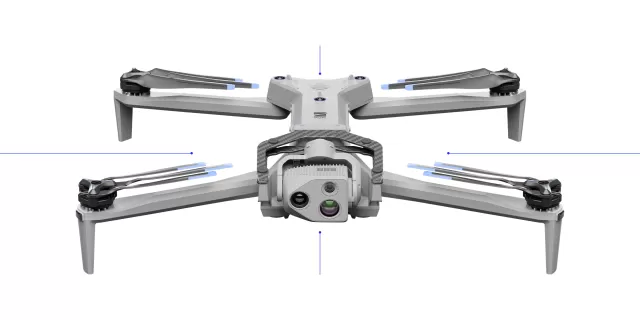
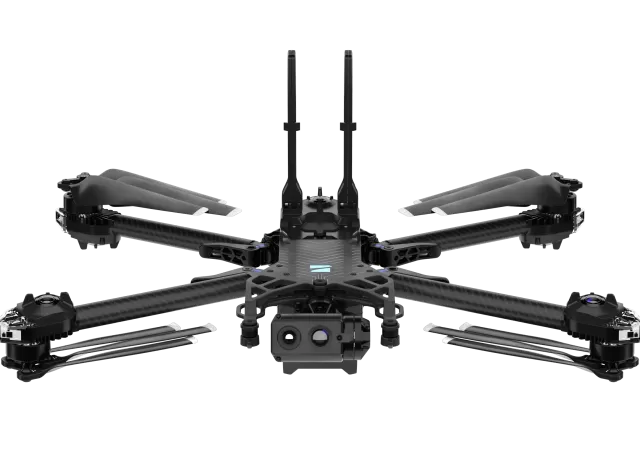
Skydio R10 firmware
Skydio · Skydio R10 · R10 · Drones
Latest firmware for the Skydio R10 is v46.178.14 (July 21, 2026).
Changelog
Skydio R10 firmware changelog
-
v43.303first tracked
Firmware history
-
Release notes & download
Show release notes Hide release notes
Release date July 21, 2026
Skydio R10 drone version 46.178.14
Skydio Controller firmware version 46.48.49
Highlights
- Improved Marker Visibility on Controllers
- Pair One Skydio Controller to Multiple Drones
- Updated Picture-in-Picture Interface
- Post-Flight Feedback
- Simplified Channel Selection with DFS Indicators
- Adjust Video Quality for External Network Streaming
Improved Marker Visibility on Controllers
Platforms: Controllers/X10, R10
Draper introduces several improvements to expand marker visibility on controllers. Pilots can now view, filter, and sort custom markers and personnel displayed on the map, and view important details from the controller.
- View custom markers (such as those created from in-flight image capture) and personnel (e.g., body cameras) directly on the map and in dedicated lists, making it easier to track activity and coordinate in real time
- Sort and filter custom markers and personnel by priority to access information faster
- Tap on an incident to display additional details such as Incident ID and priority and highlight its location on the map
Personalized Marker Visibility
Marker visibility now persists between sessions, and pilots can save preferred views directly tied to their user account.
- Pilots can configure map settings to show or hide incidents, custom Markers, or personnel to reduce on-screen clutter
- Hiding a layer removes icons from the map, but they remain visible in the full incident List
ShotSpotter Gunshot Detection
Pilots can now view ShotSpotter incidents directly on the controller, improving situational awareness and allowing pilots to view event details and respond faster while they are in the field.
- The Incident list displays a gunshot detection as a Gunshot Detection Incident and includes key details such as time and location.
- Incidents are displayed on the map with a dedicated icon, including a corresponding incident card. Pilots can filter by Gunshot Detection to view only these incidents.
Pair One Skydio Controller to Multiple Drones
Platforms: Controllers/X10, R10
Pilots can now pair one controller with multiple drones.
- Switch between drones from the Gate screen
- The controller stores up to seven paired drones and automatically reconnects to the most recently used drone when powered on
- Pilots can view paired drones and their availability, or manually select a different drone to connect. This reduces downtime in the field and makes it easier to move between drones based on mission needs
To manage paired drones:
- Select the Information icon next to the connected drone name to quickly access drone details
Note: The "Devices" section of the Information menu has been removed. Pilots should now use the Gate screen drop-down to view individual drone information
- Select the Edit icon (pencil) to remove paired drones
Note: Each drone can only maintain an active pairing with one controller at a time. Pairing a drone to a different controller removes its previous controller pairing.
Updated Picture-in-Picture Interface
Platforms: Controllers/X10, R10
The Picture-in-Picture (PiP) display has been updated to provide clearer inflight orientation cues.
Previously, the white line in the PiP display represented the direction between the drone and the Pilot, which could make it difficult to understand the drone’s actual flight path during flight.
Now, the PiP displays a directional line showing where the drone is actively traveling during autonomous flight. Pilot location is represented separately with a dedicated Pilot icon, either along the edge of the PiP with a directional arrow or directly within the PiP when nearby.
Post-Flight Feedback
Platforms: Controllers/X10, R10
Pilots can now share feedback after each flight directly from the controller. After landing, pilots will see a lightweight prompt asking how the flight went, with the option to provide a thumbs-up or thumbs-down response and add optional comments.
- Capture real-time feedback while the flight experience is fresh
- Helps surface trends in flight performance and controller experience over time
Simplified Channel Selection with DFS Indicators
Platform: Dock for X10, Controllers/X10, R10
Channel selection has been streamlined to allow pilots to more quickly select their desired wifi channel. The channel selection refactor consolidates all legal available channels into a single list, removing the need to choose a band before selecting a channel.
Dynamic Frequency Selection (DFS) channels are clearly labeled, and selecting one displays a temporary connection loss warning before confirming the change.
- DFS channels are unavailable in-flight to prevent interruptions
- Non-DFS channels remain available to help maintain connection performance
Adjust Video Quality for External Network Streaming
Platforms: Controllers/X10, R10
Pilots can now optimize video for external networks by adjusting resolution and bitrate directly on the controller. This allows pilots to tailor video output for radios, WiFi, or other bandwidth-constrained connections without affecting the live video feed from the drone.
Pilots can select from preset or custom settings to balance image quality and network performance, helping maintain reliable video streaming in a wide range of environments.
Fixes
- Fixed an issue where Turtle Mode did not work at high altitudes.
- Fixed an issue where backtracking failed when a drone took off outdoors and later moved indoors.
- General improvements to Media Sync stability.
-
Release notes & download
Show release notes Hide release notes
Release Date May 6, 2026
Skydio Controller version 44.123
Skydio R10 drone version 43.303
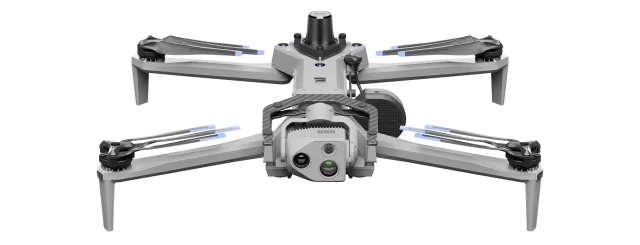
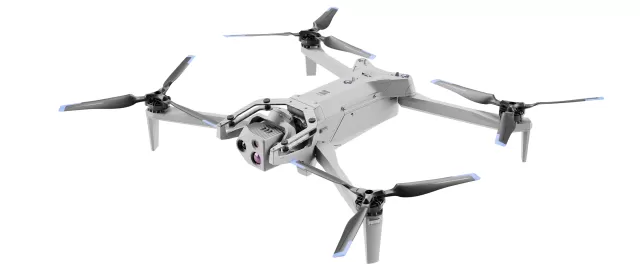
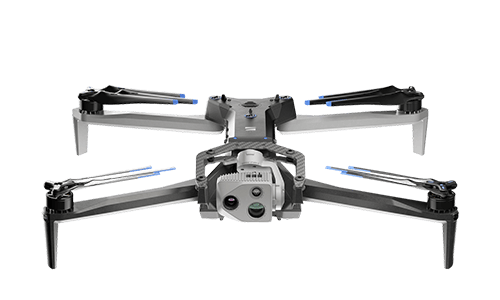
Introducing Skydio R10 Skydio R10 is an autonomous aerial system designed for operation in confined, complex, and GPS-denied environments. Built for ease of operation, the system uses onboard autonomy and real-time perception to provide stable, predictable flight behavior in dynamic conditions.
- Designed with a compact, robust airframe and integrated propeller guards to support operation in close proximity to obstacles
- Maintains reliable connectivity and streams real-time video for situational awareness
Support the Mission even after Landing with Perch Mode Perch Mode lets you land without ending your flight session, so you can maintain video feed and ReadyLink, capture photos or recordings, and adjust the camera while the drone remains in place.
This allows you to monitor a scene, gather intelligence, or communicate for extended time periods.
- Enter Perch is enabled by default, meaning it will automatically start after landing
- Integrated Two-Way Audio enables direct communication between the pilot and subjects near the drone (not yet available with Remote Flight Deck)
Recover from Tough Situations with Turtle Mode If the drone lands upside down or becomes stuck, Turtle Mode helps you recover quickly by flipping the drone upright using controlled motor inputs, reducing downtime and keeping your mission moving.
- A recommended recovery direction is highlighted by a flashing directional control, helping guide you through recovery Operate in Dark Environments with Built-In NightSense Skydio R10 includes built-in NightSense capability, allowing pilots to navigate and inspect scenes in complete darkness without external attachments. Omnidirectional illumination enhances visibility for both the pilot and the drone’s navigation system, supporting stable flight and obstacle awareness in low-light conditions.
Retrace your path with Backtracking Returns Default Backtrack returns allow Skydio R10 to return along its previously traveled path.
This is especially useful in confined or GPS-denied environments, where navigating back through tight or complex spaces can be difficult.
By retracing its route, R10 can avoid obstacles it has already encountered, helping you safely exit areas such as indoor structures, corridors, or dense environments with greater confidence.
Optimized Flight Modes for Confined Flight Obstacle avoidance on R10 has been tuned for indoor and close-proximity operations, enabling more precise navigation in tight and complex environments.
Adjusted avoidance thresholds allow the drone to fly closer to obstacles when needed, while still maintaining controlled, predictable behavior.
This makes it easier to move through narrow corridors, around equipment, or inside structures where space is limited and traditional avoidance buffers would be too restrictive.
Watch the Skydio R10 for updates
Get an email the moment Skydio publishes new firmware. Just your email — no account or password needed.