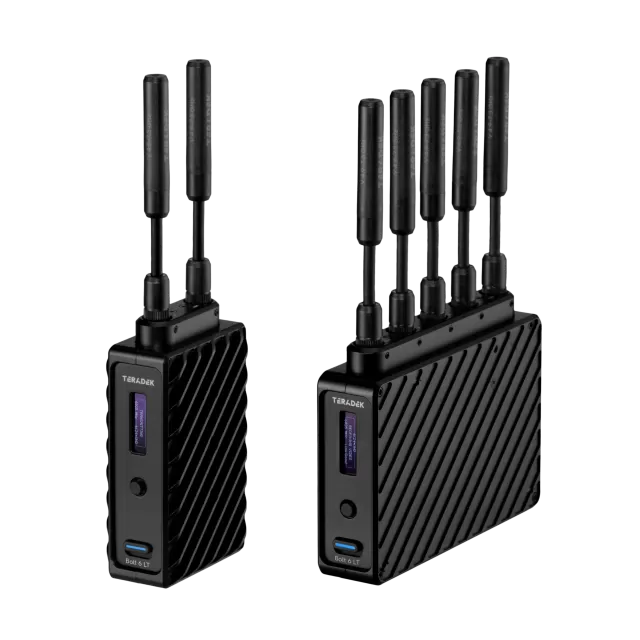
Teradek Prism Flex firmware
Teradek · Prism Flex · Video
Latest firmware for the Teradek Prism Flex is v2.25.20261021 (October 21, 2026).
Changelog
Prism Flex firmware changelog
-
v2.25.20260526v2.25.20260924Adds Scene Change Detection encoder option and fixes network and modem connectivity.
Firmware history
-
Release notes & download
Show release notes Hide release notes
Teradek Prism Firmware Version 2.25.20261021
New Features
- None
Changes and
Improvements
- Updated Teradek Priority Data multi-carrier support -- Verizon was not working
- Decoder MPEG-TS and SRT stats are now always displayed in the same order
Bug Fixes
- Decoder status could indicate decoding when idle
-
Adds Scene Change Detection encoder option and fixes network and modem connectivity. — summary by updatemystuff.com
Release notes & downloadShow release notes Hide release notes
Teradek Prism Firmware Version 2.25.20260924
New Features
- Added 'Scene Change Detection' option to encoder settings - when enabled, encoder can dynamically insert i frames, this was always enabled in previous firmware
Changes and Improvements
- None
Bug Fixes
- Core control/status connection did not always reconnect after network interruptions
- Node II modems could take a long time to connect, or would never connect in some cases
-
Release notes & download
Show release notes Hide release notes
Teradek Prism Firmware Version 2.25.20260526
New Features
- Added controls for starting/stopping all Core and Cloud linked streams from the device
Changes and
Improvements
- Added support for RTMP App name in ingest URLs
- Keep ordering consistent when exporting user settings
- Added license information to exported settings
Bug Fixes
- Teradek Bond stream over UDP did not work with Prism Rack cards if one Ethernet was left disconnected
- Fixed issues with Multi-track audio - track assignments were incorrect and audio could be distorted
- Devices could not connect to Core on some networks
- Network priority labels were incorrect for Prism rack devices
- Hyperion decoder could not ingest SRT streams
- SRT and MPEG-TS streams did not work as outputs for Hyperion decoder
- RTMP and RTSP streams into Hyperion decoder didn't recover after restart
- Fixed RTSP stream metadata
- Some output stream modes did not work with IP stream as an input
- Modems did not connect when used with Teradek Data set to Carrier Lock mode
-
Release notes & download
Show release notes Hide release notes
Teradek Prism Firmware Version 2.25
New Features
- Added REST Settings API, includes the following:
- Full stream configuration, status, and control
- Encoder configuration
- Recording control
- Endpoint for users to request high/adjustable quality snapshot images
- SCTE message insertion
- OAuth authentication
- Documentation at teradekdev.com
- Added additional interface priority and bandwidth limit options for UDP protocol Teradek Cloud/Bonded streaming
- Added failover/backup ingest stream option for decoders
- Added device configuration import/export functionality
- Allow users to configure chunks/chunk duration to HLS and DASH in WebUi
- Allow users to configure web UI session timeout or disable it
- Added Battery status notifications
- Added Settings Sync API to push configuration directly to LAN devices
- Added start/stop controls to WHIP on encoder
- Added option to upgrade device using a firmware image URL
- Added Low Power Mode Status/Indicator to front panel for Jetpack
- Added stream controls for all stream modes that support them to Jetpack monitor
Changes and
Improvements
- Removed license requirement for IP stream as an input
- All Modems can now be upgraded at the same time
- Added caching for encoder/return video web UI snapshot so there's no loading screen when switching statuses
- Auto packet size option for MPEG-TS is now aware of Interface MTU settings, adjusts accordingly
- Improve decoder bitrate graph accuracy, reduced 'spikiness'
- WebUI displays if discovered wifi networks are 5GHz or 2.4GHz
- Changed Return Video default setting to "Disabled"
- Added per audio/video track MPEG-TS PID settings
- Added DASH stream cache control headers to webserver
Bug Fixes
- Fixed some intermittent Core API connection stability issues
- 5.1 and 7.1 audio channel modes were not initialized correctly
- Fixed network routing initialization to better support multi-VLAN environments
- Some system utilities would restart periodically when connected to a network with no internet connection
- RTMP reconnect did not work if RTMP server endpoint was restarted
- Fixed file duration display for segmented recordings
- SDI output signal could flicker intermittently when used with some monitors/video switchers
- Mac-generated PNGs could not be uploaded to Prism for use with pattern generator
- Some SIMs would not connect automatically without manually adding APN configuration
- Start/stop broadcast option was not shown on the front panel
- WHEP stream web player did not play audio
-
Release notes & download
Show release notes Hide release notes
Teradek Prism Firmware Version 2.24.20260106
New Features
- None
Changes and
Improvements
- Updated expired self-signed SSL certificate
Bug Fixes
- Teradek Data SIMs could not connect to some European carriers in Auto mode
-
Release notes & download
Show release notes Hide release notes
Teradek Prism Firmware Version 2.24
New Features
- Added USB audio input support
- Added support for IP streams as an input source for Prism encoders (Beta, requires license)
- Added 'Start all' streams button for Prism with Multi-stream license
- Added real time file upload support for Core, S3 file sync
- Added selection between Sequential and Parallel file uploads for Frame.io
Changes and
Improvements
- Added read permissions for all groups/users to recorded files
- Improved Prism web UI mobile compatibility
- Allow users to disable web UI access on Wired 2 interface
- Band selection for custom modem configuration is saved when switching between Auto & Custom
- Improved network uplink detection when connectivity is poor
- Added support for throttling of status information between devices and Core
- Added support for hostname registration via DHCP
- Changed license-activated Decoder Configuration menu label to Return Video
- Added enable/disable toggle for return video decoder
- Changed DPI (SCTE 104/35), Splice Type label to Network Event
- Enter key now works to apply EAP network settings
- System processes are restarted if a firmware upgrade is interrupted or fails before reboot
Bug Fixes
- Unplugging ethernet cable could disrupt other active network connections
- Disabling return video decoder on encoder could corrupt encoding and spike bitrate
- Presets export function was not working, exported files could not be imported
- Mac-generated PNGs could not be uploaded to use with Pattern Generator or OSD
- RTMPS authentication did not work with some streaming servers
- Facebook broadcasts would remain live after clicking Stop Broadcast
- Wowza Cloud server would stop when Prism stopped streaming to it
- HEVC MP4s did not work in some players - Changed HEVC Codec ID header to hvc1 instead of hev1
- SD card could not be accessed if formatting was done too soon before recordings were started
- Upload entries were duplicated on Frame.io for files recorded while offline
- Recording utility could restart when uploading multiple files simultaneously
- In progress recording uploads could not be manually stopped
- Corrupt recordings could prevent media information from loading
- Disabling the Core file sync toggle would stop recordings
- File browser did not display files mounted via NFS correctly, files could not be downloaded
- NFS drives sometimes failed to unmount
- Codec restarted when attempting to record to offline NFS drive
- Recorded files had no audio track when Audio codec was set to AC3
- 877 Analog audio volume slider did not work
- Diagnostics report did not contain 'defaults' file
- PAP SIM authentication did not work for some carriers
-
Release notes & download
Show release notes Hide release notes
Teradek Prism Firmware Version 2.23.20250722
2.23.20250722 Changes
- Improved C2C file upload reliability over slow internet connections
- Fixed issue that caused Core connections to fail for some accounts
- Encoder did not start correctly when multi-track audio was enabled
New Features
- Added failover test pattern generator for Next Gen codec mode
- Added OpenVPN Server on Decoder for DHCP bridging to remote encoders
- Enabled HEVC Support for manual RTMP streaming, YouTube
- Added SCTE 104/35 support to encoder and decoder (Additional license required)
- Added ability to manually upload files to Core and Frame.io
- Added customizable uplink checking
- Added setting to device to force VUER and TTV apps to display watermarks
- Added interface selection to web UI for MPEG-TS decoder config
- Users can now select which audio track to use in an RTMP stream
- Added audio only options for Secondary RTMP Streams
- Added button to reset streaming stats on the decoder for SRT / RTP
- Added Ethernet Link Speed selection
- Users can to select Core Share sources via decoder Front panel
Changes and
Improvements
- Removed Standard encoder mode, device settings will be migrated when upgrading from 2.22 or earlier
- Restored decoder network interface selection
- Added URLs for SDP file downloads for RTP Push stream mode
- Added device host name/serial number to login page
- Added Core Comms to Prism Mobile Vertical Menu
- Front panel record indicator now blinks when recording
- Greatly improved file upload robustness when connectivity is lost or slow
- Added user notification if Frame.io authorization fails
- Allow user to configure camera type (for fan control) without recording enabled
- Interval recording suffix number now increases beyond the configured max files number
- Node Band Selection options are all enabled by default
- Added reference guide link to Prism web UI
- Disabled device history feature
- SRT/MPEG-TS stream stability improvements
Bug Fixes
- Core file sync and Frame.io C2C uploads could fail if the network uplink changed while uploads were in process
- Decoder SDI metadata was not initialized on startup
- 877 Cards did not detect HDMI backplate/source
- RTMP auto-reconnect did not work if the server terminated the connection
- Manually Adding Wi-Fi networks failed due to an invalid password message
- Connecting to WPA Enterprise networks from web UI when switching directly from AP mode didn't work
- Overlay editor did not show video preview as background
- Overlay editor did not display previously configured overlays
- Right status column showed Audio Track 0 for all Audio Tracks
- Web UI was causing increased browser memory usage
- Web Interface reloaded unnecessarily after connecting to OpenVPN server
- Cloud accounts were displayed as connected even if devices could not connect
- Decoder audio mapping changes didn't take effect until the codec restarted
- Decoder overlays were not shown in some configurations
- Ethernet was not initialized correctly when connecting to non-gigabit ethernet equipment
- Modem Diagnostic Reports were not being created correctly
- Hyperion Ingest could not be configured/selected
- Prism Flex decoder serial number and product info was not shown
-
Release notes & download
Show release notes Hide release notes
Teradek Prism Firmware Version 2.23
New Features
- Added failover test pattern generator for Next Gen codec mode
- Added OpenVPN Server on Decoder for DHCP bridging to remote encoders
- Enabled HEVC Support for manual RTMP streaming, YouTube
- Added SCTE 104/35 support to encoder and decoder (Additional license required)
- Added ability to manually upload files to Core and Frame.io
- Added customizable uplink checking
- Added setting to device to force VUER and TTV apps to display watermarks
- Added interface selection to web UI for MPEG-TS decoder config
- Users can now select which audio track to use in an RTMP stream
- Added audio only options for Secondary RTMP Streams
- Added button to reset streaming stats on the decoder for SRT / RTP
- Added Ethernet Link Speed selection
- Users can to select Core Share sources via decoder Front panel
Changes and
Improvements
- Removed Standard encoder mode, device settings will be migrated when upgrading from 2.22 or earlier
- Restored decoder network interface selection
- Added URLs for SDP file downloads for RTP Push stream mode
- Added device host name/serial number to login page
- Added Core Comms to Prism Mobile Vertical Menu
- Front panel record indicator now blinks when recording
- Greatly improved file upload robustness when connectivity is lost or slow
- Added user notification if Frame.io authorization fails
- Allow user to configure camera type (for fan control) without recording enabled
- Interval recording suffix number now increases beyond the configured max files number
- Node Band Selection options are all enabled by default
- Added reference guide link to Prism web UI
- Disabled device history feature
- SRT/MPEG-TS stream stability improvements
Bug Fixes
- Core file sync and Frame.io C2C uploads could fail if the network uplink changed while uploads were in process
- Decoder SDI metadata was not initialized on startup
- 877 Cards did not detect HDMI backplate/source
- RTMP auto-reconnect did not work if the server terminated the connection
- Manually Adding Wi-Fi networks failed due to an invalid password message
- Connecting to WPA Enterprise networks from web UI when switching directly from AP mode didn't work
- Overlay editor did not show video preview as background
- Overlay editor did not display previously configured overlays
- Right status column showed Audio Track 0 for all Audio Tracks
- Web UI was causing increased browser memory usage
- Web Interface reloaded unnecessarily after connecting to OpenVPN server
- Cloud accounts were displayed as connected even if devices could not connect
- Decoder audio mapping changes didn't take effect until the codec restarted
- Decoder overlays were not shown in some configurations
- Ethernet was not initialized correctly when connecting to non-gigabit ethernet equipment
- Modem Diagnostic Reports were not being created correctly
- Hyperion Ingest could not be configured/selected
- Prism Flex decoder serial number and product info was not shown
-
Release notes & download
Show release notes Hide release notes
Teradek Prism Firmware Version 2.22.20241202
New Features
- None
Changes and
Improvements
- Added selectable streaming interface to MPEG-TS, SRT ingest
- Improved video codec recovery after interruptions
- Improved Wi-Fi connection stability, throughput
Bug Fixes
- Some video/codec status fixes
- Audio settings sometimes failed to apply
New Features - 2.22
- Added 16 channel embedded audio support for SDI input
- Added H.264 interlaced streaming support
- Added B Frame support to decoders
- Timecode can now be embedded into decoder SDI output
- Added closed captions Support on Next Gen decoder
- Added WebRTC support to encoder and decoder
- Added auto join call toggle for Core Comms
- Users can now set Stream names, visible in web menu navigation
- Added MPEG 1-LAYER II audio option - BETA
- Added AC3 audio codec support to encoders and decoders
- Added full device configuration to front panel for devices with 5-way joysticks
- Added WPA Enterprise WiFi Support
- Added support for multiple DNS servers in DHCP and static IP modes
- Added Hotspot functionality to second Ethernet interface
- Added OpenVPN Client to Prism encoders/decoders
- OpenVPN network configuration can be used to provide VPN access to hotspot-connected devices
- Added File sync for Teradek TV
- Added support for syncing device diagnostics with Core for quicker support
- Added auto-start support for RTMP streaming in Next Gen encoder mode
Changes and Improvements - 2.22
- Updated web UI design and reorganized configuration pages to improve usability
- Added a default web UI password and disabled auto-login
- See https://guide.teradek.com/a/1530201-power-and-connect#access-the-web-ui for details
- Changed default codec mode to Next Gen
- Changed default deinterlacer mode to Progressive for Next Gen encoder mode
- Improved video encoding quality in Next Gen encoder mode
- Improved decoder compatibility with streams from 3rd party encoders
- Strong passwords are required when changing web UI password
- Strong passwords are required for stream auth passwords
- Improved multi-track audio UX for encoders and decoders
- Stream presets can now be created directly from the streaming page
- Core file sync setting is preserved when logging out and back into Core
- USB headset can now be used with Prism Mobile Backpack w/6 modems
- Added Encryption and password protection to diagnostics reports
- Added "defaults" item to diagnostic report showing all changed values from factory defaults
- Rearranged System Setings page and split into two sub-pages - Settings & Maintenance
- Added rate limiting for failed login attempts
- Added inactive/idle session timeout to web UI
- Added support for CSRF tokens
- Added access control to diagnostic file downloads
- Updated web server version
- Improved closed caption stream compatibility with third party platforms
- Removed obsolete publish_to_groups permission from Facebook API
- Added stream stats to extra streams 2-5 when multiple stream license is installed
- Removed rackmount Prism password syncing
- Removed Dash HLS from decoder
- Removed Accounts page
- Removed custom bitrate Selection from audio
- HTTPS must be enabled before uploading certificates
- Removed audio only, video only record file types
- Added option to disable vertical status display
- Prism Mobile: show Modem C (USB) & D (Lemo) in OLED when connected
- Changed encryption key size format from bytes to bits
Bug Fixes - 2.22
- Next Gen Codec mode
- Fixed issues with recorded file timebase
- Prism rack mount analog audio in/out did not work
- Clicking the mute button removed audio settings from the web UI
- Fixed long term stream stability issues
- Alexa 35 Recordings used previous clip name
- Sony record triggers did not start recording
- Interlaced AVC streams were detected as 1080p by 3rd party decoders
- Decoder would restart occasionally when when ingesting interlaced stream
- Fixed decoder file playback compatibility issues
- Decoder could not decode UDP-TS video if another stream is present on the same port
- Decoder didn't work with interlaced H.264 streams from Cube 6xx/Slice 6xx products
- Analog audio selection was not applied after switching from embedded to analog
- WiFi could disconnect/reconnect occasionally on some networks
- TRT encryption key size was always 16 bytes, ignored 24/32 byte configuration
- SRT decoder attempted to reconnect every 30ms when encyption was set incorrectly
- If track 1 is disabled when Enabling Multitrack Audio, other tracks were not transmitted
- Fixed handling for broadcast start when no uplink is present - users can now retry
- Decoder would restart unnecessarily when left idle
- Core Comms join call operation sometimes failed on initial connection
- Continuous recording uploads did not work with FAT32 formatted media
- When recordings are split at 4GB only the last segmant was uploaded
- Headphone loopback was muted when audio input is set to analog
- Web browser memory usage increased over time with Web UI open
- Event history sometimes failed to populate
- Fixed recorded file playback in web UI
- Twitch authorization failed
- Node 5G-SW: For Verizon SIM, Sierra Wireless was using the default APN instead of custom APN
- eSIM modem configuration "Auto" did not work
-
Release notes & download
Show release notes Hide release notes
Teradek Prism Firmware Version 2.22
New Features
- Added 16 channel embedded audio support for SDI input
- Added H.264 interlaced streaming support
- Added B Frame support to decoders
- Timecode can now be embedded into decoder SDI output
- Added closed captions Support on Next Gen decoder
- Added WebRTC support to encoder and decoder
- Added auto join call toggle for Core Comms
- Users can now set Stream names, visible in web menu navigation
- Added MPEG 1-LAYER II audio option - BETA
- Added AC3 audio codec support to encoders and decoders
- Added full device configuration to front panel for devices with 5-way joysticks
- Added WPA Enterprise WiFi Support
- Added support for multiple DNS servers in DHCP and static IP modes
- Added Hotspot functionality to second Ethernet interface
- Added OpenVPN Client to Prism encoders/decoders
- OpenVPN network configuration can be used to provide VPN access to hotspot-connected devices
- Added File sync for Teradek TV
- Added support for syncing device diagnostics with Core for quicker support
- Added auto-start support for RTMP streaming in Next Gen encoder mode
Changes and
Improvements
- Updated web UI design and reorganized configuration pages to improve usability
- Added a default web UI password and disabled auto-login
- See https://guide.teradek.com/a/1530201-power-and-connect#access-the-web-ui for details
- Changed default codec mode to Next Gen
- Changed default deinterlacer mode to Progressive for Next Gen encoder mode
- Improved video encoding quality in Next Gen encoder mode
- Improved decoder compatibility with streams from 3rd party encoders
- Strong passwords are required when changing web UI password
- Strong passwords are required for stream auth passwords
- Improved multi-track audio UX for encoders and decoders
- Stream presets can now be created directly from the streaming page
- Core file sync setting is preserved when logging out and back into Core
- USB headset can now be used with Prism Mobile Backpack w/6 modems
- Added Encryption and password protection to diagnostics reports
- Added "defaults" item to diagnostic report showing all changed values from factory defaults
- Rearranged System Setings page and split into two sub-pages - Settings & Maintenance
- Added rate limiting for failed login attempts
- Added inactive/idle session timeout to web UI
- Added support for CSRF tokens
- Added access control to diagnostic file downloads
- Updated web server version
- Improved closed caption stream compatibility with third party platforms
- Removed obsolete publish_to_groups permission from Facebook API
- Added stream stats to extra streams 2-5 when multiple stream license is installed
- Removed rackmount Prism password syncing
- Removed Dash HLS from decoder
- Removed Accounts page
- Removed custom bitrate Selection from audio
- HTTPS must be enabled before uploading certificates
- Removed audio only, video only record file types
- Added option to disable vertical status display
- Prism Mobile: show Modem C (USB) & D (Lemo) in OLED when connected
- Changed encryption key size format from bytes to bits
Bug Fixes
- Next Gen Codec mode
- Fixed issues with recorded file timebase
- Prism rack mount analog audio in/out did not work
- Clicking the mute button removed audio settings from the web UI
- Fixed long term stream stability issues
- Alexa 35 Recordings used previous clip name
- Sony record triggers did not start recording
- Interlaced AVC streams were detected as 1080p by 3rd party decoders
- Decoder would restart occasionally when when ingesting interlaced stream
- Fixed decoder file playback compatibility issues
- Decoder could not decode UDP-TS video if another stream is present on the same port
- Decoder didn't work with interlaced H.264 streams from Cube 6xx/Slice 6xx products
- Analog audio selection was not applied after switching from embedded to analog
- WiFi could disconnect/reconnect occasionally on some networks
- TRT encryption key size was always 16 bytes, ignored 24/32 byte configuration
- SRT decoder attempted to reconnect every 30ms when encyption was set incorrectly
- If track 1 is disabled when Enabling Multitrack Audio, other tracks were not transmitted
- Fixed handling for broadcast start when no uplink is present - users can now retry
- Decoder would restart unnecessarily when left idle
- Core Comms join call operation sometimes failed on initial connection
- Continuous recording uploads did not work with FAT32 formatted media
- When recordings are split at 4GB only the last segmant was uploaded
- Headphone loopback was muted when audio input is set to analog
- Web browser memory usage increased over time with Web UI open
- Event history sometimes failed to populate
- Fixed recorded file playback in web UI
- Twitch authorization failed
- Node 5G-SW: For Verizon SIM, Sierra Wireless was using the default APN instead of custom APN
- eSIM modem configuration "Auto" did not work
-
Release notes & download
Show release notes Hide release notes
Teradek Prism Firmware Version 2.21
New Features
- WiFi Hotspot is now available -- Wi-Fi can be used to share device's Internet connectivity
- Added option to enable sidecar metadata file with recordings in Standard codec mode
- Added "AWS S3" Cloud Service for recording file upload sync
- Next Gen Codec mde
- Network interface can be manually selected for push streaming modes
- Added configurable 5.1/7.1 audio encoding modes (HDMI/SMPTE/Film)
- Added timecode option for recordings
- Added loop recording option
- Added multi-track audio support for encoder and decoder
- Added WebRTC (WHEP and WHIP) stream mode
- Added Dolby.io WebRTC support
- Added FenixRTS WebRTC support
- Added recording and playback support to decoders
- Added DASH and HLS streaming support to decoders
- Added date and timecode OSD options to decoder
- Added RTP option to MPEG-TS stream mode
- Decoders now support interlaced H.264 streams from some 3rd party encoders
Changes and Improvements
- Fan now turns off while recording in camera-triggered mode
- License entry field now allows right-click to paste
- Added support for multiple network interfaces connecting to the same subnet
- Remote app access can now be disabled (See System Settings)
- Removed warning about interrupting streams when configuring overlays
- Facebook Groups streaming is no longer available
- Various security updates/improvements
- Ethernet static IP can be configured via front panel on devices with directional joystick
- Next Gen Codec mode
- Improved decoder stability
- Reduced decoder pixelation/artifacts when network connectivity is poor
- URLs are now generated for all 'listener' type stream modes (RTSP, HLS, etc.)
- Recording filename wildcards are now supported
- Added bonding statuses to web UI
- Improved interlaced stream compatibility with 3rd party decoders
Bug Fixes
- Next Gen Codec mode
- Encoder would sometimes encode green picture after restart
- Decoder sometimes output small group of frames repeatedly
- Encoder overlay disappeared if video source was disconnected and reconnected
- Encoder overlay was not scaled correctly for some encoder resolutions
- Prism rack mount decoder analog output was muted
- Next Gen stream settings were not reset with a factory reset
- Front panel record status did not work
- Embedded audio levels were lower in Next gen vs. standard mode
- Encoder could restart unnecessarily when video is disconnected/reconnected
- Failover generator didn't start if encoder was booted with no video and resolution/bitrate were set to Auto
- Prism Encoder does not start encoding video if source is connected after bootup and resolution/bitrate were set to Auto
- Deinterlacer could cause poor video quality
- Fixed Interlaced HEVC encoding to improve video quality
- Hyperion decoder did not recover if the inbound stream was restarted
- Switching between saved Wi-Fi networks did not always work correctly
- Wi-Fi connection dialog did not always disappear after connecting to a network
- Wi-Fi AP advertisement was publishing incorrect security mode
- Front panel interface could freeze if recording was enabled with no media selected
- Fixed audio stream drops when Audio Bitrate is configured at or above 512kbps
- Audio Bars on WebUI were not updated based on Audio Channel Selection
- Recorded file browser created file downloads with other clips' names
- 0 in wildcard of RED clipnames was saved as open bracket [
- Stopping a recording from a camera while recording is "Waiting" would trigger another recording
- Decoder did not output video if the source was 1080i59 with 4:2:2 chroma subsampling
- Core firmware check would display "Checking" until device's local web UI was loaded
- Name server and domain were sometimes not configured when connecting to Wi-Fi
- License-enabled settings were not updating correctly across different firmware versions, or if a modified license was installed
- Adding licenses to Prism Flex MK II does not work
- Custom modem APNs were not being saved correctly
- Add account button for stream presets was displayed even after configuring the account
-
Release notes & download
Show release notes Hide release notes
Teradek Prism Firmware Version 2.20.20240614
New Features
- None
Changes and Improvements
- Improved Core control connection stability
- Show currently connected interface for Core ccontrol
- Add support for multiple network interfaces connected to the same subnet
Bug Fixes
- Core control connection would restart when changing network interfaces
- Core control connection would not initialize if highest priority network interface had no uplink
- Wi-Fi network configuration sometimes failed to start correctly on boot
-
Release notes & download
Show release notes Hide release notes
Teradek Prism Firmware Version 2.20.20240408
2.20.20240408 Changes
- Failover generator did not start on bootup if encoder resolution and bitrate were set to auto
- Encoder did not start properly if booted with no video and encoder resolution and bitrate were set to auto
- Camera triggered recording for Canon cameras with clip name metadata was not working correctly
- Added additional hardware revision support
New Features
- Next Gen encoder updates
- Added MPEG DASH and HTTP Live stream modes
- Added RIST stream output mode
- Added recorded file upload sync
- Added broadcast triggered recording
- Added 5.1 and 7.1 audio support
- Added streaming platform support
- Added additional decoder ingest modes -- RTSP, RTMP, RIST
- Added decoder file browse and playback with playback controls
- Added License-activated second stream and return video options to Prism encoders
- Added Moxion file sync platform support
Changes and
Improvements
- Redesigned De-Bonding (Hyperion ingest) decoder UI/UX
- Improved Wi-Fi adapter reliability
- Removed Wi-Fi 5 option -- no longer needed
- Streams can now be started and stopped from the front panel on Prism Mobile and Prism Flex
- CDN accounts are now selected after adding
- Facebook page name is shown in streaming status
- Changed Teradek Data labels
- Various modem connection improvements
Bug Fixes
- Streams from 1080i50/59.94 video were limited to 25 or 30 fps
- Next Gen Teradek Cloud stream configuration was not compatible with De-Bonding decoders
- Fixed image quality issues with interlaced video on Next Gen encoder mode
- Licenses were not always displayed on licenses page
- Network connections were not initialized correctly when switching between two different valid Ethernet or Wi-Fi networks
- Fixed issues with network connectivity when connected to multiple networks with the same subnet
- Core Comms would not reliably connect if multiple devices were using the same credentials
- Prism Mobile vertical status menu could show while entering wi-fi password or cloud service code
- USB drives were sometimes not mounted after a reboot
- RTMP-based streams could not be restarted after an error
-
Release notes & download
Show release notes Hide release notes
Teradek Prism Firmware Version 2.20
New Features
- Next Gen encoder updates
- Added MPEG DASH and HTTP Live stream modes
- Added RIST stream output mode
- Added recorded file upload sync
- Added broadcast triggered recording
- Added 5.1 and 7.1 audio support
- Added streaming platform support
- Added additional decoder ingest modes -- RTSP, RTMP, RIST
- Added decoder file browse and playback with playback controls
- Added License-activated second stream and return video options to Prism encoders
- Added Moxion file sync platform support
Changes and
Improvements
- Redesigned De-Bonding (Hyperion ingest) decoder UI/UX
- Improved Wi-Fi adapter reliability
- Removed Wi-Fi 5 option -- no longer needed
- Streams can now be started and stopped from the front panel on Prism Mobile and Prism Flex
- CDN accounts are now selected after adding
- Facebook page name is shown in streaming status
- Changed Teradek Data labels
- Various modem connection improvements
Bug Fixes
- Streams from 1080i50/59.94 video were limited to 25 or 30 fps
- Next Gen Teradek Cloud stream configuration was not compatible with De-Bonding decoders
- Fixed image quality issues with interlaced video on Next Gen encoder mode
- Licenses were not always displayed on licenses page
- Network connections were not initialized correctly when switching between two different valid Ethernet or Wi-Fi networks
- Fixed issues with network connectivity when connected to multiple networks with the same subnet
- Core Comms would not reliably connect if multiple devices were using the same credentials
- Prism Mobile vertical status menu could show while entering wi-fi password or cloud service code
- USB drives were sometimes not mounted after a reboot
- RTMP-based streams could not be restarted after an error
-
Release notes & download
Show release notes Hide release notes
Teradek Prism Firmware Version 2.19.20240122
New Features
- None
Changes and
Improvements
- Facebook Page and Group names are now displayed in streaming status
Bug Fixes
- Short recordings were sometimes not uploaded to Frame.io
- RED camera triggers could cause multiple recordings to be generated for the same clip
- Decoders set to Next Gen mode did not recover when SRT, MPEG-TS streams were interrupted
- Node modems with some Teradek Data SIMs were not detected correctly
- Vertical status menu could appear during Wi-Fi password entry on front panel
- Recorded files were sometimes not displayed
Teradek Prism Firmware Version 2.19
New Features
- Added firmware upgrade support for internal and external Node II modems
- Added multi-track audio support to recordings
- Added ability to link to Teradek TV from front panel
- Added ability to link to Frame.io from front panel
- Added additional Teradek Data (LT, Japan) options
- Added RTP Push support
- Next Gen Encoder updates:
- Added additional plugin support: RTMP, Airmix, RTSP, HLS, Teradek Cloud
- Added support for interlaced H.264 encoding
- Added Fast Adaptive Bitrate control option
- Added Closed Captions support
- Added GDR encoding option
- Added initial recording support
- Added SEI timecode support
- Added web preview for HLS stream mode
- Added OSD settings
- Added BLE (Bluetooth) support for basic network configuration via Prism app
- Added Multi-track audio support to decoders
- Added Auto Start option for RTMP stream mode
Changes and
Improvements
- Added Teradek TV status to front panel
- Cloud synced file uploads (Core, Frame.io, etc.) are now uploaded in order of creation
- Codec Mode (standard/next gen) status is now shown in web UI sidebar
- Added additional detailed modem status information
- Core Comms now works when Next Gen codec is enabled
- Improved Core Comms statuses
- Streaming destinations can now be saved as Presets
- Changed default rate control mode to Fast Adaptive Bitrate
- Display 'Never' for Hyperion Licenses without expiration
- If USB Headset is selected, it must be connected in order to join Core Comms call
Bug Fixes
- Facebook streaming did not start if commas were present in Title or Description
- Invalid privacy option was exposed for Facebook Page/Groups streaming
- Switching Encoder mode between Standard and Next Gen sometimes failed
- Audio input did not change when switching input between HDMI & SDI
- PIX upload/authentication could fail intermittently
- Network routing did not update correctly when interfaces were connected/disconnected, resulted in 'No Uplink'
- Devices would not connect to Wi-Fi networks on boot if connection took more than a few seconds
- Recording media sometimes failed to mount correctly
- Node II sometimes failed to connect to mobile networks
- Auto Colorimetry was setting bt.2020 for HD SDR inputs, 8 bit encoder. Caused some players to display colors incorrectly
- Analog headphone Audio on Decoder Core Comms was silent
- Analog Line In Comms audio was noisy when played through analog headphones
- Analog audio input did not work in Next Gen encoder mode
- Web UI could cause client browsers' memory usage to increase over time
- Stream audio was silent if a negative lip sync value was set
- Frame.io real time uploads slightly larger than 1 part (5.25MB) would fail to upload
- Frame.io Offline recordings could were being deleted from upload queue without any method to resume
- Timecode counter/OSD was incorrect for 1080PsF 23.976
- Fixed decoder overlay colors in standard decoder mode
- Overlay was disabled when switching from HD to 4K input
- WebUI did not refresh after a Factory Reset
-
Release notes & download
Show release notes Hide release notes
Teradek Prism Firmware Version 2.18.20231106
Changes and
Improvements
- Increased next gen encoder mode snapshot quality
- Added Fast Adaptive Bitrate to next gen encoder rate control options
- Added additional hardware revision support
Bug Fixes
- SRT decoder would restart even if a stream was present
- Fixed PIX authentication
Teradek Prism Firmware Version 2.18
New Features
- Added Teradek TV support - Teradek's new cloud review platform for live feeds and remote collaboration
- Added Core Comms - Talkback and collaboration between devices and apps
- Added Real-time upload support for Frame.io C2C
- Added vertical status menu to OLED for Prism Mobile
- Added BETA next gen encoder/decoder mode with reduced latency
- Added support for multiple switchable graphic overlays
Changes and
Improvements
- Many system/stream stability
improvements
- Added factory reset to front panel for Prism Flex encoder/decoder
- Added per-interface streaming bitrate status
Bug Fixes
- Adding/removing audio tracks didn't take effect until other settings are changed
- YouTube account/stream settings could not be managed after logging in
- Remove Entropy Mode & Audio Codec Setting from WebUI
- Some system utilities would restart unnecessarily
- Booting encoder while connected to an actively-recording camera prevented files from being generated
- ALEXA 35 clip name was not detected for recordings
- Frame rate calculation for 23.976fps was incorrect for recorded files
- External media capacity status did not update dynamically
- Core and other cloud platform authorization could be lost without user deleting it
- Factory Reset did not reset WebUI Password
-
Release notes & download
Show release notes Hide release notes
Teradek Prism Firmware Version 2.17
New Features
- Added Multi-track audio configuration, supports multiple mono/stereo/surround audio tracks for video streams
- Added Node 5G support
- Added bonded file upload support for Frame.io, Sony Ci and Sony C3P
Changes and
Improvements
- Improved Decoder robustness, startup reliability
- Improved Bond Adaptive Bitrate algorithms
- Large buffers (>15 seconds) are handled better
- Reduce bandwidth spikes when dealing with connectivity dips
- Improve handling of network interruptions shorter than buffer size
- Improve streaming when buffer is small but nonzero
- Added Fast adaptive bitrate rate control setting for use with Bonding
- Added audio bitrate status to decoder
- Hide timecode in encoder web UI if disabled
- Many Node modem connectivity
improvements
- Added option to disable modems from web UI
- Added PIX, Sony Ci, C3P statuses to front panel
- Embedded audio is muted when video generator is active
- Settings blocks are now collapsible in the web UI
Bug Fixes
- Fixed Wowza transcoder compatibility
- A/V sync could drift when the pattern generator was enabled/disabled
- Decoder sometimes needed to be restarted if the encoder stream was interrupted
- Decoder audio volume settings were ignored on boot up or restart
- Encoder would not start encoding generated picture unless video had already been connected
- DHCP lease renewal could cause short interruption in network stream and Core connection
- Prism Mobile could not connect to Wi-Fi or show saved networks if 'Connect to saved networks' was disabled
- Wired 2 network status was not displayed
- Prism Mobile modem slot statuses were reversed
- FS7 Clipnames occasionally saved using the previous name
- Home directory was not shown in Core file sync directory listing
- Recordings are not removed from Recorded Files Page when "Deleting All"
- Fixed channel assignment, labels for surround audio
- Event history was not always displayed
-
Release notes & download
Show release notes Hide release notes
Teradek Prism Firmware Version 2.16
New Features
- Added Audio/Video failover pattern generator
- Added Sony C3P recording file sync support
- Added option to disable internal/external cell modems
Changes and
Improvements
- Improved file upload reliability on unreliable networks
- Added advanced MPEG-TS configuration to Prism and Prism Flex
- Added warning when changing settings that will disrupt an active stream
- Reduced modem connection times on startup and after configuration changes
- Added constant/variable bitrate toggle to encoder advanced settings
- Teradek Cloud stream settings are cleared when device is unlinked from Core account
Bug Fixes
- In progress file uploads were not always resumed when network connectivity changes
- 3rd party, Cube 7xx SRT streams could not be decoded
- Modems sometimes failed to connect after startup or configuration changes
- Codec sometimes needed to be restarted after disconnecting from Core
- Camera metadata was not captured on every startup with PsF or interlaced formats
- Sony Camera trigger mode did not work if no filename was detected
- Semicolon (;) and dollar sign ($) characters prevented recordings from saving
- Some recorded HEVC files started with 1 or 2 black frames
- Wowza Cloud link was reset after rebooting devices
- Fixed 5.1 audio output on Prism decoders
- Prism decoder frontpanel displayed 'Missing IP address' when configured properly
- Account integration IDs were not cleared properly when performing a factory reset
- Local stream did not work if percent (%) character was used in the password field
- Prism rackmount passwords could be reset after rebooting cards
- Speedtest fails sometimes
-
Release notes & download
Show release notes Hide release notes
Teradek Prism Firmware Version 2.15
New Features
- Added support for Prism Mobile (Prism 857) mobile bonding encoder
- Added support for Teradek Data SIMs
- Added Core account authorization to front panel
Changes and
Improvements
- Improved Status/Control updates between device and Core
- Various Recorded file browser UI
improvements
- Removed deprecated Facebook scheduled live stream feature
- Improve modem statuses, hide errors on initial connection
- Modem logs are now present in diagnostics
Bug Fixes
- Fixed streaming to Facebook Pages
- Bonjour advertisements did not always start on boot
- Web UI would refresh unnecessarily if network connection was briefly interrupted
- Firmware upgrade would occasionally fail to start
- Fixed slow memory leak in recording functions
- Recording did not work if closed captions were enabled
- Recorded files were not uploaded if the SDI clip name contained spaces
- Default filename was used for recording with HDMI sources even if another clip name was configured
- Recorded file timestamps were incorrect
- Cloud integration settings were not properly cleared after a factory reset
- Audio bitrate status used incorrect units
- Node II firmware version was not always displayed
-
Release notes & download
Show release notes Hide release notes
Teradek Prism Firmware Version 2.13
New Features
- Added PIX recording file sync support
Changes and
Improvements
- Improved Core reconnection when connecting over multiple interfaces
- Enable file sync by default for 3rd party file sync integrations
Bug Fixes
- Fixed authentication settings for Node II
-
Release notes & download
Show release notes Hide release notes
Teradek Prism Firmware Version 2.12
New Features
- Added support for recording to USB storage
- Added Recorded file browser for web UI download/playback of files stored on local media
- Added support for additional cell carriers that require manual APNs on enterprise networks
- Added additional SIM card statuses
- Added SIM card PIN support
- Added Twitch streaming support
Changes and
Improvements
- Improved networking performance, particularly for UDP and local wi-fi streaming
- Improved memory management, long term stream stability
- Improved system error handling and recovery
- Node V2 can now detect SIM card insertion/deletion without requiring modem to be power cycled
- Timecode accuracy for high frame rate video (30+ fps) has been improved
- Current detected timecode is now displayed in web UI status panel
- Added 'delete diagnostics' button when performing factory reset, diagnostics are preserved by default to aid with troubleshooting
Bug Fixes
- Encoders and decoders could fail to reconnect to Core after network or connection interruptions
- Node II could sometimes fail to connect to networks that required manual APN configuration
- Closed captions worked only when recording was enabled
- Fixed issues with reading from local storage after formatting
- Facebook scheduled event start time was not set correctly
- Static IP configuration was not reset when performing a factory reset
-
Release notes & download
Show release notes Hide release notes
Teradek Prism Firmware Version 2.11
New Features
- Added support for Sony Ci file sync
- Added ALEXA 35 recording clip name support
- Added front panel 'home' screen with network, record, video statuses to Prism Flex
- Added local event history page, contains persistent record of status and configuration changes
- Added SDI closed caption support for Prism decoders
- Added Vimeo event support
Changes and
Improvements
- Cell signal strength for Node v2 is now displayed in the web UI
- Reduce time between SDI record trigger and recorded file start
- Ensure recorded file frame durations are constant
Bug Fixes
- Recorded file timecode/framerate could be incorrectly calculated, caused timecode sync issues in some NLEs
- Timecode was sometimes incorrect or not present when recording from PsF input video
- Prism decoder audio meters did not work
- Link local address was sometimes retained after connecting Ethernet cable on a DHCP-enabled network
- Recording did not work on Prism if closed captions were enabled
- Camera clip names were not saved for recordings to NFS shares
-
Release notes & download
Show release notes Hide release notes
Teradek Prism Firmware Version 2.10
New Features
- Added embedded 608 and 708 Closed caption support for encoders. Works with MPEG-TS, SRT, RTSP, RTMP and Cloud streaming
- Added NFS and recording support to Prism rack mount encoders -- now supports camera-triggered recording to network share drives and Core file sync
- Added configurable recording filename wildcards
Changes and
Improvements
- Auto-select recording media when plugged into Prism Flex and no media is selected
- Additional record media handling
improvements
- Block unmount media button when recording
- Changed some stream colorimetry options, combined PAL and NTSC rec.601
- Factory reset can now be done separately for network and broadcast settings
Bug Fixes
- Fixed incorrect color encoding for Prism rack mount encoders
- Devices would sometimes fail to reconnect to Core after network status changes
- Recordings were not triggered if record media was removed and reinserted
- Fixed issues that could prevent incomplete file uploads from resuming after device reboot or network reconnect
- Fixed RTMP streaming to some platforms that require 'releaseStream' message before starting broadcast
- Duplicate Wi-Fi SSIDs were listed when scanning multiple times
- Could not connect to MacOS NFS shares
- Pasting entries into the web UI did not activate the Save button
- Fixed Prism Flex Decoder analog audio output volume controls
-
Release notes & download
Show release notes Hide release notes
Teradek Prism Firmware Version 2.8
New Features
- Added audio meters to Prism decoder web UI
- Added skip frame option for encoders to prevent large bitrate spikes on scene changes, particularly for CBR applications
- Added auto bitrate selection option, select between best quality/lowest bitrate, auto adjusts based on encoder resolution
Changes and
Improvements
- Many system stability, memory usage
improvements
- Added support for 802.11r Fast Transition - devices intermittently couldn't connect to FT networks with previous firmware
- Removed account details from system logs
- Improved Prism Flex recording functionality
- Improved clip name reliability
- Improved timecode accuracy for different
- Support recordings when clip name is not present in SDI
- Allow users to specify underscore '_' character in recording filenames
- Added user-provided certificate to web UI HTTPS authentication
- Disable mDNS stream advertisement if local streaming is disabled
- Add flag to mDNS stream advertisement if encryption is enabled
- Improved Core login/link UX -- don't require users to click Save before connecting to Core
Bug Fixes
- MPEG-TS CBR did not work reliably
- Decoder sometimes did not recover if encoder stream was restarted
- Encoder/decoder streams did not always work after network configuration was changed
- Web UI was inaccessible if some system components restarted
- Timecode did not work correctly for 1080PsF resolutions
- Network interface priority settings were reversed for Prism rackmount codecs
-
Release notes & download
Show release notes Hide release notes
Teradek Prism Firmware Version 2.5
New Features
- Initial Prism Flex (855) public release
- Desktop form factor for Prism
- Adds local SD card recording and Core file sync
- Supports Airmix streaming for use with Airmix and VUER apps
- Added brand new web configuration UI
- Added embedded 5.1 channel surround audio support
- Added mixed (simultaneous embedded and analog) audio input support
- Added stream colorimetry options
Changes and
Improvements
- Reduced network broadcast traffic for rackmount card discovery - All cards must be updated for sidebar to function properly
- Moved HTTPS configuration to System Settings page
- Moved restart video button to System Settings page
- Added additional audio bitrate options (64, 192, 320 kbps)
- Improved diagnostic report structure, added serial number to filename
- Default port for RTMPS streaming is now 443 instead of 1935 -- 443 is used if no port is specified in the URL
Bug Fixes
- Decoder: output displayed occasional tearing artifacts when set to 50/59.94/60 Hz formats
- Decoder: fields were swapped when set to output 1080i50/59.94/60 video
- Encoded audio from 12G-SDI sources was distorted
- OLED display could become distorted/shifted after some time
- Wowza Cloud streaming authentication did not work
Watch the Prism Flex for updates
Get an email the moment Teradek publishes new firmware. Just your email — no account or password needed.