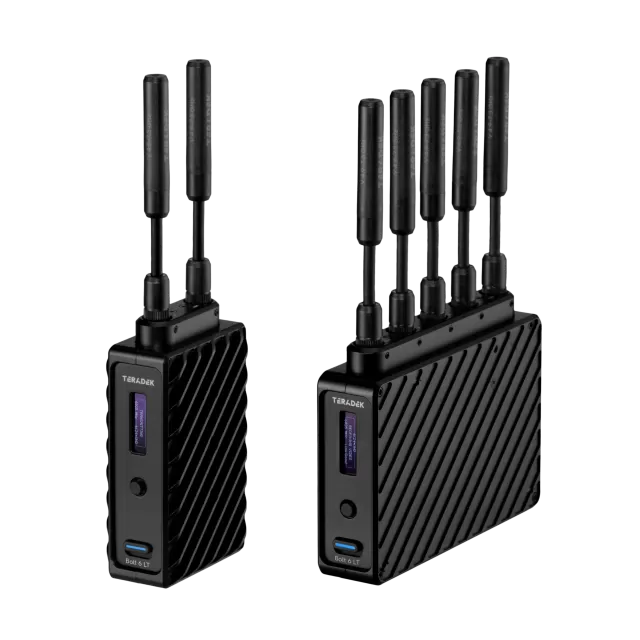
Teradek Prism Jetpack firmware
Teradek · Prism Jetpack · Video
Latest firmware for the Teradek Prism Jetpack is v2.25.20261021 (October 21, 2026).
Changelog
Prism Jetpack firmware changelog
-
v2.25.20260526v2.25.20260924Added configurable Scene Change Detection; fixed network reconnection and modem issues. -
v2.24first tracked
Firmware history
-
Release notes & download
Show release notes Hide release notes
Teradek Prism Firmware Version 2.25.20261021
New Features
- None
Changes and
Improvements
- Updated Teradek Priority Data multi-carrier support -- Verizon was not working
- Decoder MPEG-TS and SRT stats are now always displayed in the same order
Bug Fixes
- Decoder status could indicate decoding when idle
-
Added configurable Scene Change Detection; fixed network reconnection and modem issues. — summary by updatemystuff.com
Release notes & downloadShow release notes Hide release notes
Teradek Prism Firmware Version 2.25.20260924
New Features
- Added 'Scene Change Detection' option to encoder settings - when enabled, encoder can dynamically insert i frames, this was always enabled in previous firmware
Changes and
Improvements
- None
Bug Fixes
- Core control/status connection did not always reconnect after network interruptions
- Node II modems could take a long time to connect, or would never connect in some cases
-
Release notes & download
Show release notes Hide release notes
Teradek Prism Firmware Version 2.25.20260526
New Features
- Added controls for starting/stopping all Core and Cloud linked streams from the device
Changes and
Improvements
- Added support for RTMP App name in ingest URLs
- Keep ordering consistent when exporting user settings
- Added license information to exported settings
Bug Fixes
- Teradek Bond stream over UDP did not work with Prism Rack cards if one Ethernet was left disconnected
- Fixed issues with Multi-track audio - track assignments were incorrect and audio could be distorted
- Devices could not connect to Core on some networks
- Network priority labels were incorrect for Prism rack devices
- Hyperion decoder could not ingest SRT streams
- SRT and MPEG-TS streams did not work as outputs for Hyperion decoder
- RTMP and RTSP streams into Hyperion decoder didn't recover after restart
- Fixed RTSP stream metadata
- Some output stream modes did not work with IP stream as an input
- Modems did not connect when used with Teradek Data set to Carrier Lock mode
-
Release notes & download
Show release notes Hide release notes
Teradek Prism Firmware Version 2.25
New Features
- Added REST Settings API, includes the following:
- Full stream configuration, status, and control
- Encoder configuration
- Recording control
- Endpoint for users to request high/adjustable quality snapshot images
- SCTE message insertion
- OAuth authentication
- Documentation at teradekdev.com
- Added additional interface priority and bandwidth limit options for UDP protocol Teradek Cloud/Bonded streaming
- Added failover/backup ingest stream option for decoders
- Added device configuration import/export functionality
- Allow users to configure chunks/chunk duration to HLS and DASH in WebUi
- Allow users to configure web UI session timeout or disable it
- Added Battery status notifications
- Added Settings Sync API to push configuration directly to LAN devices
- Added start/stop controls to WHIP on encoder
- Added option to upgrade device using a firmware image URL
- Added Low Power Mode Status/Indicator to front panel for Jetpack
- Added stream controls for all stream modes that support them to Jetpack monitor
Changes and
Improvements
- Removed license requirement for IP stream as an input
- All Modems can now be upgraded at the same time
- Added caching for encoder/return video web UI snapshot so there is no loading screen when switching statuses
- Auto packet size option for MPEG-TS is now aware of Interface MTU settings, adjusts accordingly
- Improve decoder bitrate graph accuracy, reduced spikiness
- WebUI displays if discovered wifi networks are 5GHz or 2.4GHz
- Changed Return Video default setting to "Disabled"
- Added per audio/video track MPEG-TS PID settings
- Added DASH stream cache control headers to webserver
Bug Fixes
- Fixed some intermittent Core API connection stability issues
- 5.1 and 7.1 audio channel modes were not initialized correctly
- Fixed network routing initialization to better support multi-VLAN environments
- Some system utilities would restart periodically when connected to a network with no internet connection
- RTMP reconnect did not work if RTMP server endpoint was restarted
- Fixed file duration display for segmented recordings
- SDI output signal could flicker intermittently when used with some monitors/video switchers
- Mac-generated PNGs could not be uploaded to Prism for use with pattern generator
- Some SIMs would not connect automatically without manually adding APN configuration
- Start/stop broadcast option was not shown on the front panel
- WHEP stream web player did not play audio
-
Release notes & download
Show release notes Hide release notes
Teradek Prism Firmware Version 2.24.20260106
New Features
- None
Changes and
Improvements
- Updated expired self-signed SSL certificate
Bug Fixes
- Teradek Data SIMs could not connect to some European carriers in Auto mode
-
Release notes & download
Show release notes Hide release notes
Teradek Prism Firmware Version 2.24
New Features
- Added USB audio input support
- Added support for IP streams as an input source for Prism encoders (Beta, requires license)
- Added 'Start all' streams button for Prism with Multi-stream license
- Added real time file upload support for Core, S3 file sync
- Added selection between Sequential and Parallel file uploads for Frame.io
Changes and Improvements
- Added read permissions for all groups/users to recorded files
- Improved Prism web UI mobile compatibility
- Allow users to disable web UI access on Wired 2 interface
- Band selection for custom modem configuration is saved when switching between Auto & Custom
- Improved network uplink detection when connectivity is poor
- Added support for throttling of status information between devices and Core
- Added support for hostname registration via DHCP
- Changed license-activated Decoder Configuration menu label to Return Video
- Added enable/disable toggle for return video decoder
- Changed DPI (SCTE 104/35), Splice Type label to Network Event
- Enter key now works to apply EAP network settings
- System processes are restarted if a firmware upgrade is interrupted or fails before reboot
Bug Fixes
- Unplugging ethernet cable could disrupt other active network connections
- Disabling return video decoder on encoder could corrupt encoding and spike bitrate
- Presets export function was not working, exported files could not be imported
- Mac-generated PNGs could not be uploaded to use with Pattern Generator or OSD
- RTMPS authentication did not work with some streaming servers
- Facebook broadcasts would remain live after clicking Stop Broadcast
- Wowza Cloud server would stop when Prism stopped streaming to it
- HEVC MP4s did not work in some players - Changed HEVC Codec ID header to hvc1 instead of hev1
- SD card could not be accessed if formatting was done too soon before recordings were started
- Upload entries were duplicated on Frame.io for files recorded while offline
- Recording utility could restart when uploading multiple files simultaneously
- In progress recording uploads could not be manually stopped
- Corrupt recordings could prevent media information from loading
- Disabling the Core file sync toggle would stop recordings
- File browser did not display files mounted via NFS correctly, files could not be downloaded
- NFS drives sometimes failed to unmount
- Codec restarted when attempting to record to offline NFS drive
- Recorded files had no audio track when Audio codec was set to AC3
- 877 Analog audio volume slider did not work
- Diagnostics report did not contain 'defaults' file
- PAP SIM authentication did not work for some carriers
Watch the Prism Jetpack for updates
Get an email the moment Teradek publishes new firmware. Just your email — no account or password needed.