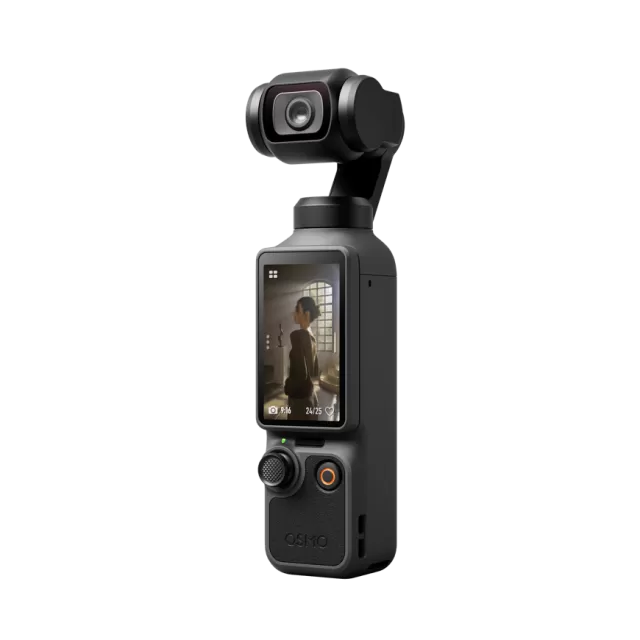
DJI Osmo Pocket 3 firmware
DJI · Osmo Pocket 3 · Video
Latest firmware for the DJI Osmo Pocket 3 is v01.06.10.04 (August 26, 2025).
Changelog
Osmo Pocket 3 firmware changelog
-
v01.05.10.01v01.06.08.04Added medium-telephoto zoom mode, breathing compensation for focus shifts, and D-Log M color option. -
v01.04.08.02v01.05.10.01Adds DJI Mic Mini support, improves autofocus, and enables background downloads in DJI Mimo App. -
v01.03.05.02v01.04.08.02Enables 4K livestreaming with gimbal mode improvements and power management options. -
v01.01.08.70v01.03.05.02Adds recording cancellation feature, introduces wireless microphone auto-power-off, optimizes audio and gimbal controls. -
v01.01.08.40first tracked Adds image adjustment, gesture-based shooting, and low-light mode; improves image quality and autofocus.
Firmware history
-
Release notes & download
Show release notes Hide release notes
- Fixed some minor bugs.
-
Added medium-telephoto zoom mode, breathing compensation for focus shifts, and D-Log M color option. — summary by updatemystuff.com
Release notes & downloadShow release notes Hide release notes
- Added Med-Tele mode. In Video mode, tap the <> icon at the bottom of the screen to enable the mode. When enabled, a 2x magnified mid- telephoto view can be achieved (equivalent focal length of 40 mm) while maintaining a maximum 4K ultra-high-definition resolution.
Compared to digital zoom, Med- Tele mode significantly enhances image resolution, preserving more texture details. (In Med- Tele mode, the maximum ISO is 1600, and ActiveTrack is not supported. )
- Added breathing compensation feature. When enabled, the camera corrects changes in the field of view caused by shifts in focus distance during recording, optimizing the visual experience.
- Added D-Log M (10 bit) color option in Webcam mode.
- Added background download for files in the DJI Mimo App. The DJI Mimo App needs to be updated to the latest version.
- DJI Mimo 2.1.12 supports taking video screenshots and save as static photos and live photos.
The availability of video screenshots depends on the support of system versions from Apple, Samsung, Xiaomi, vivo, and OPPO.
- Fixed some minor bugs.
-
Adds DJI Mic Mini support, improves autofocus, and enables background downloads in DJI Mimo App. — summary by updatemystuff.com
Release notes & downloadShow release notes Hide release notes
- Added support for DJI Mic Mini. Press and hold the Linking Button on a DJI Mic Mini transmitter for 2 seconds to link. Then, go to System Settings > Wireless Mic to select the microphone. Osmo Pocket 3 can connect up to two transmitters simultaneously, supporting both DJI Mic 2 and DJI Mic Mini.
- Optimized wireless microphone audio settings. If stereo is enabled and only one wireless microphone transmitter is connected, Osmo Pocket 3 will duplicate the audio to both channels.
- Added an option in settings to enable or disable the "Press and Hold Shutter/Record Button to Cancel Recording" feature. This feature is enabled by default.
- Added the background download feature for files in the DJI Mimo App. To use this feature, update the DJI Mimo App to the latest version.
- Optimized the Auto-focus performance.
- Fixed some minor bugs.
-
Enables 4K livestreaming with gimbal mode improvements and power management options. — summary by updatemystuff.com
Release notes & downloadShow release notes Hide release notes
- Added support for 4K resolution for UVC, and 3840x2160 25/30P output. ActiveTrack and recording with DJI Mic 2 are also available when livestreaming. Set the source video resolution in the live streaming software such as OBS before use. Make sure that the performance of the computer used for live streaming and the quality of the USB cable meet the requirements for 4K resolution. Live streaming with 4K resolution has higher requirements on system performance.
- Added FPV-⊥ gimbal mode. When enabled, and if the camera is powered on or recentered, the camera will stay perpendicular with the touchscreen, which is suitable for quickly capturing subjects.
- Added option for Auto Power Off. Never is now available.
- Adjusted the order of Wearable Mode in the Control Menu. When Wearable Mode is enabled, the screen turns off automatically after 5 seconds.
- Optimized the Auto-focus performance.
- Fixed some minor bugs.
-
Adds recording cancellation feature, introduces wireless microphone auto-power-off, optimizes audio and gimbal controls. — summary by updatemystuff.com
Release notes & downloadShow release notes Hide release notes
- Added cancel recording function. Users can press and hold the Shutter/Record button to cancel during recording. The footage will not be stored after cancelling, saving storage space.
(This function is not available in Timelapse, Motionlapse, and Webcam Mode.)
- Added auto-power-off function for DJI Mic 2 Transmitter. When a transmitter is not connected to a device and is not recording independently for more than 15 minutes, the transmitter will automatically power off. When the transmitter is connected to the camera, tap settings > Wireless Mic > Auto Power Off to enable the function. (The firmware of transmitter should be v04.03.08.31.)
- Optimized the recording gain for DJI Mic 2 transmitter and recording volume performance.
- Added support for setting the audio channel in the Built- in Mic Audio Backup function. The channel parameters will be set the same as they are for the camera audio.
- Optimized the controlling function for the 5D joystick in selfie mode. When taking a selfie, the panning direction of the camera is the same as the direction of movement of the 5D joystick.
- Optimized the automatic recovery logic of the gimbal when exiting Transfer File/OTG Connection mode.
- Optimized DJI Mic 2 transmitter performance and connection stability during livestreams.
- Fixed some minor bugs.
-
Release notes & download
Show release notes Hide release notes
- Fixed some minor bugs.
-
Adds image adjustment, gesture-based shooting, and low-light mode; improves image quality and autofocus. — summary by updatemystuff.com
Release notes & downloadShow release notes Hide release notes
- Added Image Adjustment. Sharpness and Noise Reduction level can be customized in Video, Slow Motion, and Hyperlapse modes (0 is default, -2 is lowest).
- Added Screen Rotate & Capture. When enabled, shooting will be started as soon as the touchscreen has been rotated clockwise to power on the camera. After shooting, the camera will automatically power off if left idle for two seconds.
- Added Low-Light shooting mode, helping improve image quality and reduce noise in low-light environments.
- Optimized image quality and enhanced color performance.
- Optimized the skin tone performance in multiple scenes.
- Optimized accuracy and stability for auto-focus in multiple scenes.
- Fixed some minor bugs.
Watch the Osmo Pocket 3 for updates
Get an email the moment DJI publishes new firmware. Just your email — no account or password needed.