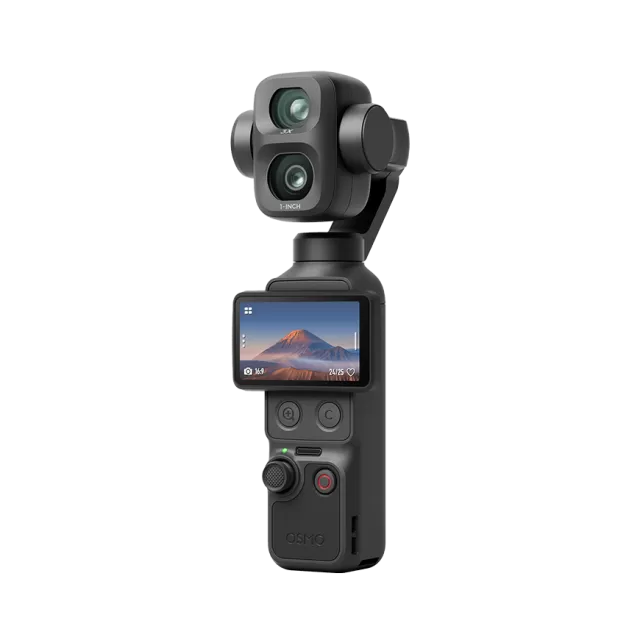
DJI Osmo Pocket 4 firmware
DJI · Osmo Pocket 4 · Video
Latest firmware for the DJI Osmo Pocket 4 is v01.04.12.16 (October 14, 2026).
Changelog
Osmo Pocket 4 firmware changelog
-
v01.03.10.05v01.03.14.04Added HDR 10-bit and D-Log video modes, photo HDR enhancement, and 45° diagonal gimbal joystick support. -
v01.01.32.02v01.02.07.05Added Huawei Direct Transfer, DJI Mic Mini 2 audio support, and joystick function customization. -
v01.01.32.02first tracked Added burst and live photos, automatic low-light video enhancement, and improved zoom and backlit video quality.
Firmware history
-
Release notes & download
Show release notes Hide release notes
- Added support for Auto Media Transfer on HarmonyOS. Newly captured photos and videos can be automatically transferred to your mobile device album after the camera powers off; newly captured photos can also be instantly transferred to your mobile device album. For a more stable experience, it is recommended to pair the camera with a mobile device running HarmonyOS 7.0 or later, and to ensure the camera battery is above 15%.
- Added an ActiveTrack option to the single-press and double-press functions of the Custom Button.
- Updated the D-Log to Rec.709 and D-Log to Rec.709 vivid LUT files to v2.0, improving the accuracy and consistency of color reproduction.
- Optimized the interaction experience and image quality in certain scenarios.
- Fixed some known issues.
-
Added HDR 10-bit and D-Log video modes, photo HDR enhancement, and 45° diagonal gimbal joystick support. — summary by updatemystuff.com
Release notes & downloadShow release notes Hide release notes
- Added HDR 10-bit color mode, supporting 10-bit high dynamic range video capture. Play back footage on a device that supports high dynamic range display for the best viewing experience.
- Added support for HDR Enhancement in Photo mode. Play back footage on a device that supports high dynamic range display for the best viewing experience.
- Added a D-Log 10-bit color mode for slow motion.
- Added joystick support for 45° diagonal gimbal movement.
- Optimized the interaction experience and image quality in certain scenarios.
- Fixed some known issues.
-
Release notes & download
Show release notes Hide release notes
- Added Camera Cloud Service, supporting uploading camera files to cloud storage. The supported cloud services vary depending on country/region and mobile device type. Currently supported services include Google Drive, OneDrive, and the user's own NAS. Supported services may be adjuste d in future updates.
- Added support for Frame Tracking. The camera automatically matches and selects an ActiveTrack subject. When the subject frame turns yellow, press the joystick once to start tracking while maintaining the current composition.
- Added supp ort for automatic brightness and color temperature adjustment for the fill light. When enabled, brightness and color temperature automatically adapt to the current scene without frequent manual adjustments.
- Added a press - and - hold setting for the Custom But ton. Press and hold the Custom Button to zoom out or open the custom settings menu.
- Added a virtual custom button in portrait mode, supporting single press, double press, triple press, and press and hold action, which can be customized in the settings.
- Add ed support for the Osmo FrameTap remote controller, allowing free adjustment of gimbal direction and composition for remote recording.
- Added mode memory to Smart Gimbal Mode. After restarting the camera, it will stay in the last selected smart gimbal mode.
- Added zoom to Smart Gimbal Mode. During tracking, push the joystick, or press, double press, or press and hold the button to zoom.
- Optimized the interaction experience and image quality in certain scenarios.
- Fixed some known issues.
-
Release notes & download
Show release notes Hide release notes
- Fixed some known issues.
-
Added Huawei Direct Transfer, DJI Mic Mini 2 audio support, and joystick function customization. — summary by updatemystuff.com
Release notes & downloadShow release notes Hide release notes
- Added support for Direct Transfer to Huawei Devices. You can select footage directly on the camera playback screen and transfer it to Huawei devices with one tap. Ensure the mobile device supports HarmonyOS 6.1 or later, and enable Everyone in Huawei Share before sharing for the first time.
- Added support for linking the DJI Mic Mini 2 transmitter to Osmo Pocket 4 for audio recording.
- Added support to set the Press & Hold Joystick function to Lock Gimbal or Lock Camera Direction in system settings. When Lock Gimbal is selected, the gimbal can move with your hand.
- Press and h old the Zoom Button to continuously zoom in.
- Optimized gimbal responsiveness in Photo mode for smoother tracking, making it easier to frame and capture the moment without affecting gimbal stabilization.
- Improved image quality in certain scenarios.
- Fixed some known issues.
-
Added burst and live photos, automatic low-light video enhancement, and improved zoom and backlit video quality. — summary by updatemystuff.com
Release notes & downloadShow release notes Hide release notes
- Added support for burst shooting to SuperPhoto mode. Quickly press the shutter/record button for multiple times for bursting shooting, allowing to capture highlight moments easily. After shooting, wait until saving is complete.
- Added support for Live Photos in S t andard Photo mode. When enabled, you can capture live photos in the camera and quickly export them to your mobile device using DJI Mimo.
- Added support for automatic Low - Light Image Enhancement in Video mode ( onl y available for 30 fps and below). When enabled, the camera will automatically detect low - light environment and switch to low - light mode, helping to improve image brightness and reduce noise. This feature is enabled by default and can be disabled in shooting settings.
- Improved zoom smoothness for more natural zooming effects when recording videos.
- Improved the image quality in Video mode for backlit scenes.
- Added a second page settings to the Control Center. Swipe down to open Control Center, then swipe left to view it.
- Optimized the interactive interface layout for improved user experience.
- Fixed some known issues.
Watch the Osmo Pocket 4 for updates
Get an email the moment DJI publishes new firmware. Just your email — no account or password needed.