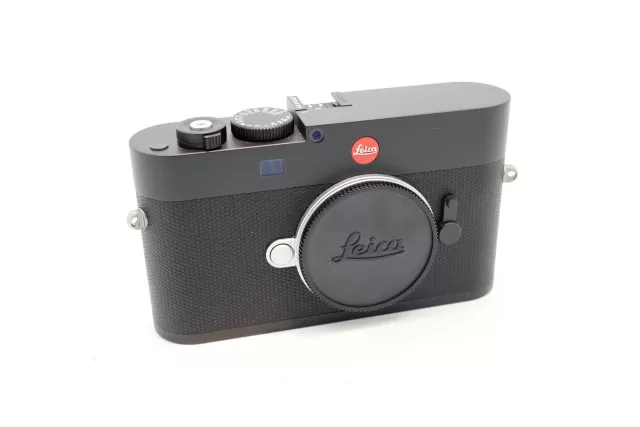
Changelog
T firmware changelog
-
v1.43v1.55Support for new APO-Macro-Elmarit-TL 60mm lens and fixed Leica App hang-up with Visoflex. -
v1.7v1.8Simplified smartphone pairing, improved color aberration in TL lenses, and added support for new TL 2.8/18mm lens. -
v1.6v1.7Adds support for the Elmarit-TL 18 f/2.8 ASPH. lens. -
v1.6first tracked
Firmware history
-
Support for new APO-Macro-Elmarit-TL 60mm lens and fixed Leica App hang-up with Visoflex. — summary by updatemystuff.com
Release notes & downloadShow release notes Hide release notes
Leica Camera AG / Seite 1 von 2
Installation instructions for the Leica T (Typ 701) - Firmware 1.55
Dear Customers,
By installing the firmware 1.55 on your Leica T (Typ 701) you will gain additional functions and compatibility for your camera.
Update Contents Model Number LEICA T (Typ 701) Update Version Version 1.55 Update File Name T701_V155. TUF.zip
T701_V155. TUF
- Description
- Version Description
- Version 1.55
Version 1.51
Version 1.5
Version 1.4 Performance Improvements: L Full compatibility and AF performance for new APO-Macro-Elmarit-TL 60mm/f2.8 ASPH.
Bug Fixes
L Hang up of camera during Leica App usage with Visoflex attached solved
Performance Improvements: L WiFi DIRECT Mode: The camera can create a WiFi Access Point (AP) and by that enables smart devices to connect to the camera directly. L WiFi connection: Automatic reconnection to known networks is enhanced in terms of reliability and speed.
Bug Fixes
L WiFi connection hang up solved
Performance Improvements:
L Start Up Time: the startup time of the camera is - compared to earlier firmware versions - significantly shortened (<0,75s) L AF speed: 1.4 features almost 100% improvement in AF response speed compared to earlier firmware (*metering method CIPA Standard: now 460ms compared to 860ms with earlier firmware versions) L Gesture operation: the responsiveness and reaction time is overall improved, particularly the play mode scroll and tap gestures are considerably more smooth and reactive
Leica Camera AG / Seite 2 von 2
L Compatibility to new TL lenses and SL lenses: Attention: Without the firmware 1.4 and higher the SL lenses are not supported on the Leica T
Bug Fixes
- L Audio/video sync
- L DNG + Jpeg in App remote modus
- L AF in APP remote modus
- L Malfunction of dials
Firmware Update Procedure
- Download an updated version of the firmware and double click on the ZIP-file to unpack it.
- Copy the firmware file onto an SD Memory Card in its top-level folder.
- Make sure to turn off the power switch on the camera.
- Insert the fully charged battery into the body. If the battery is not fully charged, the update process screen will not appear.
- Insert the SD Memory Card into the camera.
- Turn the camera on while simultaneously holding down the video record button.
- The firmware update screen will appear. Press OK.
- The LEICA T will start the update process. The firmware update will take about 90 seconds.
- After the update process please restart the camera.
CAUTION
Please do not turn off your camera, do not remove the SD Memory Card, and do not remove the lens while updating your camera's firmware. DOING SO CAN CAUSE SERIOUS DAMAGE TO YOUR CAMERA!
-
Version
1.43First seen Sep 23, 2026Release notes not published by vendor — see official page.
Release notes & download -
Version
1.8First seen Sep 23, 2026Simplified smartphone pairing, improved color aberration in TL lenses, and added support for new TL 2.8/18mm lens. — summary by updatemystuff.com
Release notes & downloadShow release notes Hide release notes
Leica Camera AG / Seite 1 von 1 Installation instructions for the L eica T (Typ 701) - Firmware 1.8 Dear Customers, by installing the firmware 1.8 on your Leica T (Typ 701) you will gain additional functions and performance for your camera.
Update Contents Model Number LEICA T (Typ 701) Update Version Version 1.8 Update File Name T701_180.TUF
Description Version Description 1.8 Performance Improvements: Simplified pairing process between camera and smartphone/APP Improvement of Color Aberration for all TL le nses 100% support including auto update of the new TL 2.8/18mm lens Firmware Update Procedure
- Download an updated version of the firmware.
- Copy the firmware file onto a SD Memory Card in its top level folder.
- Make sure to turn off the power switch on the camera.
- Insert the fully charged battery to the body. If the battery is not fully charged, the update process screen will not appear.
- Insert the SD Memory Card into the camera.
- Turn the camera – while simultaneously pressing the video release button – on.
- The firmware update screen will appear. Press OK.
- The LEICA T will start the update process. The firmware update will take about 90 seconds.
- After th e update process please restart the camera.
CAUTION
Please do not turn off your camera, or do not remove the SD Memory Card, do not remove the lens while updating your camera's firmware. DOING SO CAN CAUSE A SERIOUS DAMAGE TO YOUR CAMERA!
-
Version
1.7First seen Sep 23, 2026Adds support for the Elmarit-TL 18 f/2.8 ASPH. lens. — summary by updatemystuff.com
Release notes & downloadShow release notes Hide release notes
Leica Camera AG / Seite 1 von 1
Installation instructions for the L eica T (Typ 701) - Firmware 1.7
Dear Customers,
By installing the firmware 2.2 on your Leica T (Typ 701) the new Elmarit -TL 18 f/2.8 ASPH. will be fully supported.
Update Contents Model Number LEICA T (Typ 701) Update Version Version 1.7 Update File Name T701_170.TUF.zip
T701_170.TUF
Firmware Update Procedure
- Copy the firmware file onto a SD Memory Card in its top level folder.
- Make sure to turn off the power switch on the camera.
- Insert the fully charged battery to the body. If the battery is not fully charged, the update process screen will not appear.
- Insert the SD Memory Card into the camera.
- Turn the camera – while simultaneously pressing the video release button – on.
- The firmware update screen will appear. Press OK.
- The LEICA T will start the update process. The firmware update will take about 90 seconds.
- After the update process please restart the camera.
CAUTION
Please do not turn off your camera, or do not remove the SD Memory Card, do not remove the lens while updating your camera's firmware. DOING SO CAN CAUSE A SERIOUS DAMAGE TO YOUR CAMERA!
-
Version
1.6First seen Sep 23, 2026Release notes not published by vendor — see official page.
Release notes & download
Watch the T for updates
Get an email the moment Leica publishes new firmware. Just your email — no account or password needed.