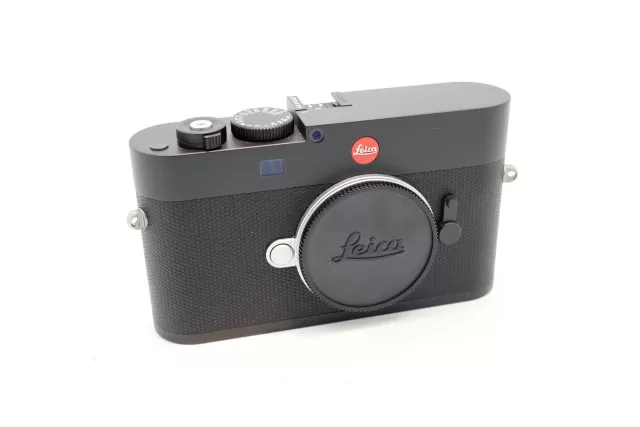
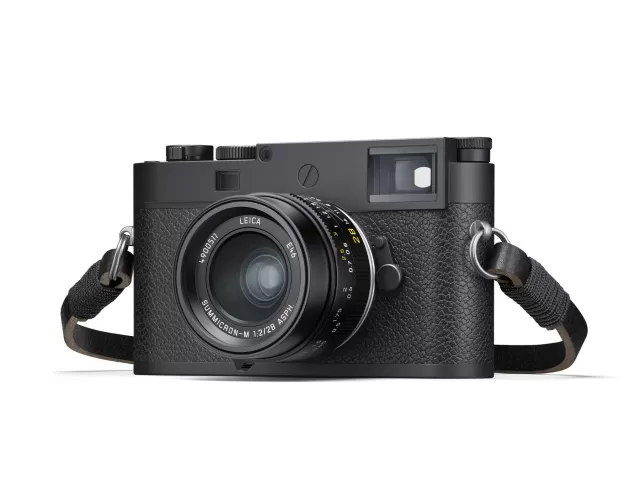
Leica M-P (Typ 240) firmware
Leica · M-P (Typ 240)
Latest firmware for the Leica M-P (Typ 240) is v2.1.0.0.
Changelog
M-P (Typ 240) firmware changelog
-
v2.0.5.0v2.1.0.0Lens profile support expanded. -
v2.0.3.0first tracked Prevents controls from becoming unresponsive and freezing during burst shooting, and supports larger memory cards.
Firmware history
-
Lens profile support expanded. — summary by updatemystuff.com
Release notes & downloadShow release notes Hide release notes
LEICA M (Typ 240) / LEICA M-P (Typ 240) LEICA M (Typ 262) LEICA M MONOCHROM (Typ 246)
FIRMWARE
Camera model Firmware version Leica M (Typ 240) 2.1.0.0 Leica M-P (Typ 240) 2.1.0.0 Leica M (Typ 262) 1.1.0.0 Leica M Monochrom (Typ 246)1.1.0.0 _EXTENDED: Lens Profiles
-
Version
2.0.5.0First seen Sep 23, 2026Release notes not published by vendor — see official page.
Release notes & download -
Version
2.0.3.0First seen Sep 23, 2026Prevents controls from becoming unresponsive and freezing during burst shooting, and supports larger memory cards. — summary by updatemystuff.com
Release notes & downloadShow release notes Hide release notes
Leica Camera AG / Page 1 of 3
Installation instructions for – Firmware 2.0.3.0 for Leica M/M-P (Typ 240) Firmware 1.0.0.6 for Leica M (Typ 262) Firmware 1.0.1.0 for Leica M Monochrom (Typ 246)
Dear Customers,
By installing the abovementioned firmware on your Leica M you will gain additional performance for your camera.
Update Contents Model Number LEICA M/M-P (Typ 240) / Leica M (Typ 262) / Leica M Monochrom (Typ 246) Update Version Version 2.0.3.0 / Version 1.0.0.6 / Version 1.0.1.0 Update File Name M240_2030. FW
M262_1006. FW
M246_1010. FW
- Overview
- Version Description
- M/M-P (Typ
- 240)
- Version
- 2.0.3.0
M (Typ 262) Version 1.0.0.6
M Monochrom (Typ 246) Version 1.0.1.0
Performance
Improvements
- Implemented optimizations that prevent the camera controls from becoming unresponsive after a series of continuous burst photos fills the buffer.
- The selected user profile will be displayed even when exposure compensation has been adjusted. Exposure compensation is no longer saved to the user profile.
- Memory cards with a capacity up to 512 GB are supported
- The default file format settings upon camera reset have been changed from „JPG“ to
„DNG+JPG“
- The time-out period for the last GPS Position, when no GPS signal is received, has been extended to 2.5 hours (GPS is not available with M (Typ 262))
- It is now possible to display DNG files from the Leica M Monochrom (Typ 246) in all zoom steps, also with the M/M-P (Typ 240 and 262)
- When using SD-cards that are too slow for movie recording, a message appears in the viewfinder display
Leica Camera AG / Page 2 of 3
Bug Fixes
- Bugs, that led to a camera freeze when shooting fast sequences, have been fixed
- The accuracy of the internal clock has been improved
- When using „AUTO ISO in M mode“ the used exposure metering mode is now being displayed in play mode
- Files larger than 2GB can now be transferred from the camera to the PC via USB
- The display of the histogram has been optimized for high ISO values
- The display of flash exposure compensation values has been improved in the menu
- A misleading message (“check battery age”) has been removed
- In case of Leica M Monochrom (Typ 246): A bug that led to black pixels in fine pattern has been fixed
- Further system optimizations have been implemented
Firmware Update Procedure
- Format an SD memory card in your Leica M.
- Turn off the camera and insert the card into an SD card reader – either integrated or connected to your computer. (A reader is required for Firmware updates).
- Download the Firmware file from the Leica M site using the Service & Support/Support/Downloads menu.
- Save the Firmware file at the top level of the card’s folder structure.
- Remove the card properly from your card reader, insert the card into the camera and close the bottom cover.
- Press the “INFO” button and hold it, simultaneously turn on the camera using the main switch.
- The update process takes several 2-4 minutes. “Loading file...” appears on the screen.
- When the update is done, a corresponding message appears on the screen. The Message disappears after some seconds.
CAUTION
Please do not turn off your camera, or do not remove the SD Memory Card, do not remove the lens while updating your camera's firmware. DOING SO CAN CAUSE A SERIOUS DAMAGE TO YOUR CAMERA!
Leica Camera AG / Page 3 of 3
When installing the new Firmware version, all user profiles will be deleted and need to be set again after the new firmware is installed. We recommend taking note of the specific settings before updating. If the battery does not have sufficient charge, you will see a corresponding warning message.
Watch the M-P (Typ 240) for updates
Get an email the moment Leica publishes new firmware. Just your email — no account or password needed.