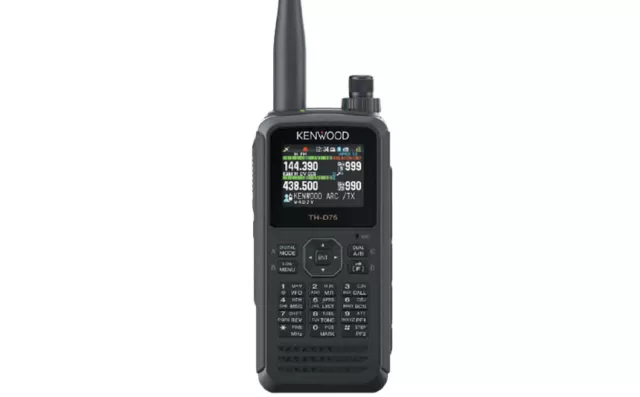
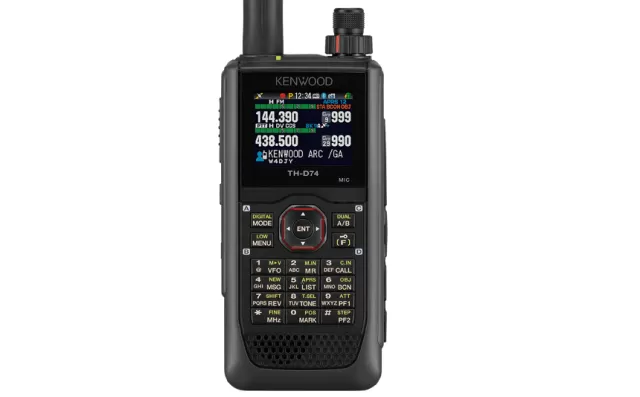
Kenwood TH-D72A/E Main firmware
Kenwood · TH-D72A/E Main · TH-D72A/E Main · Handheld
Latest firmware for the Kenwood TH-D72A/E Main is v1.10 (August 26, 2020).
Specifications
TH-D72A/E Main specifications
Figures for the TH-D72A.
- Type
- Amateur VHF/UHF transceiver
- Frequency range
- USA / TX: 144-148 / 430-450 MHz / RX: 118-174 / 320-524 MHz
- Modes
- TX: FM / NFM / RX: AM / FM / NFM
Show the full specification Hide the full specification
General
- Mode
- TX: FM / NFM RX: AM / FM / NFM
- Type
- Amateur VHF/UHF transceiver
- Weight
- 370 g (13.05 oz), with PB-45L antenna and belt clip
- Power supply
- 5.5-9 VDC (Battery pack) or 12-16 VDC external
- Tuning steps
- 5 / 6.25 / 8.33 / 10 / 12.5 / 15 / 20 / 25 / 30 / 50 / 100 KHz
- Other features
- Built-in 1200/9600bd TNC and GPS. APRS. Echolink support. Mini-USB. CTCSS/PL and DCS. Sky Command II. VOX. Clock. Weather alert. Backlit display.
- Frequency range
- USA TX: 144-148 / 430-450 MHz RX: 118-174 / 320-524 MHz
- Dimensions (W*H*D)
- 58*140*40 mm (2.28*5.51*1.58"), with PB-45L
- Frequency stability
- ±5 ppm @ -10° to +50°C (14° to 122°F)
- Repeater shift / offset
- ±0 to 29.95 MHz in 50 KHz steps
- Channels / memory management
- 1000 regular with alpha tags 1 call
- Antenna impedance / connector
- 50 ohm / SMA
- Current drain / power consumption
- RX: 30-150 mA (No signal) TX: 0.5-2 A
Miscellaneous
- Manufactured
- 2010-201x (Discontinued)
Receiver Section
- Selectivity
- 11 KHz (-6 dB) 30 KHz (-50 dB)
- Sensitivity
- Band A, 2 m/70 cm: 0.18 uV (12 dB SINAD) Band B, 2 m/70 cm: 0.22 uV (12 dB SINAD)
- Receiver system
- Double conversion superheterodyne 1st IF: 49.95 MHz (Band A), 45.05 MHz (Band B) 2nd IF: 450 KHz (Band A), 455 KHz (Band B)
- AF output power / speaker
- 300 mW at 10% distortion / 8 ohm
Transmitter Section
- RF output power
- HighLowELow 2 m:2-5 W500 mW50 mW 70 cm:2-5 W500 mW50 mW High power output depends on battery voltage
- Modulation system
- Reactance modulation
- Spurious emissions
- Better than -60 dB
- Microphone input level
- ? mV
- Max FM deviation (Factory set)
- FM: ±5 KHz NFM: ±2.5 KHz
- Microphone impedance / connector
- 2 Kohm / ?-pin
Changelog
TH-D72A/E Main firmware changelog
-
v1.06v1.07Charging shows on LCD instead of LEDs to save power; APRS now displays correct Yaesu radio model names. -
v1.04v1.05Adds APRS auto-reply delay time, message editing, and time-out timer; fixes Voice Alert. -
v1.03v1.04Fixed packet path and DTMF transmission issues -
v1.02v1.03Enables GPS satellite display without blinking iGPS; fixes button, message, display, and transmission issues. -
v1.01v1.02Dual/Single band mode switching now works with APRS Lock and fixes display and packet transmission issues. -
v1.01first tracked Fixes icon display issues in APRS and PACKET modes at 1200bps
Firmware history
All versions below were published by Kenwood on kenwood.com. Third-party and modified firmware is never listed.
-
Source:
kenwood.comRelease notes & downloadShow release notes Hide release notes
The following feature is updated.
- Enables display of the model name "FTM-300D" when received an APRS position packet from the Yaesu FTM-300DR/E.
-
Source:
kenwood.comRelease notes & downloadShow release notes Hide release notes
The following features are updated.
- Enables decoding of standard APRS telemetry format.(Displays telemetry packets sent from the
PSAT2
.)
2.
Enables display of the model name "FT3D" when received an APRS position packet from the Yaesu FT3DR/E.
-
Source:
kenwood.comRelease notes & downloadShow release notes Hide release notes
The following feature is updated.
- Enables display of the model names "TH-D74", "FT2D", "FTM-100D" when received APRS position packets from the KENWOOD TH-D74A/E, and the Yaesu FT2DR/E, FTM-100DR/E.
-
Charging shows on LCD instead of LEDs to save power; APRS now displays correct Yaesu radio model names. — summary by updatemystuff.com
Source:
kenwood.comRelease notes & downloadShow release notes Hide release notes
The following features are updated.
- While charging the battery pack via the DC-IN jack, "Charging" appears on the front panel LCD instead of lighting the top panel LEDs to reduce power consumption.
2.
Enables display of the model names "FT1D" and "FTM-400D" when received APRS position packets from the Yaesu FT1DR/E and the FTM-400DR/E.
-
Source:
kenwood.comRelease notes & downloadShow release notes Hide release notes
The following feature is updated.
- When distance to the target point or the received station is less than 1(mile/km/nm), displays two decimal places.
-
Adds APRS auto-reply delay time, message editing, and time-out timer; fixes Voice Alert. — summary by updatemystuff.com
Source:
kenwood.comRelease notes & downloadShow release notes Hide release notes
The following features are updated.
- Adds the Menu No.3Q2:[APRS]-[Auto-Reply]-[Delay Time] as a new function.
When you receive an APRS message, operating the transceiver during the delay time will cancel sending an auto-reply message.
You can set the delay time to "0 sec", "10 sec" (default), or "30 sec".
Setting to "0 sec" sends an auto-reply message without delay time the same as before updating the firmware.
- Adds characters "AA:" which means "Auto Answer" at the beginning of auto-reply messages' text following the recommendation in the APRS SPEC Addendum 1.1 .
- Changes the name of the Menu No.3T1:[APRS]-[Sound]-[TX Beep (Beacon)] to [TX Beep], and enables the output of a beep sound when transmitting an auto-reply message as well as a beacon (position packet).
- Adds "Edit" function in the APRS message menu. It enables editing of the destination callsign and sentences in received or sent messages and resend.
- Due to adding the "Edit" function above, disables automatic quotation when using "Reply" function.
- Adds the Menu No.13A:[RADIO]-[TX/RX]-[TOT](Time-out Timer).
You can set the length of time the transceiver can continue to transmit to "0.5 min","1.0 min","1.5 min", "2.0 min", "2.5 min", "3.0 min", "3.5 min", "4.0 min", "4.5 min", "5.0 min", or "10.0 min". The default setting is "10.0 min" the same as the fixed value before updating the firmware.
This update changes the TH-D72A's Menu No.13A (WX Alert) and 13B (Auto WX Scan) to Menu No.13B (WX Alert) and 13C (Auto WX Scan).
- Due to the updates above, the Memory Control Program MCP-4A also has been updated to Ver.1.03.
The following symptom is revised.
- Voice Alert function might not work correctly after pressing [TNC].
-
Fixed packet path and DTMF transmission issues — summary by updatemystuff.com
Source:
kenwood.comRelease notes & downloadShow release notes Hide release notes
The following symptoms are revised.
1.
When the Menu No.3H0 (PacketPath - Type) is set to "Others", packet path may not be sent correctly while moving.
- When pressing [PTT] while in My Position / GPS satellite information or APRS station list display mode, pressing [MENU] - [>OK] may not transmit DTMF code.
-
Enables GPS satellite display without blinking iGPS; fixes button, message, display, and transmission issues. — summary by updatemystuff.com
Source:
kenwood.comRelease notes & downloadShow release notes Hide release notes
The following features are updated.
- Enables the disipay of GPS satellite information (Sky view and Satellite signal-strength bars) even when the "iGPS" icon is not blinking.
- When pressing [MARK] while in Mark Waypoint list display mode, returnes to the original display.
- When pressing [>OK] while "My Position" or "My Message" is blinking, if the digipeater's position data exists in station list, displays the station information page 4.(Distance and direction to the digipeater).
The following symptoms are revised.
- When the Menu No.180 is set to "F.Lock", holding [A/B]-CLR key down may not work correctly.
- When pressing [MSG] to enter a message, might not initialize the keypad character entry.
- When receiving a packet while changing the tranceiver's settings, the LCD display might not indicate the actual status correctly.
- While the operation band is busy, cannot transmit by pressing [PTT] on rare occasions.
-
Dual/Single band mode switching now works with APRS Lock and fixes display and packet transmission issues. — summary by updatemystuff.com
Source:
kenwood.comRelease notes & downloadShow release notes Hide release notes
The following features are updayted.
- When the operating band is the same as the data band, enables switching between Dual band mode and Single band mode even if the APRS Lock function is activated.
- When the operation band is changed in Single band mode, enables backup of the data band status parameters such as "APRS mode, PACKET mode, Off".
The following symptoms are revised.
- Extra characters might be displayed after the pasted-in user phrases.
- When the operation band is changed in Single band mode, enables backup of the data band status parameters such as "APRS mode, PACKET mode, Off".
- When "dd°mm’ss.s"is selected for the position unit, the figures of "ss" displayed might be different from the actual position data.
- In the Waypoint data sentences from the COM port, unnecessary character codes might be output following the callsign data.
- When the operating band is not the data band, the TX packet's RF power level meter might not indicate correctly.
- When the Weather Alert function is activated in non-data band, APRS packet transmission in data band might be blocked.(TH-D72A only)
-
Fixes icon display issues in APRS and PACKET modes at 1200bps — summary by updatemystuff.com
Source:
kenwood.comRelease notes & downloadShow release notes Hide release notes
The following symptoms are revised.
- When APRS mode is turned on in 1200bps mode, the "iGPS" icon may stop blinking or disappear.
- When PACKET mode is turned on in 1200bps mode, the "12" icon may flicker.
Applicable models/units :
The firmware updating program is applicable for the following models/units.
Models: TH-D72A, TH-D72E
Serial numbers: From S/NO.B0Bxxxxx through S/NO.C09xxxxx approx.
Notes
:
You can find the serial number imprinted on the rear panel after removing the battery.; It consists of an 8-digit number beginning with "S/NO."
:
You can check the firmware version of your TH-D72A/E by pressing #[ENT] + Power ON.
The firmware version appears in the LCD display.
Operating Environments
1.
Operating System (OS)
Windows ® 8.1 (32-bit or 64-bit)
Windows ® 10 (32-bit or 64-bit)
Note:
This software is designed to run on the above operating systems.
This software also runs on Windows ®
- (Noted on June 23, 2022)
Applicable operating systems are subject to change without notice due to the end of the technical support by Microsoft Corporation or change of the product specifications.
- Processor
Faster than the recommended CPU for each OS.
- System Memory (RAM)
Larger than the recommended System Memory for each OS.
- Free Hard Drive Space
Larger than the system Hard Drive Space for each OS.
- Runtime
Microsoft .NET Framework 3.5 (includes .NET 2.0 and 3.0).
- Peripheral Devices
A display with resolutions higher than XGA (1024 x 768).
A keyboard and a mouse, or other pointing devices.
USB 2.0 interface.
Attention
If you do not want to lose user data, save the data using the Memory Control Program MCP-4A before updating the firmware and write the data back after updating the firmware.
Turn the transceiver OFF before connecting it to a PC.
You cannot connect the TH-D72A/E to a PC COM port via an RS-232C cable.
Installation:
Extract the downloaded file "TH-D72_Main_V110E.zip" into a designated folder.
In the designated folder, a folder labeled "TH-D72_Main_V110E" will be created.
In the folder labeled "TH-D72_Main_V110E", two files "TH-D72_Main_V110_e.exe" and "TH-D72_Main_e.chm" are automatically created.
Updating:
- Start the program by double-clicking "TH-D72_Main_V110_e.exe" icon.
- Connect the transceiver's USB port to your PC's USB port using a USB cable, and select the COM port you will use by following the Help file.
- Proceed firmware updating by following the explanations in the dialog boxes.
Uninstalling:
- Delete the folder labeled "TH-D72_Main_V110E" manually using the Explorer or an alternative method.
- This software does not modify the system registry parameters or system folder.
Downloading
Only if you agree to the following "Usage Notes", click "Agree" and download the file. (If you do not agree, you will not be able to download the file.)
Usage Notes
・
Users are prohibited to assign, rent, lease, redistribute, or resell the software.
・
Users are prohibited to revise, change, translate, merge, de-compile, or reverse engineer the software.
・
JVCKENWOOD Corporation does not warrant that quality and functions of this software comply with each user's purpose of use of this software, and unless specifically described in this document, JVCKENWOOD Corporation shall be free from any responsibilities to any defects and indemnities to any damages or losses.
Selection and installation of this software shall be done by the user's own designation.
The user shall take full responsibility for the use and effects of this software.
・
JVCKENWOOD Corporation shall be free from any responsibilities for any incidental losses or damages, such as missing communications or a call opportunity, caused by a failure or performance error of this software.
・
JVCKENWOOD Corporation shall own all copyrights and other intellectual properties for the software and all manuals and documents attached to the software.
The user shall be allowed to use, not to resell, the software by obtaining a license from JVCKENWOOD Corporation.
While the media on which the software is stored is possessed by the user, the ownership for the software itself shall be reserved for JVCKENWOOD Corporation.
TH-D72_Main_V110E.zip : 1.28MB download
TH-D72_Main_V110E.zip : 1.28MB download
(The latest version includes all previous updates.) TH-D72 Main Firmware Update Version 1.10 (August / 2020)
Windows is a registered trademark or trademark of Microsoft Corporation in the United States and other countries.
.NET Framework is a registered trademark or trademark of Microsoft Corporation in the United States and other countries.
Global Site
Watch the TH-D72A/E Main for updates
Get an email the moment Kenwood publishes new firmware. Just your email — no account or password needed.