

Fujifilm X-T4 firmware
Fujifilm · X-T4 · Body
Latest firmware for the Fujifilm X-T4 is v2.12 (July 9, 2024).
Specifications
X-T4 specifications
- Body type
- SLR Style Mirrorless
- Resolution
- 26.1 MP
- Sensor
- BSI-CMOS
- Sensor size
- 23.5 × 15.6 mm
- Processor
- X-Processor 4
- ISO range
- 160–12800
- Fastest shutter
- 1/8000
- Burst rate
- 20 fps
- Battery life
- 500 shots (CIPA)
- Storage
- Dual SD/SDHC/SDXC card slots (UHS-II supported)
- Video
- MPEG4, H.264, H.265
- Mount
- Fujifilm X
- Weight
- 607 g
- Dimensions
- 135 × 93 × 84 mm
- Weather sealed
- Yes
- Price at launch
- $1699
Changelog
X-T4 firmware changelog
Firmware history
-
Release notes & download
Show release notes Hide release notes
The firmware update Ver.2.12 from Ver.2.11 incorporates the following issues:
- The EVF display is sometimes distorted when attaching the XF50-140mmF2.8 R LM OIS WR and repeating the zooming operation.
- When the camera is turned on with the flash (EF-60/EF-X500) attached, the flash is not recognized or the flash does not fire.
-
Version
2.11First seen Jul 4, 2026Release notes & downloadShow release notes Hide release notes
The firmware update Ver.2.11 from Ver.2.10 incorporates the following issues:
- A firmware bug is fixed that the exposure of the preview image and the recorded image are different from each other when shooting manually with the XF50mmF1.0 R WR, which has a bright aperture F value.
- A firmware bug is fixed that the images taken were not saved to the memory card in the camera in case that the image transfer setting to “FUJIFILM XApp” or “FUJIFILM Camera Remote” is set to “AUTO IMAGE TRANSFER ORDER”.
-
Version
2.10First seen Jul 4, 2026Release notes & downloadShow release notes Hide release notes
The firmware update Ver.2.10 from Ver.2.01 incorporates the following issues:
- Aperture control parameters have been optimized to improve exposure tracking function during zoom operation when using the following interchangeable lens.
[Target interchangeable lens]
- XF16-55mmF2.8 R LM WR:Ver.1.30 or later Note: Make sure to update the camera firmware to the latest firmware before updating the firmware of the interchangeable lens to enable those functions above.
- Other minor bugs are fixed.
-
Version
2.01First seen Jul 4, 2026Release notes & downloadShow release notes Hide release notes
The firmware update Ver.2.01 from Ver.2.00 incorporates the following issues:
- The firmware bug is fixed that the camera freezes under the following shooting conditions after updating to Ver.2.00.
- DRIVE DIAL: ADV
- IMAGE QUALITY: “FINE + RAW” or “NORMAL + RAW”
- Oher minor bugs are fixed.
-
Version
2.00First seen Jul 4, 2026Release notes & downloadShow release notes Hide release notes
The firmware update Ver.2.00 from Ver.1.72 incorporates the following issues: Regarding the details of No.2, 3, 4, 5 and 6, download the “X-T4 New Features Guide[Ver.2.00]” from our website.
- X-T4 New Features Guide: English, Français, Deutsch, Español, Italiano, Nederland, Polski, Svenska, Norsk, Dansk, Pусский, Suomi, 中文简, 中文繁體, 한국어, ภาษาไทย, Arabic
- The firmware for each model supports new application software “FUJIFILM XApp” for GFX and X series cameras.
“FUJIFILM XApp” is the advanced application software for the current one, “FUJIFILM Camera Remote”, with which wireless communication becomes more stable and faster so that images and movies transportation from the camera becomes more smooth and comfortable with the smartphone and tablet terminal.
Moreover, the operation with the smartphone and tablet terminal becomes much simpler than the current application software, since all the data transportation operations, except for the “Bluetooth Pairing” between camera and the application software required at the first time only, are completed with the smartphone and tablet terminal.
Adding on the “Live View Mode” and access/download functions of the data in camera, several new functions are available, such as “Backup/Restore” to store the setting data in the shooting and setup menus, “Timeline” to review the shooting information of the camera/lens, shooting count/location, etc. and “Activity” to show the accumulated summary of the shooting count total, film simulation usage, etc., which should make GFX and X series cameras attractive more and more.
Note-1: Please see NEWS RELEASE for the details of “FUJIFILM XApp”.
Fujifilm releases the FUJIFILM XApp for the GFX / X Series of digital cameras Note-2: “FUJIFILM XApp” works with iOS/iPad OS 13 or later and Android OS 11 or later.
Please download the “FUJIFILM XApp” from the following site by selecting the OS version of your smartphone / tablet terminal and the camera. “FUJIFILM XApp” Download Site Note-3: “FUJIFILM XApp” will be available as soon as it is ready.
- “AREA SETTING” has been added in the “USER SETTING” of the Setup menu, which changed the operation procedure for the initial setting and “TIME DIFFERENCE” setting as follows.
- 24 hours display can be selected in “DATE/TIME”.
- Your living location can be selected with the world map as well as “Saving time” can be on and off in “AREA SETTING”.
- “LOCAL” can also be selected with the world map in “TIME DIFFERENCE”.
Note-1: “ARIA SETTING” and “DATE/TIME” menus appear when turning on the camera right after firmware upgrade. So please set up the above items in these menus.
- “RESET” function in the Setup menu will change.
- “AREA SETTING” has been added on the list that would not be reset in “SET-UP RESET” function.
- “INITIALIZE” function has been added to reset all settings to default values, other than except for custom white balance.
- Some of the menu related to the wireless connection changed as follows.
- “Bluetooth SETTINGS” in “CONNECTION SETTING” of the Setup menu has been changed to “Bluetooth/SMARTPHONE SETTING” and “IMAGE TRANSFER WHILE POWER OFF” has been added in this menu.
- “AUTO IMAGE TRANSFER” has been changed to “AUTO IMAGE TRANSFER” and “SMARTPHONE SYNC. SETTIN” has been changed to “SMARTPHONE LOCATION SYNC” for each.
- Some of the menu items of “GENERAL SETTINGS” in “CONNECTION SETTING” of the Setup menu has been change as follows.
- “NAME” and “RESIZE IMAGE FOR SMARTPHONEH 3M” has been moved into “Bluetooth/SMARTPHONE SETTING” menu.
- “GEOTAGGING” has been moved into “SAVE DATA SET-UP” menu.
- “LOCATION INFO” has been moved into “SCREEN SETUP” menu.
- “〔Wi-Fi〕 BUTTON SETTING” has been moved into “BUTTON/DIAL SETTING” menu and changed to “Fn1 BUTTON SETTING”.
- “Bluetooth Pairing Registration” has been added in “FUNCTION (Fn) SETTING” while pushing and holding the DISP/BACK” button, which changed the procedure to connect to the smartphone.
- FUJINON lens, XF8mmF3.5 R WR has been available.
- Other minor bugs have been fixed.
-
Version
1.72First seen Jul 4, 2026Release notes & downloadShow release notes Hide release notes
Revised specification from Ver.1.71 to Ver.1.72
- The firmware bug has been fixed, which caused that the focus cannot be adjusted by operating the Manual Focus Ring during movie recording when using the following lenses.
- FUJINON LENS XF14mm F2.8 R
- FUJINON LENS XF16mm F1.4 R WR
- FUJINON LENS XF23mm F1.4 R
-
Version
1.71First seen Jul 4, 2026Release notes & downloadShow release notes Hide release notes
Revised specification from Ver.1.70 to Ver.1.71
- The firmware bugs have been fixed, which caused that the cameras rarely froze right after the completion of the firmware update with the current version using a smartphone (tablet) in which Camera Remote application software was installed.
Note: When updating the firmware with the revised version, please be sure to update the firmware using an SD card according to steps below. Detail of firmware update steps
-
Version
1.70First seen Jul 4, 2026Release notes & downloadShow release notes Hide release notes
Revised specification from Ver.1.60 to Ver.1.70 Please refer to the “X-T4 New Features Guide” for information on the following item No.1 that has been updated.
For the “Tripod Grip (TG-BT1)” initial settings and operating instructions, please download the “Tripod Grip (TG-BT1) User’s Manual” from our website.
- X-T4 New Features Guide: English, Français, Deutsch, Español, Italiano, Nederland, Polski, Svenska, Norsk, Dansk, Pусский, Suomi, 中文简, 中文繁體, 한국어, ภาษาไทย, Arabic
- Tripod Grip (TG-BT1) User’s Manual: English, Français, Deutch, Español, Italiano, 中文简, Arabic
- “Tripod Grip (TG-BT1)” has been available.
When the camera and “Tripod Grip (TG-BT1)” are connected via Bluetooth, you can shoot still images and movies(*1) while holding the grip, as well as zoom in on lenses(*2) with an electric zoom function .
- 1 Change the camera to movie mode, when shooting movies.
- 2 The XC15-45mmF3.5-5.6 OIS PZ will be compatible in January 2023.
- Other minor bugs have been fixed.
-
Version
1.60First seen Jul 4, 2026Release notes & downloadShow release notes Hide release notes
Revised specification from Ver.1.50 to Ver.1.60 Regarding the detail of the improvements, download the “X-T4 New Features Guide” from our website.
New Features Guide: English, Français, Deutsch, Español, Italiano, Nederland, Polski, Svenska, Norsk, Dansk, Pусский, Suomi, 中文简, 中文繁體, 한국어, ภาษาไทย, Arabic
- The following operational flow and functions of the zooming and focusing in the camera menu were added or changed.
- “TOUCH ZOOM” function was added in the “TOUCH SCREEN SETTING” menu, which is called through the operation flow below.
[ SETUP MENU ] ➔ [ BUTTON/DIAL SETTING ] ➔ [ TOUCH SCREEN SETTING ]
- “POWER ZOOM LENS FUNCTION(Fn) SETTING” menu to allocate the “Fn” button for the power zoom lens functions was added in “BUTTON/DIAL SETTING” menu, which is called through the operation flow below.
[ SETUP MENU ] ➔ [ BUTTON/DIAL SETTING ]
The functions added are “ZOOM/FOCUS CONTROL RING”, “CONSTAN SPEED ZOOM (T/W)” and “CONSTAN SPEED FOCUS (N/F)”.
- “LENS ZOOM/FOCUS SETTING” menu was added in “BUTTON/DIAL SETTING” menu, which is called through the operation flow below.
[ SETUP MENU ] ➔ [ BUTTON/DIAL SETTING ]
The functions added are “CONSTANT SPEED ZOOM (8 steps)”, “CONSTANT SPEED FOCUS (8 steps)”, “CONSTANT SPEED ZOOM/FOCUS (Fn) OPERATION”, “START/STOP SWITCH & ACTIVE WHILE PRESSING”, “ZOOM RING ROTATE” and “ZOOM/FOCUS CONTROL RING”.
- “FOCUS RING” and “FOCUS RING OPERATION” settings were moved to “LENS ZOOM/FOCUS SETTING” menu which is called through the operation flow below and the inscription of the “FOCUS RING” was changed to “ FOCUS RING ROTATE”.
[ SETUP MENU ] ➔ [ BUTTON/DIAL SETTING ] ➔ [ LENS ZOOM/FOCUS SETTING ]
- Exposure adjustment function for the pre-view image/movie has been enhanced by optimizing the parameters for the exposure control when XF150-600mm is used.
- “AF+MF” function has been available even at movie taking.
-
Version
1.50First seen Jul 4, 2026Release notes & downloadShow release notes Hide release notes
Revised specification from Ver.1.40 to Ver.1.50
- FUJINON lens, XF150-600mmF5.6-8 R LM OIS WR has been available.
- The accuracy of AF function has been improved at manual focus mode using “One-Push AF”.
-
Version
1.40First seen Jul 4, 2026Release notes & downloadShow release notes Hide release notes
Revised specification from Ver.1.30 to Ver.1.40 Regarding the detail of the improvements, download the “X-T4 New Features Guide” from our website.
New Features Guide: English, Français, Deutsch, Español, Italiano, Nederland, Polski, Svenska, Norsk, Dansk, Pусский, Suomi, 中文简, 中文繁體, 한국어, ภาษาไทย, Arabic
- XLR microphone adapter* has been supported. As a result, [XLR MIC ADAPTER SETTING] option has been added under the [AUDIO SETTING] in the movie menu as well as [4ch AUDIO PLAYBACK] option has been added under [SOUND SETTING] in the setup menu.
*TEAC TASCAM CA-XLR2d-F” XLR microphone adapters has been supported.
- A firmware bug has been fixed, which caused that [WB SHIFT] saved as “CUSTOM” would be disabled by operating the “Q” menu.
- Another minor bug has been fixed.
-
Version
1.30First seen Jul 4, 2026Release notes & downloadShow release notes Hide release notes
Revised specification from Ver.1.25 to Ver.1.30
- The following specification has been revised to improve compatibility with SDXC memory card format.
The maximum number of frames that can be recorded in a single folder has been changed from 9,999 to 999.
If you are using a macOS computer to process recorded files in the SDXC memory card, make sure to follow the procedure below before upgrading the firmware.
Follow the instructions in “II-2.
If using an SDXC memory card with existing files or one that has not been recently formatted:” in the article titled “Important notice for consumers processing FUJIFILM digital camera files using macOS” that was published on Feb. 2 in this web site and then format the SDXC memory card before using it.
-
Version
1.25First seen Jul 4, 2026Release notes & downloadShow release notes Hide release notes
The firmware update Ver.1.25 from Ver.1.23/1.24 incorporates the following issues: The following problems have been fixed, which happened rarely in the field.
- Bluetooth paired device is not registered correctly, or the camera does not turn on after paired device is registered.
- The camera is frozen while [EYE SENSOR] is working.
-
Version
1.23First seen Jul 4, 2026Release notes & downloadShow release notes Hide release notes
The firmware update Ver.1.23 from Ver.1.22 incorporates the following issues:
- The electronic level display will work in wider range of the tilt angle, so that you can use the electronic level on the LCD even if you tilt the camera more than that with the current firmware.
- Minor bugs have been fixed.
-
Version
1.22First seen Jul 4, 2026Release notes & downloadShow release notes Hide release notes
The firmware update Ver.1.22 from Ver.1.21 incorporates the following issue:
- The phenomenon is fixed that in some cases, a camera doesn’t turn on when the PAIRING REGISTRATION is available in SET UP MENU>CONNECTION SETTING>Bluetooth SETTINGS.
-
Version
1.21First seen Jul 4, 2026Release notes & downloadShow release notes Hide release notes
The firmware update Ver.1.21 from Ver.1.20 incorporates the following issues:
- The phenomenon is fixed that the position of the spot metering is fixed on the center without reflecting the position of the focus area in case the focus mode is MF and the metering mode the spot.
- The phenomenon is fixed that an image cannot be played back with a specified file name created by the EDIT FILE NAME function.
- Fix of minor bugs.
-
Version
1.20First seen Jul 4, 2026Release notes & downloadShow release notes Hide release notes
The firmware update Ver.1.20 from Ver.1.10/1.11 incorporates the following issues: Regarding the detail of the improvements, download the “X-T4 New Features Guide” from our website.
New Features Guide: English, Français, Deutsch, Español, Italiano, Nederland, Polski, Svenska, Norsk, Dansk, Pусский, Suomi, 中文简, 中文繁體, 한국어, ภาษาไทย, Arabic
- “AUTO POWER OFF TEMP.” option is added in the “POWER MANAGEMENT” menu.
- When the firmware is upgraded from ver.1.10 or Ver.1.11, “HIGH” mode in the POWER MANAGEMENT” menu is selected. We would recommend use of a tripod because the temperature of a part of a camera body can become hot although the shooting time becomes longer.
If you take a movie continuously on hand, we would recommend you set the “AUTO POWER OFF TEMP.” to “STANDARD” although the shooting time becomes shorter.
- Resetting the SETUP menu makes the “AUTO POWER OFF TEMP.” option changed to the “STANDARD” mode. If you want to take a movie longer, change the setting to the HIGH” mode.
- Display of “IP ADDRESS” in Setup Menus > CONNECTION SETTING > INFORMATION is added.
- Improvement of shutter speed setting for TTL slow sync flash shooting In P and A mode, this firmware makes the slowest shutter speed slower than 1/8 sec. for the shooting used in a scene where relatively long exposure is required (ex. a flash shooting with night view background). In case the shutter speed setting is AUTO, the shutter speed becomes max. 4 sec in P mode and max. 30 sec. in A mode.
- Fix of minor bugs.
-
Version
1.10First seen Jul 4, 2026Release notes & downloadShow release notes Hide release notes
The firmware update Ver.1.10 from Ver.1.03 incorporates the following issues:
- Camera performance used with the XF50mmF1.0 R WR is optimized.
- The phenomenon is fixed that in a multiple-flash shooting where the EF-X500 is used as a commander, flashes in some groups sometimes don’t fire correctly. Also in case the EF-X500 is used as a commander and the EF-60 as a remote flash, upgrade the camera firmware to the latest version.
- Fix of minor bugs.
-
Version
1.03First seen Jul 4, 2026Release notes & downloadShow release notes Hide release notes
The firmware update Ver.1.03 from Ver.1.02 incorporates the following issue:
- Fix of a minor bug during a movie shooting.
-
Version
1.02First seen Jul 4, 2026Release notes & downloadShow release notes Hide release notes
The firmware update Ver.1.02 from Ver.1.01 incorporates the following issues:
- Improvement of BIS function during a movie shooting.
- The phenomenon is fixed that images, which were erased from an SD card with SIMULTANEOUS DELETE ON, are played back.
- The phenomenon is fixed that overexposure can happen in a certain shooting condition.
- The phenomenon is fixed that a camera doesn’t wake up by pressing the shutter button after auto power off worked.
- Fix of minor bugs
-
Version
1.01First seen Jul 4, 2026Release notes & downloadShow release notes Hide release notes
The firmware update Ver.1.01 from Ver.1.00 incorporates the following issues:
- The phenomenon is fixed that the battery in the camera body cannot be charged by the bundled AC adapter when the USB POWER SUPPLY SETTING is changed to OFF from ON (default setting).
- The phenomenon is fixed that repeated turning on and off a camera delays the set time.
Watch the X-T4 for updates
Get an email the moment Fujifilm publishes new firmware. Just your email — no account or password needed.
More Fujifilm bodies we track
-
 X half
Latest firmware Sep 30, 2026
X half
Latest firmware Sep 30, 2026
-
 X100
Latest firmware Sep 18, 2026
X100
Latest firmware Sep 18, 2026
-
 GFX ETERNA 55
Latest firmware Jul 15, 2026
GFX ETERNA 55
Latest firmware Jul 15, 2026
-
 GFX100RF
Latest firmware Jun 30, 2026
GFX100RF
Latest firmware Jun 30, 2026
-
 X-E3
Latest firmware Jun 23, 2026
X-E3
Latest firmware Jun 23, 2026
-
 X-H1
Latest firmware Jun 23, 2026
X-H1
Latest firmware Jun 23, 2026
Lenses that fit the X-T4
Matched on lens mount from the imported specifications — firmware for these is tracked too.
-
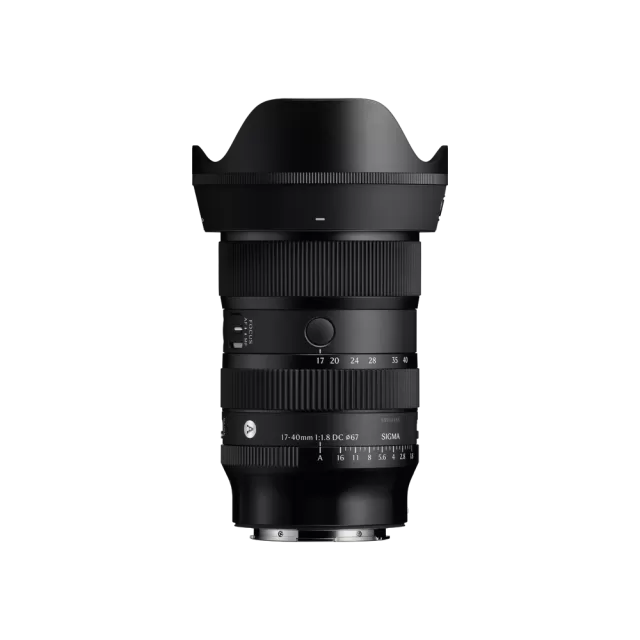 Sigma 17-40mm F1.8 DC | Art (Canon RF Mount)
Latest firmware Jun 25, 2026
Sigma 17-40mm F1.8 DC | Art (Canon RF Mount)
Latest firmware Jun 25, 2026
-
 Fujifilm XC13-33mmF3.5-6.3 OIS
Latest firmware Apr 6, 2026
Fujifilm XC13-33mmF3.5-6.3 OIS
Latest firmware Apr 6, 2026
-
 Fujifilm XF500mmF5.6 R LM OIS WR
Latest firmware Feb 3, 2026
Fujifilm XF500mmF5.6 R LM OIS WR
Latest firmware Feb 3, 2026
-
 Fujifilm XC15-45mmF3.5-5.6 OIS PZ
Latest firmware Nov 15, 2024
Fujifilm XC15-45mmF3.5-5.6 OIS PZ
Latest firmware Nov 15, 2024
-
 Fujifilm XF16-55mmF2.8 R LM WR
Latest firmware Aug 15, 2024
Fujifilm XF16-55mmF2.8 R LM WR
Latest firmware Aug 15, 2024
-
 Fujifilm XF16-80mmF4 R OIS WR
Latest firmware Aug 15, 2024
Fujifilm XF16-80mmF4 R OIS WR
Latest firmware Aug 15, 2024