

Fujifilm X-H1 firmware
Fujifilm · X-H1 · Body
Latest firmware for the Fujifilm X-H1 is v2.15 (June 23, 2026).
Specifications
X-H1 specifications
- Body type
- SLR Style Mirrorless
- Resolution
- 24.3 MP
- Sensor
- CMOS
- Sensor size
- 23.5 × 15.6 mm
- Processor
- X-Processor Pro
- ISO range
- 200–12800
- Fastest shutter
- 1/8000
- Burst rate
- 14 fps
- Battery life
- 310 shots (CIPA)
- Storage
- Dual SD/SDHC/SDXC (UHS-II compatible)
- Video
- MPEG4, H.264
- Mount
- Fujifilm X
- Weight
- 673 g
- Dimensions
- 140 × 97 × 86 mm
- Weather sealed
- Yes
- Price at launch
- $1899
Changelog
X-H1 firmware changelog
Firmware history
-
Release notes & download
Show release notes Hide release notes
The firmware update Ver.2.15 from Ver.2.14 incorporates the following issue:
- A firmware bug is fixed that the pairing registration fails when connecting via Bluetooth to an Android 16 smartphone equipped with “FUJIFILM Camera Remote”.
-
Version
2.14First seen Jul 4, 2026Release notes & downloadShow release notes Hide release notes
Revised specification from Ver.2.13 to Ver.2.14
- Even under busy Wi-Fi environment, the connectivity between the application for a smartphone (FUJIFILM Camera Remote) and a camera is improved.
-
Version
2.13First seen Jul 4, 2026Release notes & downloadShow release notes Hide release notes
The firmware update Ver.2.13 from Ver.2.12 incorporates the following issues:
- The electronic level display will work in wider range of the tilt angle, so that you can use the electronic level on the LCD even if you tilt the camera more than that with the current firmware.
- The bug has been fixed that an image cannot be played back with a specified file name created by the [EDIT FILE NAME] function.
-
Version
2.12First seen Jul 4, 2026Release notes & downloadShow release notes Hide release notes
The firmware update Ver.2.12 from Ver.2.11 incorporates the following issue:
- The phenomenon is fixed that the image stabilization function doesn’t work well when used with XF70-300mmF4-5.6 R LM OIS WR.
-
Version
2.11First seen Jul 4, 2026Release notes & downloadShow release notes Hide release notes
The firmware update Ver.2.11 from Ver.2.10 incorporates the following issue:
- Fix of a minor bug during shooting
-
Version
2.10First seen Jul 4, 2026Release notes & downloadShow release notes Hide release notes
The firmware update Ver.2.10 from Ver.2.01 incorporates the following issues:
- Camera performance used with the XF50mmF1.0 R WR is optimized.
- The phenomenon is fixed that in a multiple-flash shooting where the EF-X500 is used as a commander, flashes in some groups sometimes don’t fire correctly. Also in case the EF-X500 is used as a commander and the EF-60 as a remote flash, upgrade the camera firmware to the latest version.
- Fix of minor bugs.
-
Version
2.01First seen Jul 4, 2026Release notes & downloadShow release notes Hide release notes
The firmware update Ver.2.01 from Ver.2.00 incorporates the following issue
- The phenomenon is fixed that in rare cases, recorded images can be overexposed.
-
Version
2.00First seen Jul 4, 2026Release notes & downloadShow release notes Hide release notes
The firmware update Ver.2.00 from Ver.1.20 incorporates the following issues: Regarding the details of No.3,4 and 5 download the “X-H1 New Features Guide” from our website.
New Features Guide: English, Français, Deutsch, Español, Italiano, Nederland, Polski, Svenska, Norsk, Dansk, Pусский, Suomi, 中文简, 中文繁體, 한국어, ภาษาไทย, Arabic
- In-body image stabilization and optical image stabilization now work together to improve overall stability With an XF or XC optical image stabilized lens, in-body image stabilization worked with 3 axis (up and down / optical axis rotation). The remaining 2 axis (right and left pitch, yaw angle) was controlled by optical image stabilization in the lens. This firmware has a new image stabilization algorithm to allow the in-body image stabilization to work in all 5 axis and to achieve more than five-stops (up to the equivalent of 5.5 stops (*1)) image stabilization by cooperative control according to the types of frequency and blur amount.
To activate this function, lenses are necessary to be updated to latest firmware version. Please check the latest firmware version from the link below. Camera Body / Lens Firmware Compatibility Table
- 1:Based on CIPA standards. When using XF10-24mmF4 R OIS, XF18-55mmF2.8-4 R LM OIS, and XC16-50mmF3.5-5.6 OIS II.
Regarding the image stabilization performance, refer to the list of “Cooperative control by in-body and optical image stabilization with firmware ver.2.00 of X-H1”. “Cooperative control by in-body and optical image stabilization with firmware ver.2.00 of X-H1”(PDF:8.00KB)
- Improved in-body image stabilization performance Eliminate image shake when panning slowly when movie recording or on the live view image.
- Recording over 4GB movie file as one file Movie files are no longer split when the file reaches 4GB file size. The file is recorded as one file providing an SD memory card greater than 32GB is used (excludes 32GB) (*2).
- 2:By using SD memory cards less than or equal to 32GB, movie recording will continue without interruption when the file size reaches 4GB, however subsequent footage will be recorded to a separate file.
Note:Format SD memory cards before first use, and be sure to reformat all memory cards after using them in a computer or other device.
- Display color temperature (Kelvin) on EVF/LCD Color temperature (Kelvin) can be displayed on EVF/LCD.
- Display power supply icon Power supply icon is displayed on EVF/LCD while using AC adapter (AC-9VS), or Anker PowerCore+ 26800 PD(*3) and Anker PowerCore Speed 20000 PD(*4).
- 3:Anker and PowerCore are trademark or registered trademark of Anker Innovations Limited or associated companies.
- 4:Product may not be available on your country.
- Fix of slight defects.
-
Version
1.20First seen Jul 4, 2026Release notes & downloadShow release notes Hide release notes
The firmware update Ver.1.20 from Ver.1.12 incorporates the following issues:
- Compatibility with the functions below of XF200mmF2 R LM OIS WR is added.
- Focus Preset Function
- Focus Control button
- Compatibility with the functions below of XF1.4X TC F2 WR (bundled with XF200mmF2 R LM OIS WR) is added.
Applicable lenses : XF80mmF2.8 R LM OIS WR Macro, XF200mmF2 R LM OIS WR, XF50-140mmF2.8 R LM OIS WR, XF100-400mmF4.5-5.6 R LM OIS WR
- Upgrade the firmware of a camera before upgrading the firmware of a lens.
Camera Body / Lens Firmware Compatibility Table
-
Version
1.12First seen Jul 4, 2026Release notes & downloadShow release notes Hide release notes
The firmware update Ver.1.12 from Ver.1.11 incorporates the following issue:
- Stability improvement for connection with some wireless routers.
-
Version
1.11First seen Jul 4, 2026Release notes & downloadShow release notes Hide release notes
The firmware update Ver.1.11 from Ver.1.10 incorporates the following issues:
- The phenomenon is fixed that in rare cases, “WRITE ERROR” warninng appears when continuous shooting and using BACKUP or RAW/JPEG of CARD SLOT SETTING(STILL IMAGE).
- The phenomenon is fixed that in rare cases, abnormal menu screen appears and LCD display goes back to the initial setting screen.
-
Version
1.10First seen Jul 4, 2026Release notes & downloadShow release notes Hide release notes
The firmware update Ver.1.10 from Ver.1.02 incorporates the following issues: Regarding the details of No.1,3,6 and 7 download the “X-H1 New Features Guide” from our website.
New Features Guide: English, Français, Deutsch, Español, Italiano, Nederland, Polski, Svenska, Norsk, Dansk, Pусский, Suomi, 中文简, 中文繁體, 한국어, ภาษาไทย, Arabic
- Addition of “Focus Bracketing”.
The update will enable the photographer to shoot focus distance bracketing up to 999 frames. When the photographer begins shooting, the focal location is shifted with each activation of the shutter by the step of focus shift set from 1 to 10.
- Compatible with the newly developed cinema lens FUJINON MKX18-55mmT2.9 lens and FUJINON MKX50-135mmT2.9 lens.
The upgrade will add compatibility for the newly developed FUJINON MKX18-55mmT2.9 lens and FUJINON MKX50-135mmT2.9 lens
- Aperture information can be displayed on the monitor. The upgrade allows users to select T-stop or F-stop.
- The upgrade allows users to check the focus distance with the distance indicator shown on the monitor.
- Automatically corrects the distortion and the color/brightness shading.
- Camera automatically calculate the White Balance based on the lens position and deliver the color expressions with Film Simulation modes.
- Enlarged and customizable indicators or information.
The upgrade allows users to enlarge indicators and information in the viewfinder and/or LCD monitor. This upgrade will also enable users to customize the location of where the information is shown on the display.
- Enhanced Phase Detection AF during movie recording.
Enabled phase detection AF at smallest area size when in single point AF, making phase detection AF active all 6 area sizes both in AF-S/AF-C mode.
- Expanded Phase Detection AF Area options during still shooting.
Phase detection AF is now available in the smallest size single AF point when shooting in AF-S and AF-C modes. This takes the total phase detection AF areas to 6.
- Enhanced Bluetooth®* connectivity via “FUJIFILM Camera Remote” app.
The upgrade allows users to utilize the following functions with the latest “FUJFIILM Camera Remote” app.
- It synchronizes “date and time” and/or “location information” of smartphone and tablet devices when used with cameras with Bluetooth® capability
- The upgrade allows users to select multiple smartphones or tablet devices by paring the cameras.(Up to 7 devices)
- Update the firmware* of compatible cameras that offer Bluetooth® capability via smartphone or tablet devices.
- It supports Bluetooth® wireless remote control camera shutter release* for cameras that offer Bluetooth® capability.
- The Bluetooth® word mark and logos are registered trademarks owned by the Bluetooth SIG, Inc. and any use of such marks by FUJIFILM Corporation is under license.
- An upgrade to the latest “FUJIFILM Camera Remote (Ver.3.2.0)” is required to operate firmware update and camera shutter release.
- Addition of Fn button support for “IS Mode”.
The upgrade allows users to set the Fn button as “IS Mode” for quicker setting changes.
- New functions are added to store and read of camera settings by FUJIFILM X Acquire.
Once connecting a camera to a computer via USB cable, the “FUJIFILM X Acquire” allows users to backup/restore camera settings to/from a file. With “FUJIFILM X Acquire” (ver.1.7 or newer), CUSTOM REGISTRATION/EDIT settings are also stored and read.
-
Version
1.02First seen Jul 4, 2026Release notes & downloadShow release notes Hide release notes
The firmware update Ver.1.02 from Ver.1.01 incorporates the following issue:
- The phenomenon is fixed that in rare cases, image files can be overwritten when a folder is selected by the SELECT FOLDER function in the SETUP menu and you take pictures.
-
Version
1.01First seen Jul 4, 2026Release notes & downloadShow release notes Hide release notes
The firmware update Ver.1.01 from Ver.1.00 incorporates the following issues:
- In the EF (E-FRONT CURTAIN SHUTTER) setting, the warning of “TURN OFF THE CAMERA AND TURN ON AGAIN” could appear in rare cases when the FLICKER REDUCTION setting is ON.
- Switching the CUSTOM setting can make the ISO AUTO setting return back to default when the ISO AUTO setting is changed.
Watch the X-H1 for updates
Get an email the moment Fujifilm publishes new firmware. Just your email — no account or password needed.
More Fujifilm bodies we track
-
 X half
Latest firmware Sep 30, 2026
X half
Latest firmware Sep 30, 2026
-
 X100
Latest firmware Sep 18, 2026
X100
Latest firmware Sep 18, 2026
-
 GFX ETERNA 55
Latest firmware Jul 15, 2026
GFX ETERNA 55
Latest firmware Jul 15, 2026
-
 GFX100RF
Latest firmware Jun 30, 2026
GFX100RF
Latest firmware Jun 30, 2026
-
 X-E3
Latest firmware Jun 23, 2026
X-E3
Latest firmware Jun 23, 2026
-
 X-E5
Latest firmware Jun 4, 2026
X-E5
Latest firmware Jun 4, 2026
Lenses that fit the X-H1
Matched on lens mount from the imported specifications — firmware for these is tracked too.
-
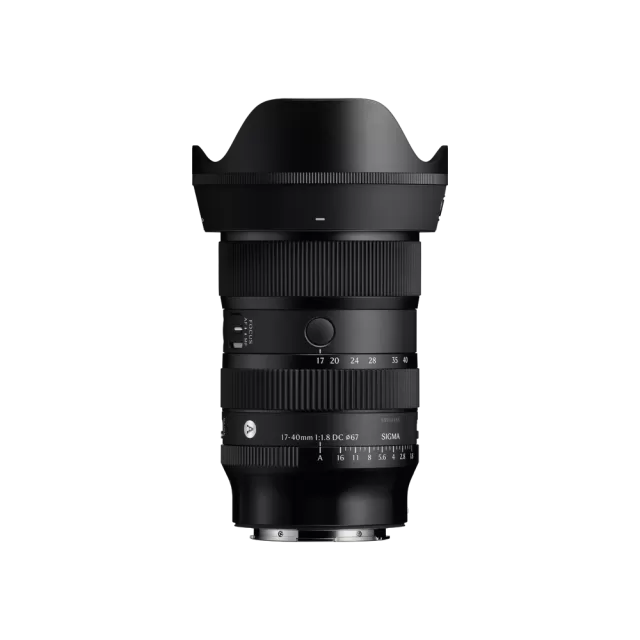 Sigma 17-40mm F1.8 DC | Art (Canon RF Mount)
Latest firmware Jun 25, 2026
Sigma 17-40mm F1.8 DC | Art (Canon RF Mount)
Latest firmware Jun 25, 2026
-
 Fujifilm XC13-33mmF3.5-6.3 OIS
Latest firmware Apr 6, 2026
Fujifilm XC13-33mmF3.5-6.3 OIS
Latest firmware Apr 6, 2026
-
 Fujifilm XF500mmF5.6 R LM OIS WR
Latest firmware Feb 3, 2026
Fujifilm XF500mmF5.6 R LM OIS WR
Latest firmware Feb 3, 2026
-
 Fujifilm XC15-45mmF3.5-5.6 OIS PZ
Latest firmware Nov 15, 2024
Fujifilm XC15-45mmF3.5-5.6 OIS PZ
Latest firmware Nov 15, 2024
-
 Fujifilm XF16-55mmF2.8 R LM WR
Latest firmware Aug 15, 2024
Fujifilm XF16-55mmF2.8 R LM WR
Latest firmware Aug 15, 2024
-
 Fujifilm XF16-80mmF4 R OIS WR
Latest firmware Aug 15, 2024
Fujifilm XF16-80mmF4 R OIS WR
Latest firmware Aug 15, 2024