

Fujifilm X-T30 firmware
Fujifilm · X-T30 · Body
Latest firmware for the Fujifilm X-T30 is v2.01 (July 4, 2023).
Specifications
X-T30 specifications
- Body type
- SLR Style Mirrorless
- Resolution
- 26.1 MP
- Sensor
- BSI-CMOS
- Sensor size
- 23.5 × 15.6 mm
- Processor
- X-Processor 4
- ISO range
- 160–12800
- Fastest shutter
- 1/4000
- Burst rate
- 30 fps
- Battery life
- 380 shots (CIPA)
- Storage
- SD/SDHC/SDXC card (UHS-I supported)
- Video
- MPEG4, H.264
- Mount
- Fujifilm X
- Weight
- 383 g
- Dimensions
- 118 × 83 × 47 mm
- Weather sealed
- No
- Price at launch
- $899
Changelog
X-T30 firmware changelog
Firmware history
-
Release notes & download
Show release notes Hide release notes
The firmware update Ver.2.01 from Ver.2.00 incorporates the following issues:
- The firmware bug is fixed that the sample images in the “SCENE POSITION” selection screen are displayed abnormally after Ver.2.00 update.
- Other minor bugs are fixed.
-
Version
2.00First seen Jul 4, 2026Release notes & downloadShow release notes Hide release notes
The firmware update Ver.2.00 from Ver.1.51 incorporates the following issues: Regarding the details of No.2, 3, 4, 5 and6, download the “X-T30 New Features Guide[Ver.2.00]” from our website.
- X-T30 New Features Guide: English, Français, Deutsch, Español, Italiano, Nederland, Polski, Svenska, Norsk, Dansk, Pусский, Suomi, 中文简, 中文繁體, 한국어, ภาษาไทย, Arabic
- The firmware for each model supports new application software “FUJIFILM XApp” for GFX and X series cameras.
“FUJIFILM XApp” is the advanced application software for the current one, “FUJIFILM Camera Remote”, with which wireless communication becomes more stable and faster so that images and movies transportation from the camera becomes more smooth and comfortable with the smartphone and tablet terminal.
Moreover, the operation with the smartphone and tablet terminal becomes much simpler than the current application software, since all the data transportation operations, except for the “Bluetooth Pairing” between camera and the application software required at the first time only, are completed with the smartphone and tablet terminal.
Adding on the “Live View Mode” and access/download functions of the data in camera, several new functions are available, such as “Backup/Restore” to store the setting data in the shooting and setup menus, “Timeline” to review the shooting information of the camera/lens, shooting count/location, etc. and “Activity” to show the accumulated summary of the shooting count total, film simulation usage, etc., which should make GFX and X series cameras attractive more and more.
Note-1: Please see NEWS RELEASE for the details of “FUJIFILM XApp”.
Fujifilm releases the FUJIFILM XApp for the GFX / X Series of digital cameras Note-2: “FUJIFILM XApp” works with iOS/iPad OS 13 or later and Android OS 11 or later.
Please download the “FUJIFILM XApp” from the following site by selecting the OS version of your smartphone / tablet terminal and the camera. “FUJIFILM XApp” Download Site Note-3: “FUJIFILM XApp” will be available as soon as it is ready.
- “AREA SETTING” has been added in the “USER SETTING” of the Setup menu, which changed the operation procedure for the initial setting and “TIME DIFFERENCE” setting as follows.
- 24 hours display can be selected in “DATE/TIME”.
- Your living location can be selected with the world map as well as “Saving time” can be on and off in “AREA SETTING”.
- “LOCAL” can also be selected with the world map in “TIME DIFFERENCE”.
Note-1: “ARIA SETTING” and “DATE/TIME” menus appear when turning on the camera right after firmware upgrade. So please set up the above items in these menus.
- “RESET” function in the Setup menu will change.
- “AREA SETTING” has been added on the list that would not be reset in “SET-UP RESET” function.
- “INITIALIZE” function has been added to reset all settings to default values, other than except for custom white balance.
- Some of the menu related to the wireless connection changed as follows.
- “Bluetooth SETTINGS” in “CONNECTION SETTING” of the Setup menu has been changed to “Bluetooth/SMARTPHONE SETTING” and “IMAGE TRANSFER WHILE POWER OFF” has been added in this menu.
- “AUTO IMAGE TRANSFER” has been changed to “AUTO IMAGE TRANSFER” and “SMARTPHONE SYNC. SETTIN” has been changed to “SMARTPHONE LOCATION SYNC” for each.
- Some of the menu items of “GENERAL SETTINGS” in “CONNECTION SETTING” of the Setup menu has been change as follows.
- “NAME” and “RESIZE IMAGE FOR SMARTPHONEH 3M” has been moved into “Bluetooth/SMARTPHONE SETTING” menu.
- “GEOTAGGING” has been moved into “SAVE DATA SET-UP” menu.
- “LOCATION INFO” has been moved into “SCREEN SETUP” menu.
- “〔Wi-Fi〕 BUTTON SETTING” has been moved into “BUTTON/DIAL SETTING” menu and changed to “Fn1 BUTTON SETTING”.
- “Bluetooth Pairing Registration” has been added in “FUNCTION (Fn) SETTING” while pushing and holding the DISP/BACK” button, which changed the procedure to connect to the smartphone.
- Even under busy Wi-Fi environment, the connectivity between the application for a smartphone (FUJIFILM Camera Remote) and a camera is improved.
- FUJINON lens, XF8mmF3.5 R WR has been available.
-
Version
1.51First seen Jul 4, 2026Release notes & downloadShow release notes Hide release notes
Revised specification from Ver.1.50 to Ver.1.51
- The firmware bugs have been fixed, which caused that the cameras rarely froze right after the completion of the firmware update with the current version using a smartphone (tablet) in which Camera Remote application software was installed.
Note: When updating the firmware with the revised version, please be sure to update the firmware using an SD card according to steps below. Detail of firmware update steps
-
Version
1.50First seen Jul 4, 2026Release notes & downloadShow release notes Hide release notes
Revised specification from Ver.1.41 to Ver.1.50 Please refer to the “X-T30 New Features Guide” for information on the following item No.1 that has been updated.
For the “Tripod Grip (TG-BT1)” initial settings and operating instructions, please download the “Tripod Grip (TG-BT1) User’s Manual” from our website.
- X-T30 New Features Guide: English, Français, Deutsch, Español, Italiano, Nederland, Polski, Svenska, Norsk, Dansk, Pусский, Suomi, 中文简, 中文繁體, 한국어, ภาษาไทย, Arabic
- Tripod Grip (TG-BT1) User’s Manual: English, Français, Deutch, Español, Italiano, 中文简, Arabic
- “Tripod Grip (TG-BT1)” has been available.
When the camera and “Tripod Grip (TG-BT1)” are connected via Bluetooth, you can shoot still images and movies(*) while holding the grip.
- Change the camera to movie mode, when shooting movies.
- Zoom operation using the T/W button on the TG-BT1 is not supported.
- Other minor bugs have been fixed.
-
Version
1.41First seen Jul 4, 2026Release notes & downloadShow release notes Hide release notes
The firmware update Ver.1.41 from Ver.1.40 incorporates the following issues:
- The electronic level display will work in wider range of the tilt angle, so that you can use the electronic level on the LCD even if you tilt the camera more than that with the current firmware.
- Minor bugs have been fixed.
-
Version
1.40First seen Jul 4, 2026Release notes & downloadShow release notes Hide release notes
The firmware update Ver.1.40 from Ver.1.30 incorporates the following issues: Regarding the details of the improvements, download the “X-T30 New Features Guide” from our website.
New Features Guide: English, Français, Deutsch, Español, Italiano, Nederland, Polski, Svenska, Norsk, Dansk, Pусский, Suomi, 中文简, 中文繁體, 한국어, ภาษาไทย, Arabic
- Support for FUJIFILM X Webcam.
This update adds compatibility with the FUJIFILM X Webcam (X Webcam) software, which allows the camera to be used as a high-quality webcam by installing X Webcam on a computer and connecting the camera to a computer via a USB cable.
- Apply Film Simulations through X Webcam.
Apply Fujifilm’s one-of-a-kind Film Simulation modes to provide a personal touch to any web meeting or interaction.*1
- 1 This upgrade does not provide the capability to make adjustments to camera settings from a tethered computer.
- Rating Information is Now Saved.
Rating information assigned in-camera, is now visible in third-party software to allow for enhanced catalog management.
- Fix of minor bugs.
-
Version
1.30First seen Jul 4, 2026Release notes & downloadShow release notes Hide release notes
The firmware update Ver.1.30 from Ver.1.20 incorporates the following issues:
- Camera performance used with the XF50mmF1.0 R WR is optimized.
- The phenomenon is fixed that in a multiple-flash shooting where the EF-X500 is used as a commander, flashes in some groups sometimes don’t fire correctly. Also in case the EF-X500 is used as a commander and the EF-60 as a remote flash, upgrade the camera firmware to the latest version.
- Fix of minor bugs.
-
Version
1.20First seen Jul 4, 2026Release notes & downloadShow release notes Hide release notes
The firmware update Ver.1.20 from Ver.1.10 incorporates the following issues: Regarding the details of No.1, download the “X-T30 New Features Guide” from our website.
New Features Guide: English, Français, Deutsch, Español, Italiano, Nederland, Polski, Svenska, Norsk, Dansk, Pусский, Suomi, 中文简, 中文繁體, 한국어, ภาษาไทย, Arabic
- Gimbal / Drone support (*) This firmware adds the following function to complement the current support for still image shooting via USB communications:
- Starting and ending video recording
- Adjusting exposure settings (exposure mode, shutter speed, aperture, ISO sensitivity, exposure compensation) for video recording
- Making manual focus adjustments for video recording
- This is the function via USB communication. About supported gimbals and drones, refer to support information not only on our website but also manufacturers’ websites.
- Enhanced autofocus.
- Improving the tracking performance of the eye AF frame, making it easier to attain accurate autofocus on the eyes.
- Improving face-detection performance when there are faces of different sizes within the same frame, making it easier to attain accurate autofocus.
- Improving autofocus capability on a foreground subject even when there is a mixture of foreground and background subjects within a AF frame, causing the foreground subject to go out of focus, e.g. when shooting flowers against a busy background.
- Fix of minor bugs.
<Revision> There is a wrong description in the firmware update information of Ver.1.20. X-T30 doesn’t have the function of “Capability to save up to 9,999 pictures in each folder”. We apologize for the wrong description and your inconvenience which may cause.
-
Version
1.10First seen Jul 4, 2026Release notes & downloadShow release notes Hide release notes
The firmware update Ver.1.10 from Ver.1.01 incorporates the following issues:
- Improvement of Q (quick menu) button operability To avoid accidentally pressing the Q (quick) menu, the button has changed to one of Fn(function) buttons. This will allow customers to disable the Q button function and also to allocate the Q (quick) menu to a different Fn button.
- Fix of minor bugs <Note> Regarding the method and explanation of the operation, refer to the Q(quick menu) button in the Owner’s Manual.
Owner’s Manual: English, 中文简体, Other
-
Version
1.01First seen Jul 4, 2026Release notes & downloadShow release notes Hide release notes
The firmware update Ver.1.01 from Ver.1.00 incorporates the following issue:
- Improved operability of the Q (quick menu) button To avoid accidentally opening the Q (quick) menu, the button reaction time has been increased.
- FUJIFILM Corporation plans an additional firmware update in June. This will allow customers to use the Q button as a Fn button. This planned update also allows the user to disable the Q button and adds it as a choice in the Function (Fn) Settings enabling the option to assign it to a different Fn button.
Watch the X-T30 for updates
Get an email the moment Fujifilm publishes new firmware. Just your email — no account or password needed.
More Fujifilm bodies we track
-
 X half
Latest firmware Sep 30, 2026
X half
Latest firmware Sep 30, 2026
-
 X100
Latest firmware Sep 18, 2026
X100
Latest firmware Sep 18, 2026
-
 GFX ETERNA 55
Latest firmware Jul 15, 2026
GFX ETERNA 55
Latest firmware Jul 15, 2026
-
 GFX100RF
Latest firmware Jun 30, 2026
GFX100RF
Latest firmware Jun 30, 2026
-
 X-E3
Latest firmware Jun 23, 2026
X-E3
Latest firmware Jun 23, 2026
-
 X-H1
Latest firmware Jun 23, 2026
X-H1
Latest firmware Jun 23, 2026
Lenses that fit the X-T30
Matched on lens mount from the imported specifications — firmware for these is tracked too.
-
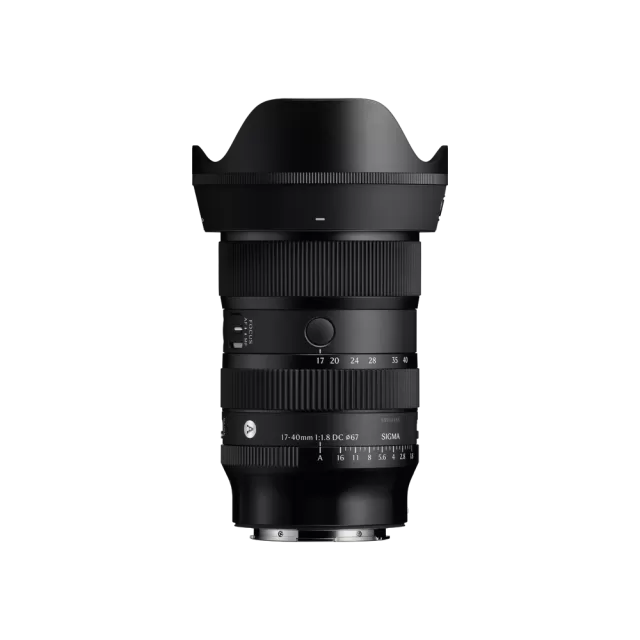 Sigma 17-40mm F1.8 DC | Art (Canon RF Mount)
Latest firmware Jun 25, 2026
Sigma 17-40mm F1.8 DC | Art (Canon RF Mount)
Latest firmware Jun 25, 2026
-
 Fujifilm XC13-33mmF3.5-6.3 OIS
Latest firmware Apr 6, 2026
Fujifilm XC13-33mmF3.5-6.3 OIS
Latest firmware Apr 6, 2026
-
 Fujifilm XF500mmF5.6 R LM OIS WR
Latest firmware Feb 3, 2026
Fujifilm XF500mmF5.6 R LM OIS WR
Latest firmware Feb 3, 2026
-
 Fujifilm XC15-45mmF3.5-5.6 OIS PZ
Latest firmware Nov 15, 2024
Fujifilm XC15-45mmF3.5-5.6 OIS PZ
Latest firmware Nov 15, 2024
-
 Fujifilm XF16-55mmF2.8 R LM WR
Latest firmware Aug 15, 2024
Fujifilm XF16-55mmF2.8 R LM WR
Latest firmware Aug 15, 2024
-
 Fujifilm XF16-80mmF4 R OIS WR
Latest firmware Aug 15, 2024
Fujifilm XF16-80mmF4 R OIS WR
Latest firmware Aug 15, 2024