

Fujifilm X-T10 firmware
Fujifilm · X-T10 · X-T10 · Body
Latest firmware for the Fujifilm X-T10 is v1.31 (July 24, 2018).
Specifications
X-T10 specifications
- Body type
- SLR Style Mirrorless
- Resolution
- 16.3 MP
- Sensor
- CMOS
- Sensor size
- 23.6 × 15.6 mm
- Processor
- EXR Processor II
- ISO range
- 200–6400
- Fastest shutter
- 1/4000
- Burst rate
- 8 fps
- Battery life
- 350 shots (CIPA)
- Storage
- SD / SDHC / SDXC (UHS-I)
- Video
- H.264
- Mount
- Fujifilm X
- Weight
- 381 g
- Dimensions
- 118 × 83 × 41 mm
- Weather sealed
- No
- Price at launch
- $799
Changelog
X-T10 firmware changelog
-
v1.01first tracked
Firmware history
-
Release notes & download
Show release notes Hide release notes
The firmware update Ver.1.31 from Ver.1.30 incorporates the following issue:
- The phenomenon is fixed that exposure control can work wrongly when aperture priority with M mount adaptor.
-
Version
1.30First seen Jul 4, 2026Release notes & downloadShow release notes Hide release notes
The firmware update Ver.1.30 from Ver.1.21 incorporates the following issue:
- The compatibility is added with XF80mmF2.8 R LM OIS WR Macro.
The accuracy of AF function is improved when the lens is attached.
-
Version
1.21First seen Jul 4, 2026Release notes & downloadShow release notes Hide release notes
The firmware update Ver.1.21 from Ver.1.20 incorporates the following issues:
- The accuracy of Manual focus adjustment will be enhanced when using lenses below.
XF35mmF2 R WR / XF90mmF2 R LM WR / XF10-24mmF4 R OIS / XF16-55mmF2.8 R LM WR / XF18-55mmF2.8-4 R LM OIS / XF18-135mmF3.5-5.6 R LM OIS WR / XF50-140mmF2.8 R LM OIS WR / XF55-200mmF3.5-4.8 R LM OIS / XF100-400mmF4.5-5.6 R LM OIS WR / XC16-50mmF3.5-5.6 OIS II / XC50-230mmF4.5-6.7 OIS II
- It is necessary to upgrade the firmware of lenses above at the same time.
Camera Body / Lens Firmware Compatibility Table
-
Version
1.20First seen Jul 4, 2026Release notes & downloadShow release notes Hide release notes
The firmware update Ver. 1.20 from Ver.1.10 incorporates the following issues:
- Supports focus limiter function for XF100-400mmF4.5-5.6 R LM OIS WR.
To be fully compatible with the lens, the new firmware supports focus limiter function for FUJINON XF100-400mmF4.5-5.6 R LM OIS WR.
- Improvement of the eye sensor’s performance.
The phenomenon is fixed, that switching LCD display to EVF can be slow with some SD cards right after Power ON.
-
Version
1.10First seen Jul 4, 2026Release notes & downloadShow release notes Hide release notes
The firmware update Ver. 1.10 from Ver. 1.01 incorporates the following issues:
- Addition of compatibility with “XF35mmF2 R WR” AF function will work more naturally and smoothly with “XF35mmF2 R WR”.
- Addition of compatibility with Teleconverter “XF1.4X TC WR” Function with the combination of “XF1.4X TC WR” and “XF50-140mmF2.8 R LM OIS WR” will be fully performed and values of aperture and focal length will be displayed correctly.
- Upgrade the firmware of a camera to the latest version first and then upgrade the firmware of your lens for Tele Conversion Lenses.
FUJINON XF Lens: XF50-140mmF2.8 R LM OIS WR Firmware Update Ver.1.10
-
Version
1.01First seen Jul 4, 2026Release notes & downloadShow release notes Hide release notes
The firmware update Ver. 1.01 from Ver. 1.00 incorporates the following issues:
- Improvement of “EYE DETECTION AF” speed when used with XF90mmF2 R LM WR “EYE DETECTION AF” speed is improved when used with XF90mmF2 R LM WR in case that “FACE DETECTION” and “EYE DETECTION AF” are ON in “AUTO FOCUS SETTING” of the Shooting Menu.
- Operational improvement of Fn1 Function button (Default setting : movie shooting) The shortcut function to Fn1 BUTTON SETTING by pressing the button more than 2 sec. is removed. To avoid accidentally pressing the button when turning the Exposure compensation dial, pressing the button approx. 0.5sec. is required to start the function allocated to the button. This improvement is to avoid unexpected appearance of the SETTING when Fn1 function is needed.
<Note-1> Functions of Fn2 through Fn7 button remain same. <Note-2> Steps to change the setting of Fn1 are same as usual like below.
- Change it in the function(Fn) setting menu appeared by pressing DISP/BACK button for a while.
- Change it through Setup Menu>BUTTON/DIAL SETTING>FUNCTION (Fn) SETTING.
- Angle difference between jpeg image and jpeg image converted from RAW file Currently, there is angle difference between jpeg image (including jpeg images converted in a camera) and jpeg image converted from RAW file by RAW FILE CONVERTER EX2.0 etc. The jpeg image angle converted from RAW file is a little bigger.
With this upgrade, the jpeg image angle is matched to one which is converted from RAW file. This symptom happens only when lenses below is used. In case of zoom lenses, this happen in wide-angle side.
- XC16-50mmF3.5-5.6 OIS
- XC16-50mmF3.5-5.6 OIS Ⅱ
- XF18-55mmF2.8-4 R LM OIS
- XF10-24mmF4 R OIS
- XF16-55mmF2.8 R LM WR
- XF18-135mmF3.5-5.6 R LM OIS WR
- XF18mmF2 R
- XF27mmF2.8
- Support for Windows10 The phenomenon is fixed that images in a camera cannot be transferred to a Windows10 PC via a USB cable.
Watch the X-T10 for updates
Get an email the moment Fujifilm publishes new firmware. Just your email — no account or password needed.
More Fujifilm bodies we track
-
 X half
Latest firmware Sep 30, 2026
X half
Latest firmware Sep 30, 2026
-
 X100
Latest firmware Sep 18, 2026
X100
Latest firmware Sep 18, 2026
-
 GFX ETERNA 55
Latest firmware Jul 15, 2026
GFX ETERNA 55
Latest firmware Jul 15, 2026
-
 GFX100RF
Latest firmware Jun 30, 2026
GFX100RF
Latest firmware Jun 30, 2026
-
 X-E3
Latest firmware Jun 23, 2026
X-E3
Latest firmware Jun 23, 2026
-
 X-H1
Latest firmware Jun 23, 2026
X-H1
Latest firmware Jun 23, 2026
Lenses that fit the X-T10
Matched on lens mount from the imported specifications — firmware for these is tracked too.
-
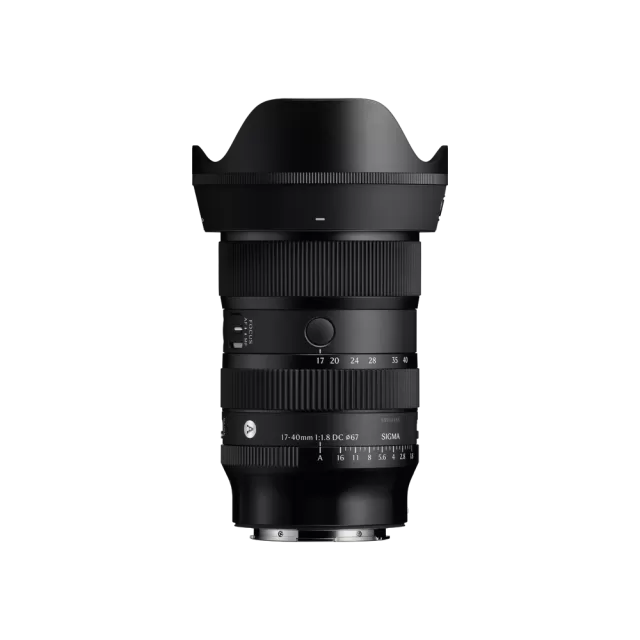 Sigma 17-40mm F1.8 DC | Art (Canon RF Mount)
Latest firmware Jun 25, 2026
Sigma 17-40mm F1.8 DC | Art (Canon RF Mount)
Latest firmware Jun 25, 2026
-
 Fujifilm XC13-33mmF3.5-6.3 OIS
Latest firmware Apr 6, 2026
Fujifilm XC13-33mmF3.5-6.3 OIS
Latest firmware Apr 6, 2026
-
 Fujifilm XF500mmF5.6 R LM OIS WR
Latest firmware Feb 3, 2026
Fujifilm XF500mmF5.6 R LM OIS WR
Latest firmware Feb 3, 2026
-
 Fujifilm XC15-45mmF3.5-5.6 OIS PZ
Latest firmware Nov 15, 2024
Fujifilm XC15-45mmF3.5-5.6 OIS PZ
Latest firmware Nov 15, 2024
-
 Fujifilm XF16-55mmF2.8 R LM WR
Latest firmware Aug 15, 2024
Fujifilm XF16-55mmF2.8 R LM WR
Latest firmware Aug 15, 2024
-
 Fujifilm XF16-80mmF4 R OIS WR
Latest firmware Aug 15, 2024
Fujifilm XF16-80mmF4 R OIS WR
Latest firmware Aug 15, 2024