

Fujifilm X-M5 firmware
Fujifilm · X-M5 · Body
Latest firmware for the Fujifilm X-M5 is v1.30 (June 4, 2026).
Specifications
X-M5 specifications
- Body type
- SLR Style Mirrorless
- Resolution
- 26 MP
- Sensor
- BSI-CMOS
- Sensor size
- 23.5 × 15.6 mm
- Processor
- X Processor 5
- ISO range
- 160–12800
- Fastest shutter
- 1/4000
- Burst rate
- 8 fps
- Battery life
- 440 shots (CIPA)
- Storage
- 1x UHS-I SD
- Video
- H.264, H.265
- Mount
- Fujifilm X
- Weight
- 355 g
- Dimensions
- 112 × 67 × 38 mm
- Weather sealed
- No
- Price at launch
- $799
Changelog
X-M5 firmware changelog
-
v1.10first tracked
Firmware history
-
Release notes & download
Show release notes Hide release notes
The firmware update Ver.1.30 from Ver.1.20 incorporates the following issues: Regarding the details of No.1 download the “X-M5 New Features Guide[Ver.1.30]” from our website.
- X-M5 New Features Guide: English, Français, Deutsch, Español, Italiano, Nederland, Polski, Svenska, Norsk, Dansk, Pусский, Suomi, 中文简, 中文繁體, 한국어, ภาษาไทย, Arabic
- instax™ series pairing registration and printing supports.
(1)Smartphone printer Link series, Hybrid camera instax Evo series and instax LiPlay series are added to the supported printers, so that you can transfer your favorite images and print them by pairing your camera.
Note:Be sure to update the instax™ series firmware to the latest version before connecting the instax™ series to a camera. (2)“instax PRINTER PRINT” function is added to the Playback menu, so that you can select images to print on the instax™ series and adjust the cropping position before printing. (3)“instax DIRECT PRINT” function is added to “BUTTON/DIAL SETTING” in the Setup menu, so that you can jump directly to the print start screen for the image currently displayed in the Playback menu, and print it easily by pressing the button assigned to this function as follows. [Operation flow to assign “instax DIRECT PRINT”] [Setup menu] ➔ [BUTTON/DIAL SETTING] ➔ [REC BUTTON SETTING] ➔ [instax DIRECT PRINT] (4)“NETWORK/USB SETTING” in the Setup menu or “instax IMAGE QUALITY MODE” in the Playback menu is added, so that you can select the image quality settings below for printing to the instax™ series. [Image quality settings]
- instax-Rich Mode:Print with rich color expression.
- instax-Natural Mode:Print with conventional image quality.
- Print count display for the instax™ series with the “FUJIFILM XApp”.
The number of prints made with the instax™ series is displayed in the “instax PRINT COUNT” of the “FUJIFILM XApp”. Note: Be sure to update the “FUJIFILM XApp” application software to Version 2.7.5 to enable this feature.
- Other minor bugs fixes.
Several minor firmware bugs are fixed.
-
Version
1.20First seen Jul 4, 2026Release notes & downloadShow release notes Hide release notes
The firmware update Ver.1.20 from Ver.1.10 incorporates the following issues: < Important notice after firmware update >
- After the firmware update, you cannot connect the camera to the iOS version of FUJIFILM Camera Remote. Be sure to upgrade your smartphone or tablet to iOS13 or later and use FUJIFILM XApp instead of Camera Remote.
- After the firmware update, you cannot use the FUJIFILM Camera Remote (Android version) to connect with the camera through Bluetooth: Ver.4.1 and earlier. To pair via Bluetooth, smartphone/tablet must be Bluetooth Ver. 4.2 and latter.
Regarding the details of No.1 download the “X-M5 New Features Guide[Ver.1.20]” from our website.
- X-M5 New Features Guide: English, Français, Deutsch, Español, Italiano, Nederland, Polski, Svenska, Norsk, Dansk, Pусский, Suomi, 中文简, 中文繁體, 한국어, ภาษาไทย, Arabic
- The wireless communication security is enhanced while camera is connecting with a smartphone application or external device wirelessly.
After updating the firmware, security will be enhanced, so the connection procedure with the smartphone application will be changed, or the “WIRELESS COMMUNICATION” setting menu on the camera will be deleted (see section, <Changes after firmware update> below for details). < Changes after firmware update >
- The procedure for pairing the camera with a smartphone is changed.
- “WIRELESS COMMUNICATION” option in the “SHOOTING SETTING”, “MOVIE SETTING”, and “PLAY BACK MENU” are removed.
- “WIRELESS COMMUNICATION” option is removed from the functions assigned by the following operation flow in the “Setup Menu”.
- Operation flow: “BUTTON/DIAL SETTING” ➔ “FUNCTION (Fn) SETTING”
- “WIRELESS COMMUNICATION” option is removed from the functions assigned by the following operation flow in the “Setup Menu”.
- Operation flow: “BUTTON/DIAL SETTING” ➔ “POWER ZOOM LENS FUNCTION (Fn) SETTING”
- “WIRELESS COMMUNICATION” option is removed from the “REC BUTTON SETTING” menu in the “BUTTON/DIAL SETTING” of the “Setup Menu”.
- “instax PRINTER CONNECTION SETTING” menu is removed from the “NETWORK/USB SETTING” of the “Setup Menu”.
- “instax PRINTER PRINT” option is removed from the “PLAY BACK MENU”.
< Precautions After Firmware Update >
- Network security level is improved by updating to the latest versions for both the smartphone applications (FUJIFILM XApp / FUJIFILM Camera Remote) and connected cameras, since the latest versions change the network setting menus and connecting procedures to enhance the wireless communication security.
Be aware that the security level remains unchanged in the following case.
- In case that the camera’s firmware is the current version, and the smartphone application (FUJIFILM XApp / FUJIFILM Camera Remote) is the latest version.
- After updating the camera firmware, if the smartphone application (FUJIFILM XApp / FUJIFILM Camera Remote) is not updated to the latest version, you cannot connect to the camera. Be sure to upgrade your smartphone application software to the latest version.
- After updating the firmware, the “WIRELESS COMMUNICATION” setting menu of the camera will be removed, so if the “CONNECTION MODE” setting in the “NETWORK/USB SETTING” menu is set to “USB TETHER SHOOTING FIXED”, the setting is reset to the default value.
- After updating the firmware, you will no longer be able to print images taken with a digital camera directly from the instax™ SHARE SP-1/2/3. When printing images using instax™ SHARE SP-1/2/3, please use the smartphone application (FUJIFLM XApp or FUJIFILM Camera Remote) to import images and print from the dedicated instax™ printer application.
-
Version
1.10First seen Jul 4, 2026Release notes & downloadShow release notes Hide release notes
The firmware update Ver.1.10 from Ver.1.00/Ver.1.01 incorporates the following issues : Regarding the details of No.1, download the “X-M5 New Features Guide[Ver.1.10]” from our website.
- X-M5 New Features Guide: English, Français, Deutsch, Español, Italiano, Nederland, Polski, Svenska, Norsk, Dansk, Pусский, Suomi, 中文简, 中文繁體, 한국어, ภาษาไทย, Arabic
- “SUPPORT WEBSITE” is added to the “USER SETTING” in the “SET-UP” menu.
By scanning the QR code on the screen with your smartphone or other device, you can easily access firmware updates information, user manuals, FAQ and other content on the support page.
Note:The link will connect to the Global site.
To change the language, select from the settings icon in the upper right corner of the site screen.
- A firmware bug is fixed that the settings will not be renewed in “CUSTOM SETTING” after camera is turned off and on when you save the following settings in “EDIT/SAVE CUSTOM SETTING”, [Settings] [Settings]
- “ISO SETTING”
- Some of the “AUDIO SETTINGS” (ex. “MIC JACK SETTING”, “INTERNAL MIC LEVEL ADJUSTMENT”, “EXTERNAL MIC LEVEL ADJUSTMENT”, etc.)
- A firmware bug is fixed that the camera does not turn on even if the power lever is on when a specific SD memory card is inserted.
- A firmware bug is fixed that the “WRITE ERROR” occurs in rare cases after shooting when using specific SD memory cards.
- A firmware bug is fixed that the image loading speed gets slow when transferring images to “FUJIFILM XApp” using “SELECT IMAGE & TRANSFER” in the “PLAY BACK MENU” with a large number of shots.
- Other minor bugs are also fixed.
Watch the X-M5 for updates
Get an email the moment Fujifilm publishes new firmware. Just your email — no account or password needed.
More Fujifilm bodies we track
-
 X half
Latest firmware Sep 30, 2026
X half
Latest firmware Sep 30, 2026
-
 X100
Latest firmware Sep 18, 2026
X100
Latest firmware Sep 18, 2026
-
 GFX ETERNA 55
Latest firmware Jul 15, 2026
GFX ETERNA 55
Latest firmware Jul 15, 2026
-
 GFX100RF
Latest firmware Jun 30, 2026
GFX100RF
Latest firmware Jun 30, 2026
-
 X-E3
Latest firmware Jun 23, 2026
X-E3
Latest firmware Jun 23, 2026
-
 X-H1
Latest firmware Jun 23, 2026
X-H1
Latest firmware Jun 23, 2026
Lenses that fit the X-M5
Matched on lens mount from the imported specifications — firmware for these is tracked too.
-
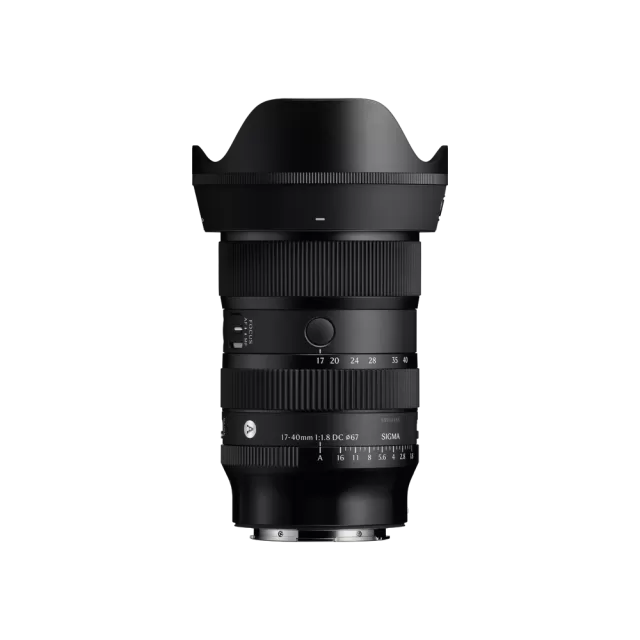 Sigma 17-40mm F1.8 DC | Art (Canon RF Mount)
Latest firmware Jun 25, 2026
Sigma 17-40mm F1.8 DC | Art (Canon RF Mount)
Latest firmware Jun 25, 2026
-
 Fujifilm XC13-33mmF3.5-6.3 OIS
Latest firmware Apr 6, 2026
Fujifilm XC13-33mmF3.5-6.3 OIS
Latest firmware Apr 6, 2026
-
 Fujifilm XF500mmF5.6 R LM OIS WR
Latest firmware Feb 3, 2026
Fujifilm XF500mmF5.6 R LM OIS WR
Latest firmware Feb 3, 2026
-
 Fujifilm XC15-45mmF3.5-5.6 OIS PZ
Latest firmware Nov 15, 2024
Fujifilm XC15-45mmF3.5-5.6 OIS PZ
Latest firmware Nov 15, 2024
-
 Fujifilm XF16-55mmF2.8 R LM WR
Latest firmware Aug 15, 2024
Fujifilm XF16-55mmF2.8 R LM WR
Latest firmware Aug 15, 2024
-
 Fujifilm XF16-80mmF4 R OIS WR
Latest firmware Aug 15, 2024
Fujifilm XF16-80mmF4 R OIS WR
Latest firmware Aug 15, 2024