

Fujifilm X-H2S firmware
Fujifilm · X-H2S · Body
Latest firmware for the Fujifilm X-H2S is v7.30 (December 2, 2025).
Specifications
X-H2S specifications
- Body type
- SLR Style Mirrorless
- Resolution
- 26.1 MP
- Sensor
- Stacked CMOS
- Sensor size
- 23.5 × 15.6 mm
- Processor
- X-Processor 5
- ISO range
- 160–12800
- Fastest shutter
- 1/8000
- Burst rate
- 40 fps
- Battery life
- 580 shots (CIPA)
- Storage
- 1x CFexpress Type B, 1x UHS-II SD
- Video
- MPEG4, H.264, H.265
- Mount
- Fujifilm X
- Weight
- 660 g
- Dimensions
- 136 × 93 × 95 mm
- Weather sealed
- Yes
- Price at launch
- $2499
Changelog
X-H2S firmware changelog
Firmware history
-
Release notes & download
Show release notes Hide release notes
The firmware update Ver.7.30 from Ver.7.20 incorporates the following issues: < Important notice after firmware update >
- After the firmware update, you cannot connect the camera to the iOS version of FUJIFILM Camera Remote. Be sure to upgrade your smartphone or tablet to iOS13 or later and use FUJIFILM XApp instead of Camera Remote.
- After the firmware update, you cannot use the FUJIFILM Camera Remote (Android version) to connect with the camera through Bluetooth: Ver.4.1 and earlier. To pair via Bluetooth, smartphone/tablet must be Bluetooth Ver. 4.2 and latter.
The following changes are additions and modifications included in the new firmware. For details, please refer to the “X-H2S New Features Guide” and “X-H2S Network and USB Settings” (see links below).
- X-H2S New Features Guide: English, Français, Deutsch, Español, Italiano, Nederland, Polski, Svenska, Norsk, Dansk, Pусский, Suomi, 中文简, 中文繁體, 한국어, ภาษาไทย, Arabic
- X-H2S Network and USB Setting: English, Français, Deutch, Español, Italiano, Nederland, Polski, Svenska, Norsk, Dansk, Pусский, Suomi, 中文简, 中文繁體, 한국어, ภาษาไทย, Arabic
- The wireless communication security is enhanced while camera is connecting with a smartphone application or external device wirelessly.
After updating the firmware, security will be enhanced, so the connection procedure with the smartphone application will be changed, or the “WIRELESS COMMUNICATION” setting menu on the camera will be deleted (see section, <Changes after firmware update> below for details). < Changes after firmware update >
- The procedure for pairing the camera with a smartphone is changed.
- “WIRELESS COMMUNICATION” option in the “SHOOTING SETTING”, “MOVIE SETTING”, and “PLAY BACK MENU” are removed.
- “WIRELESS COMMUNICATION” option is removed from the functions assigned by the following operation flow in the “Setup Menu”.
- Operation flow: “BUTTON/DIAL SETTING” ➔ “FUNCTION (Fn) SETTING”
- “WIRELESS COMMUNICATION” option is removed from the functions assigned by the following operation flow in the “Setup Menu”.
- Operation flow: “BUTTON/DIAL SETTING” ➔ “POWER ZOOM LENS FUNCTION (Fn) SETTING”
- “WIRELESS COMMUNICATION” option is removed from the “ISO BUTTON SETTING” menu in the ”BUTTON/DIAL SETTING” of the “Setup menu”.
- “instax PRINTER CONNECTION SETTING” menu is removed from the “NETWORK/USB SETTING” of the “Setup Menu”.
- “instax PRINTER PRINT” option is removed from the “PLAY BACK MENU”.
< Precautions After Firmware Update >
- Network security level is improved by updating to the latest versions for both the smartphone applications (FUJIFILM XApp / FUJIFILM Camera Remote) and connected cameras, since the latest versions change the network setting menus and connecting procedures to enhance the wireless communication security.
Be aware that the security level remains unchanged in the following case.
- In case that the camera’s firmware is the current version, and the smartphone application (FUJIFILM XApp / FUJIFILM Camera Remote) is the latest version.
- After updating the camera firmware, if the smartphone application (FUJIFILM XApp / FUJIFILM Camera Remote) is not updated to the latest version, you cannot connect to the camera. Be sure to upgrade your smartphone application software to the latest version.
- After updating the firmware, the settings menu related to “WIRELESS COMMUNICATION” on the camera will be deleted, so the settings of the “SELECT CONNECTION SETTING” in the “NETWORK/USB SETTING” will be reset to “1: UNIVERSAL SETTING”.
Be sure to reconfigure settings according to the external devices you are connecting to (Frame.io, FTP servers, etc).
- After updating the firmware, you will no longer be able to print images taken with a digital camera directly from the instax™ SHARE SP-1/2/3. When printing images using instax™ SHARE SP-1/2/3, please use the smartphone application (FUJIFLM XApp or FUJIFILM Camera Remote) to import images and print from the dedicated instax™ printer application.
-
Version
7.20First seen Jul 4, 2026Release notes & downloadShow release notes Hide release notes
The firmware update Ver.7.20 from Ver.7.10/Ver.7.11 incorporates the following issues: Regarding the details of No.2, download the “X-H2S New Features Guide[Ver.7.20]” from our website.
- X-H2S New Features Guide: English, Français, Deutsch, Español, Italiano, Nederland, Polski, Svenska, Norsk, Dansk, Pусский, Suomi, 中文简, 中文繁體, 한국어, ภาษาไทย, Arabic
- Exposure tracking during aperture movement gets smoothed when used with the XF16-55mmF2.8 R LM WR II.
The above exposure tracking function is enabled under the following setting conditions. [Setting conditions]
- StillMovie mode ➔ Movie
- Shooting Mode ➔ Manual (M) Mode
- ISO ➔ Fixed Sensitivity
- The “LINEAR” setting in “Focus ring operation” menu can now be set by the focus ring rotating angle.
The above function is enabled when used with the following applicable lenses. [Applicable lenses]
- XF/XC series Prime lenses and zoom lenses Note: Interchangeable lenses with distance indicators (XF14mmF2.8 R, XF23mmF1.4 R and XF16mmF1.4 R WR) are not applicable.
- A firmware bug is fixed that the settings will not be renewed in “CUSTOM SETTING” after camera is turned off and on when you save the following settings in “EDIT/SAVE CUSTOM SETTING”, [Settings]
- “ISO SETTING”
- Some of the “AUDIO SETTINGS” (ex. “MIC JACK SETTING”, “INTERNAL MIC LEVEL ADJUSTMENT”, “EXTERNAL MIC LEVEL ADJUSTMENT”, etc.)
- A firmware bug is fixed that the camera does not turn on even if the power lever is on when a specific SD memory card is inserted.
- A firmware bug is fixed that the “WRITE ERROR” occurs in rare cases after shooting when using specific SD memory cards.
- A firmware bug is fixed that the camera freezes in rare cases during “CH HIGH SPEED BURST” shooting under the following specific conditions.
[Settings]
- Shooting Mode ➔ CH HIGH SPEED BURST
- Shutter Type ➔ E-FRONT CURTAIN SHUTTER
- FLICKER REDUCTION ➔ ALL FRAMES
- Other minor bugs are also fixed.
-
Version
7.10First seen Jul 4, 2026Release notes & downloadShow release notes Hide release notes
The firmware update Ver.7.10 from Ver.7.00 incorporates the following issue: Regarding the details of No.1 and No.2, download the “X-H2S New Features Guide[Ver.7.10]” from our website.
- X-H2S New Features Guide: English, Français, Deutsch, Español, Italiano, Nederland, Polski, Svenska, Norsk, Dansk, Pусский, Suomi, 中文简, 中文繁體, 한국어, ภาษาไทย, Arabic
- “F-Log2 C” has been added to the movie shooting menu.
You can get more wider color gamut using “F-Log2 C” mode than using “F-Log2”.
The expanded color gamut allows for the reproduction of high chroma colors that was difficult to reproduce with “F-Log2” and expands the color editable range in ACES space and BT.709.
Note:“F-Log2 C 3D-LUT file” and “F-log2 C IDT file” used for movie editing software, can be downloaded from the following download page.
Download page for “F-Log LUT file and IDT file
- “TIME CODE SYNC. SETTING” can now be synchronized with the time code of USB devices.
This makes it easy to synchronize multiple movie clips at post-production during multi-camera shooting or separate audio recording.
Moreover, “CONNECT TO ATOMOS AirGlu BT” in the Quick menu and function buttons assignment menu is changed to “TIME CODE SYNC.SETTING”.
Note:In addition to the Bluetooth connection with “Atomos Ultra Sync Blue”, “TIME CODE SYNC” via USB-C connection with Ambient devices is now available.
- The AF algorithm has been partially revised to improve focusing accuracy and subject tracking performance.
- A firmware bug is fixed that some images get overexposed in rare cases when using “Burst Mode”.
- A firmware bug is fixed that the camera freezes when canceling “PRE-SHOT ES” using “Burst Mode”.
- A firmware bug is fixed that the camera freezes when the movie recording time reaches 5 hours, 35 minutes and 30 seconds at movie recording.
- A firmware bug is fixed that the camera freezes in rare cases at still image shooting while holding down the AF-ON key when using “Burst Mode”.
-
Version
7.00First seen Jul 4, 2026Release notes & downloadShow release notes Hide release notes
The firmware update Ver.7.00 from Ver.6.01 incorporates the following issues: Regarding the details of No.1 download the “X-H2S New Features Guide[Ver.7.00]” from our website.
- X-H2S New Features Guide: English, Français, Deutsch, Español, Italiano, Nederland, Polski, Svenska, Norsk, Dansk, Pусский, Suomi, 中文简, 中文繁體, 한국어, ภาษาไทย, Arabic
- New mode for film simulation A new “REALA ACE” mode is added that combines faithful color reproduction with crisp tonal gradations and is suitable for all kinds of subjects and situations.
- The camera focuses on different subject in the face frame even though AF is detecting the pupil.
- When the shutter button is half-pressed at the same time as the “AF ILLUMINATOR” light metering operation, the camera freezes in rare cases.
- A minor bug.
-
Version
6.01First seen Jul 4, 2026Release notes & downloadShow release notes Hide release notes
The firmware update Ver.6.01 from Ver.6.00 incorporates the following issue:
- The firmware bug is fixed that the AF frame for tracking moves in the opposite direction when taking a selfie.
-
Version
6.00First seen Jul 4, 2026Release notes & downloadShow release notes Hide release notes
The firmware update Ver.6.00 from Ver.5.10 incorporates the following issues: Refer to “X-H2S New Features Guide” and “X-H2S Network and USB Setting” for operating instructions and explanations on the revised items described in the item No.3, No.4, No.5 and No.7 below.
- X-H2S New Features Guide: English, Français, Deutsch, Español, Italiano, Nederland, Polski, Svenska, Norsk, Dansk, Pусский, Suomi, 中文简, 中文繁體, 한국어, ภาษาไทย, Arabic
- X-H2S Network and USB Setting: English, Français, Deutch, Español, Italiano, Nederland, Polski, Svenska, Norsk, Dansk, Pусский, Suomi, 中文简, 中文繁體, 한국어, ภาษาไทย, Arabic
- Supports camera linkage enhanced in “FUJIFILM XApp” Ver. 2.0.0 or later.
- The following camera data, such as registration and operation information, are now displayed in the “Equipment” tab with FUJIFILM XApp.
[Camera data to be displayed in the “Equipment” tab in the “FUJIFILM XApp”]
- Number of lifetime shots
- MECHANICAL SHUTTER
- BATTERY AGE
- Number of days since the last sensor cleaning etc.
- Camera firmware upgrade process becomes easier.
The “FUJIFILM XApp” automatically downloads and transfer the revised firmware to the memory card in the camera in the background, so that you can upgrade the firmware anytime.
Note-1: Background data transfer is performed while the camera and “FUJIFILM XApp” are connected via Wi-Fi.
Note-2: Once the revised firmware is automatically downloaded, the firmware update information is displayed on the LCD, prompting the operator to update to the latest firmware.
Note-3: It will work at next firmware update although the firmware is modified with this version.
- AF performance is improved as follows.
- In Focus Mode AF-C, AF tracking performance has been improved in scenes where the camera tends to lose focus.
- SHUTTER AF:OFF
- Operation: “AF-ON” button ON + simultaneous release
- A firmware bug is fixed that the AF focusing accuracy and distance indicator varied when using a wide-angle lens.
- The following functions related to movie recording is implemented to improve usability at movie shooting.
- A frame to indicate recording in progress is now displayed on the screen while recording the movie.
- MOVIE SETTING>REC FRAME INDICATOR
- The start and end sounds are now sounding during movie recording.
- SETUP MENU>SOUND SETTING>REC START/STOP VOLUME 3)“SELF-TIMER” is added to the “MOVIE SETTING”, so that you can set the time from pressing the shutter release button to starting the movie recording.
- MOVIE SETTING>SELF-TIMER 4)“WIDE/TRACKING” function is added for focusing during movie recording. In case that the focus mode is set to AF-C, the camera automatically tracks the subject while touching the screen and in AF-S, the camera automatically selects the subject to focus on.
- AF/MF SETTING>AF MODE>WIDE/TRACKING
- ”FIRMWARE UPDATE” function is added to the setup menu.
Insert a memory card containing the new firmware into the camera and select [USER SETTING] in the [SET UP] menu to update the firmware. The current procedure for firmware update can also continue to be used as follows.
- Start the camera while holding down the DISP/BACK button to update the firmware.
- Connect to a smartphone application to update firmware.
- “AUTO POWER OFF TEMP.” setting screen is now displayed at initial setup, so that you can set the temperature (STANDARD/HIGH) to automatically turn off the power in case that the camera temperature rises.
Note: After updating to firmware version 6.00, a setup screen will appear.
- Wi-Fi connection performance is improved, so that the usability for the communication functions becomes more comfortable, such as Frame.io.
- Uploading still images and movies to the Frame.io platform is now available without the “File Transmitter FT-XH”.
- A firmware bug is fixed that the exposure of the images taken changes slightly in case that the “INTERVAL TIMER SHOOTING“ is set at the manual mode.
- A firmware bug is fixed that the aperture value fluctuates while zooming at “Burst” mode with fixed aperture value.
- A firmware bug is fixed that the exposure of the preview image and the recorded image are different from each other when shooting manually with the XF50mmF1.0 R WR, which has a bright aperture F value.
- A firmware bug is fixed that the area settings in some regions are not automatically updated when connecting the camera to the “FUJIFILM XApp” to synchronize time.
Note: FUJIFILM XApp, Ver.2.0.3, for iOS & Android are now available
- Other minor bugs are fixed.
-
Version
5.10First seen Jul 4, 2026Release notes & downloadShow release notes Hide release notes
The firmware update Ver.5.10 from Ver.5.03 incorporates the following issues: Refer to “X-H2S New Features Guide” and “X-H2S Network and USB Setting” for operating instructions and explanations on the revised items described in the item No.1, No.2 and No.3 below.
- X-H2S New Features Guide: English, Français, Deutsch, Español, Italiano, Nederland, Polski, Svenska, Norsk, Dansk, Pусский, Suomi, 中文简, 中文繁體, 한국어, ภาษาไทย, Arabic
- X-H2S Network and USB Setting: English, Français, Deutch, Español, Italiano, Nederland, Polski, Svenska, Norsk, Dansk, Pусский, Suomi, 中文简, 中文繁體, 한국어, ภาษาไทย, Arabic
- The “TIME CODE SYNC. SETTING” option is added to “TIME CODE SETTING” in the movie mode to allow time code synchronization with external devices.
This allows connection to the ATOMOS AirGlu accessory, “UltraSync BLUE” via Bluetooth. In addition, timecode synchronization with multiple cameras (up to 6 cameras) is possible by acquiring timecode from “UltraSync BLUE”.
- The connection procedure and display function at remote recording are improved when using File Transmitter FT-XH as follows.
(1)Connection setting gets easier to use the Remote Rec Function by reading the QR code displayed on the camera with the tablet’s camera app to obtain the MAC address and IP address of the camera automatically. (2)A “MULTI” button is added to the “Remote Rec Function” menu.
Pressing this button splits the screen display into four sections, allowing you to watch Live Views of multiple cameras simultaneously and pressing the “SINGLE” button bring back to the single screen display. (3)A “Clean display mode” is added to the “Remote Rec Function” menu.
When “Clean display mode” is selected, only the Live View is displayed.
Note: The firmware of the File Transmitter FT-XH must be upgraded to the latest version to enable those functions above.
Be sure to update the camera’s firmware to the latest version before updating the firmware for the File Transmitter FT-XH.
- The smartphone icon and Bluetooth icon are now displayed on the camera’s display screen when the camera and smartphone are connected via Bluetooth.
- Aperture control parameters have been optimized to improve exposure tracking function during zoom operation when using the following interchangeable lens.
[Target interchangeable lens]
- XF16-55mmF2.8 R LM WR:Ver. 1.30 or later Note: Make sure to update the camera’s firmware to the latest firmware before updating the firmware of the interchangeable lens to enable those functions above.
- Other minor bugs are fixed.
-
Version
5.03First seen Jul 4, 2026Release notes & downloadShow release notes Hide release notes
The firmware update Ver.5.03 from Ver.5.02 incorporates the following issue:
- AF accuracy is improved with the following focus settings and shooting conditions.
- FOCUS MODE:AF-S / AF-C
- AF MODE:SINGLE POINT
- Lens used:Wide-angle lens
- Photography subject:High-frequency subjects such as animal hair, fine leaves, or low-contrast subjects.
-
Version
5.02First seen Jul 4, 2026Release notes & downloadShow release notes Hide release notes
The firmware update Ver.5.02 from Ver.5.01 incorporates the following issues:
- The firmware bug is fixed that the brightness of the subject rarely gets dark momentarily when shooting a movie with “Mode S”.
- The bug is fixed that the banding noise appears in the shadow area in the recorded movie when shooting the Full HD format movie with F-log2.
-
Version
5.01First seen Jul 4, 2026Release notes & downloadShow release notes Hide release notes
The firmware update Ver.5.01 from Ver.5.00 incorporates the following issue:
- The firmware bug has been fixed that “WRITE ERROR” error appears in rare cases when images are saved to the slow data transfer speed memory card installed in the camera.
-
Version
5.00First seen Jul 4, 2026Release notes & downloadShow release notes Hide release notes
The firmware update Ver.5.00 from Ver.4.00 incorporates the following issues: Regarding the details of No.2 download the “X-H2S New Features Guide[Ver.5.00]” from our website.
- X-H2S New Features Guide: English, Français, Deutsch, Español, Italiano, Nederland, Polski, Svenska, Norsk, Dansk, Pусский, Suomi, 中文简, 中文繁體, 한국어, ภาษาไทย, Arabic
- The firmware for each model supports new application software “FUJIFILM XApp” for GFX and X series cameras.
“FUJIFILM XApp” is the advanced application software for the current one, “FUJIFILM Camera Remote”, with which wireless communication becomes more stable and faster so that images and movies transportation from the camera becomes more smooth and comfortable with the smartphone and tablet terminal.
Moreover, the operation with the smartphone and tablet terminal becomes much simpler than the current application software, since all the data transportation operations, except for the “Bluetooth Pairing” between camera and the application software required at the first time only, are completed with the smartphone and tablet terminal.
Adding on the “Live View Mode” and access/download functions of the data in camera, several new functions are available, such as “Backup/Restore” to store the setting data in the shooting and setup menus, “Timeline” to review the shooting information of the camera/lens, shooting count/location, etc. and “Activity” to show the accumulated summary of the shooting count total, film simulation usage, etc., which should make GFX and X series cameras attractive more and more.
Note-1: Please see NEWS RELEASE for the details of “FUJIFILM XApp”.
Fujifilm releases the FUJIFILM XApp for the GFX / X Series of digital cameras Note-2: “FUJIFILM XApp” works with iOS/iPad OS 13 or later and Android OS 11 or later.
Please download the “FUJIFILM XApp” from the following site by selecting the OS version of your smartphone / tablet terminal and the camera. “FUJIFILM XApp” Download Site Note-3: “FUJIFILM XApp” will be available as soon as it is ready.
- Some of the functions in the “COMMAND DIAL SETTNG” has been changed.
- “FRONT COMMAND DIAL 1, 2, 3” has been added.
- “ISO” and “NONE” has been added as one of the selection items for “FRONT COMMAND DIAL 1, 2, 3” and “REAR COMMAND DIAL”.
Note: Because of the above changes, the data allocated to “FRONT COMMAND DIAL” and “REAR COMMAND DIAL” will be back to the default values after upgrading the firmware. Please write down your setting data if you have modified them before upgrading.
- FUJINON lens, XF8mmF3.5 R WR has been available.
- The firmware bug has been fixed, which caused that the brightness of the preview image in the EVF was changing dramatically depending on the brightness of the subject while half pushing the shutter button by setting “FOCUS MODE” to “CONTINUOUS AF”.
- The firmware bug has been fixed, which caused that camera froze when resetting the “IMAGE TRANSFER ORDER” while there was no image data in the memory card.
- Other minor bugs have been fixed.
-
Version
4.00First seen Jul 4, 2026Release notes & downloadShow release notes Hide release notes
Revised specification from Ver.3.01 to Ver.4.00 Refer to “X-H2S New Features Guide” and “X-H2S Network and USB Setting” for operating instructions and explanations on the revised items described in the item No.1 below.
- X-H2S New Features Guide: English, Français, Deutsch, Español, Italiano, Nederland, Polski, Svenska, Norsk, Dansk, Pусский, Suomi, 中文简, 中文繁體, 한국어, ภาษาไทย, Arabic
- X-H2S Network and USB Setting: English, Français, Deutch, Español, Italiano, Nederland, Polski, Svenska, Norsk, Dansk, Pусский, Suomi, 中文简, 中文繁體, 한국어, ภาษาไทย, Arabic
- Connecting to “Adobe Camera to Cloud” has been available.
You can upload your still images and movies to the Frame.io platform directly through internet connection when you attach File Transmitter (FT-XH) with X-H2S.
Since this function enables direct data transfer from the camera to the cloud at the shooting location, you can access and edit those still images and movies from anywhere, which will accelerate your photo and video production workflow by real time and remote editing.
Note-1 FT-XH firmware must be updated with the latest one before using this function.
Make sure to update FT-XH firmware after upgrading the firmware for the camera with the latest version FT-XH firmware update Ver.2.00
- Adobe Camera to Cloud and Frame.io are trademarks of Adobe Inc. registered in the U.S. and other countries.
- The firmware bug has been fixed, which caused that the camera rarely freezes when shooting with flash under the following conditions.
- FLASH SETTING is TTL.
- FACE DETECTION is on and detecting plural faces.
- Exposure Compensation is set to around “-2” using ISO, APERTURE or SHUTTER SPEED settings.
- Other minor bugs have been fixed.
-
Version
3.01First seen Jul 4, 2026Release notes & downloadShow release notes Hide release notes
Revised specification from Ver.3.00 to Ver.3.01
- The firmware bug has been fixed, which caused that the recorded image becomes abnormal when selecting “NOSTALGIC Neg.” or “ETERNA BLEACH BYPASS” as “FILM SIMULATION” after changing the “WC” and “MG” settings of the “MONOCHROMATIC COLOR” in the “IMAGE QUALITY SETTING” menu.
-
Version
3.00First seen Jul 4, 2026Release notes & downloadShow release notes Hide release notes
Revised specification from Ver.2.10 to Ver.3.00 Refer to the “X-H2S New Feature Guide” and “X-H2S Network and USB Setting” for the following items No.3, No.5 and No.6 that will be added and revised with new firmware (See the following links).
New Features Guide: English, Français, Deutsch, Español, Italiano, Nederland, Polski, Svenska, Norsk, Dansk, Pусский, Suomi, 中文简, 中文繁體, 한국어, ภาษาไทย, Arabic X-H2S Network and USB Setting: English, Français, Deutch, Español, Italiano, Nederland, Polski, Svenska, Norsk, Dansk, Pусский, Suomi, 中文简, 中文繁體, 한국어, ภาษาไทย, Arabic
- Subject detection enhancement by AI (Artificial Intelligence).
(1)Current subject detection function improvement Subject detection performance has been greatly improved in situations that were difficult to detect with the current firmware, such as “backlighting”, “looking sideways”, and “small subjects”.
The subject detection function can be used more than ever, regardless of the scene. (2)New subject category added “Insect” and “Drone” detection is newly realized In addition to the existing “Face”, “Eyes”, “Animal”, “Bird”, “Automobile”, Motorcycle & Bike”, “Airplane” and “Train”.
Insects can be detected by setting the subject as “Bird” and drones can be done by setting it as “Airplane”.
- Dynamic tracking performance enhancement by the improved AF algorithm.
(1)The motion prediction algorithm has been improved to enable stable tracking of subjects moving at high speed in the frame. (2)The AF focusing speed has been improved when continuous shooting is started by simultaneously pressing the AF-ON button and the release button while the camera is out of focus.
The AF starts to focus at a faster rate than before, even in situations where the situation changes moment by moment, such as in sports.
This makes it difficult to miss a shutter release opportunity, even in situations such as sports where the situation changes from moment to moment.
- Tripod grip, “TG-BT1” has been available.
When the camera and “TG-BT1” are connected via Bluetooth, you can shoot still images and movies while holding the grip, as well as zoom in on lenses (*1) with an electric zoom function.
- 1: Lenses with an electric zoom function (“Power Zoom Lens”)
- FUJINON LENS XF18-120mmF4 LM PZ WR (Ver.1.00 or later)
- FUJINON LENS XC15-45mmF3.5-5.6 OIS PZ (Ver.1.10or later) Note-1:
For the “TG-BT1” initial settings and operating instructions, please download the “Tripod Grip (TG-BT1) User’s Manual” from our website (See the link below).
- Tripod Grip (TG-BT1) User’s Manual Note-2:
Firmware update for the camera and lens is required to enable this function. Make sure to update the camera firmware to the latest firmware before updating the lens firmware.
- FUJINON LENS XC15-45mmF3.5-5.6 OIS PZ Firmware update Ver.1.10
- File Transmitter (FT-XH) performance enhancement.
The live view frame rate from camera to terminal has been Improved when connecting the “FT-XH”. Note-1: Firmware update for the camera and “FT-XH” is required to enable this function. Make sure to update the camera firmware to the latest firmware before updating the “FT-XH” firmware.
- ”FT-XH” Firmware update Ver.1.10
- Menu title change.
(1)”IMAGE TRANSFER ORDER” has been renamed to “COMMUNICATION STATUS”, which appeared through the following operation flow.
- [SCREEN SET-UP] ➔ [DISP. CUSTOM SETTING] ➔ [COMMUNICATION STATUS] (2)“COMMUNICATION STATUS” can now be used to toggle the image transfer order and connected device displays on or off simultaneously.
- “Bluetooth DEVICE LIST” addition.
“Bluetooth DEVICE LIST” has been added in the “Bluetooth/SMARTPHONE SETTING” in the “NETWORK/USB SETTING” menu.
- Bug fixes.
(1)Firmware bug has been fixed, which caused the freezing that occurs before and after AF is performed. (2)Other minor bugs have been fixed.
-
Version
2.10First seen Jul 4, 2026Release notes & downloadShow release notes Hide release notes
Revised specification from Ver.2.00 to Ver.2.10
- Using “File Transfer” (FT-XH), the network tether shooting functions of “FUJIFILM Tether Shooting Plug-in/Plug-in PRO (Adobe Lightroom Classic)” and “Capture One” will be available (See notes below).
Note-1: The following versions of “FUJIFILM Tether Shooting Plug-in/Plug-in PRO” will be required for the network tether shooting functions will be required.
- FUJIFILM Tether Shooting Plug-in/Plug-in PRO (Win) Ver.1.26
- FUJIFILM Tether Shooting Plug-in/Plug-in PRO (Mac) Ver.1.26 Note-2:
Versions of “Capture One” that will be required for the network tether shooting functions is to be decided. We will also make an announcement as soon as they are released.
- The firmware bug has been fixed, which caused that the “Remote Rec Function” was shut off while using the FT-XH.
- Another minor bug has been fixed.
-
Version
2.00First seen Jul 4, 2026Release notes & downloadShow release notes Hide release notes
Revised specification from Ver.1.03 to Ver.2.00 Regarding the detail of the improvements, download the “X-H2S New Features Guide” from our website.
New Features Guide: English, Français, Deutsch, Español, Italiano, Nederland, Polski, Svenska, Norsk, Dansk, Pусский, Suomi, 中文简, 中文繁體, 한국어, ภาษาไทย, Arabic
- File Transfer (FT-XH) feature has been available.
When “FT-XH” is attached, the following feature is available.
- Image transfer and tethered photography with Wired / Wireless LAN.
- Posting the image data on to the FTP server with Wired / Wireless LAN or using USB tethering feature of the smart phone.
- Operating the multiple cameras (up to 4 cameras) through the browser in the PC, smart phone, or tablet to shoot the movie with “FT-XH”.
- AF feature has been enhanced.
- Added “Focus Meter” function to the MF Assist in the movie menu.
- The bug has been fixed, which caused that the focal point of a lens was sometimes behind the subject when shooting the small object by selecting “SUBJECT DETECTION SETTING”.
- The bug has been fixed, which caused that camera sometimes stopped shooting when shutter button was half-pressed and hold after “BURST” mode is used with the specific settings.
- The bug has been fixed, which caused that the flash did not synchronize with the electronic shutter sometimes at “High Speed Sync” mode or that the black shadow ghost phenomenon appeared in the photo sometimes depending on the shutter speed.
- The bug has been fixed, which caused that the pre-view image got frozen for a few seconds when using the XF18-120mmF4 LM PZ WR lens and half-pressing the shutter button at “Stand-by” for the movie taking.
- Other minor bugs have been fixed.
-
Version
1.03First seen Jul 4, 2026Release notes & downloadShow release notes Hide release notes
Revised specification from Ver.1.02 to Ver.1.03
- Camera function freezes when “HIGH SPEED BURST” mode is used.
- Some RAW files shot in “BURST” mode with “LOSSLESS COMPRESSED” or “COMPRESSED” as RAW image recording method does not show up with some application software such as “Capture One”.
- The firmware bug to cause this issue will be fixed with Ver. 1.03, so that the image data taken after Ver. 1.03 upgrade will show up with any application.
- Wireless LAN connection cannot be established when the access point setting for wireless LAN connection is registered by “SSID Manual Setup”.
-
Version
1.02First seen Jul 4, 2026Release notes & downloadShow release notes Hide release notes
Revised specification from Ver.1.01 to Ver.1.02
- The firmware bug has been fixed, which caused that the amount of change in focus zoom was smaller than the spec when the FOCUS AREA was moved up and down in the vertical direction with the LCD in magnified view through the following operation.
- [Movie Mode] ➔ [MANUAL FOCUS]
- Depending on the macOS version or Mac computer itself, “Web Camera” function will not work using the USB connection between Mac and X-H2S.
- USB ID used for the connection with external devices, such as Drone, Gimbal, etc. has been corrected.
- Other minor bugs have been fixed.
-
Version
1.01First seen Jul 4, 2026Release notes & downloadShow release notes Hide release notes
Revised specification from Ver.1.00 to Ver.1.01
- The firmware bug has been fixed, which caused the firmware hung-up when the following three conditions coincide.
- “ON” or “ON HDMI ONLY” is selected at the “HIGH SPEED REC” menu.
- ”360Mbps” or “720Mbps” is selected in the “MEDIA REC SETTING” menu.
- ”Blackmagic” or “ATMOS” is selected in the “RAW OUTPUT SETTING” menu.
- The firmware bug has been fixed, which caused that the shutter remains closed after taking a picture when using the “E-FRONT CURTAIN SHUTTER” with the slow shutter speed more than 2 minutes.
Watch the X-H2S for updates
Get an email the moment Fujifilm publishes new firmware. Just your email — no account or password needed.
More Fujifilm bodies we track
-
 X half
Latest firmware Sep 30, 2026
X half
Latest firmware Sep 30, 2026
-
 X100
Latest firmware Sep 18, 2026
X100
Latest firmware Sep 18, 2026
-
 GFX ETERNA 55
Latest firmware Jul 15, 2026
GFX ETERNA 55
Latest firmware Jul 15, 2026
-
 GFX100RF
Latest firmware Jun 30, 2026
GFX100RF
Latest firmware Jun 30, 2026
-
 X-E3
Latest firmware Jun 23, 2026
X-E3
Latest firmware Jun 23, 2026
-
 X-H1
Latest firmware Jun 23, 2026
X-H1
Latest firmware Jun 23, 2026
Lenses that fit the X-H2S
Matched on lens mount from the imported specifications — firmware for these is tracked too.
-
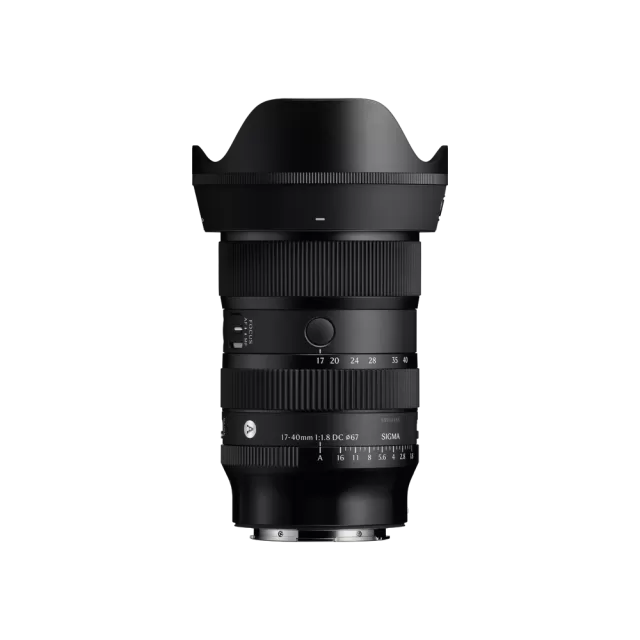 Sigma 17-40mm F1.8 DC | Art (Canon RF Mount)
Latest firmware Jun 25, 2026
Sigma 17-40mm F1.8 DC | Art (Canon RF Mount)
Latest firmware Jun 25, 2026
-
 Fujifilm XC13-33mmF3.5-6.3 OIS
Latest firmware Apr 6, 2026
Fujifilm XC13-33mmF3.5-6.3 OIS
Latest firmware Apr 6, 2026
-
 Fujifilm XF500mmF5.6 R LM OIS WR
Latest firmware Feb 3, 2026
Fujifilm XF500mmF5.6 R LM OIS WR
Latest firmware Feb 3, 2026
-
 Fujifilm XC15-45mmF3.5-5.6 OIS PZ
Latest firmware Nov 15, 2024
Fujifilm XC15-45mmF3.5-5.6 OIS PZ
Latest firmware Nov 15, 2024
-
 Fujifilm XF16-55mmF2.8 R LM WR
Latest firmware Aug 15, 2024
Fujifilm XF16-55mmF2.8 R LM WR
Latest firmware Aug 15, 2024
-
 Fujifilm XF16-80mmF4 R OIS WR
Latest firmware Aug 15, 2024
Fujifilm XF16-80mmF4 R OIS WR
Latest firmware Aug 15, 2024