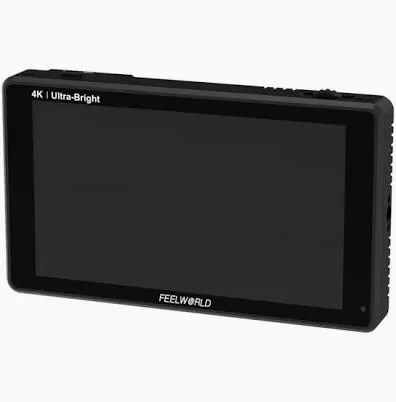
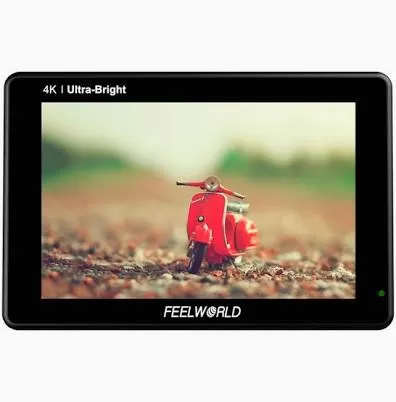
FEELWORLD LUT7 firmware
FEELWORLD · LUT7 · Video
Latest firmware for the FEELWORLD LUT7 is v2.0.4 (October 16, 2024).
Changelog
LUT7 firmware changelog
-
v1.3.8first tracked
Firmware history
-
Release notes & download
Show release notes Hide release notes
- Hello dear friends, thank you so much for use the FEELWORLD LUT7 monitor, in order to improve customer experience, we upgrade the LUT7 firmware.
- Firmware version 2.0.4 updates Zoom (100%~500%) and switched work battery. Please note:1. Do not change the name of the upgrade program! This is only for LUT7 (the version number “firmware 2.x.x” of the monitor ) user update.
- If the version number “firmware 1.x.x”of your monitor , you need use another firmware update, cannot be upgraded with this upgrade software. You can update firmware to Version 1.3.8.
- If the version number "firmware 3.x.x" of your monitor, please contact the support team: [email protected]
- Please confirm your monitor version number before you will updating your monitor. Or the monitor will broken can't work again if update wrong firmware. Proceed as follows -1. SD card must be formatted as FAT32 and NTFS. Place the program on the SD card, then insert the SD card into the display .2.After inserting the SD card, please turn off the monitor, and take off the battery or the power adapter.
- When you achieved the step2, please attach the battery or the power adapt and then turn on the monitor.
- Select [Upgrade] on the menu, you should press “firmware 2.x.x” if the “upgrade” menu is not shown on the LUT7. A progress bar will appear on the screen indicating that the program is being imported. Just wait for the flashing red and green lights to alternately indicate that it is upgrading. When the light turns red, the upgrade is complete. It can be used normally after restarting. If you need to update, please contact us to provide firmware update program. And please provide your monitor model number, firmware version and barcode. Email: [email protected] ]]>
-
Release notes & download
Show release notes Hide release notes
Hello dear friends, thank you so much for use the FEELWORLD LUT7 monitor, in order to improve customer experience, we upgrade the LUT7 firmware. Please note:1. Do not change the name of the upgrade program! This is only for LUT7 (the version number “firmware 1.x.x” of the monitor ) user update.
- If the version number “firmware 2.x.x”of your monitor, please use another firmware update, the lastest version is 2.0.4.
- Please confirm your monitor version number before you will updating your monitor. Or the monitor will broken can't work again if update wrong firmware. Proceed as follows -Proceed as follows -1. SD card must be formatted as FAT32 or NTFS. Place the program on the SD card, then insert the SD card into the display .2.After inserting the SD card, please turn off the monitor, and take off the battery or the power adapter.
- When you achieved the step2, please attach the battery or the power adapt and then turn on the monitor.4.Select [Upgrade] on the menu, you should press “firmware 1.x.x” if the “upgrade” menu is not shown on the LUT7. A progress bar will appear on the screen indicating that the program is being imported. Just wait for the flashing red and green lights to alternately indicate that it is upgrading. When the light turns red, the upgrade is complete. It can be used normally after restarting. If you need to update, please contact us to provide firmware update program. And please provide your monitor model number, firmware version and barcode. Email: [email protected] ]]>
Watch the LUT7 for updates
Get an email the moment FEELWORLD publishes new firmware. Just your email — no account or password needed.