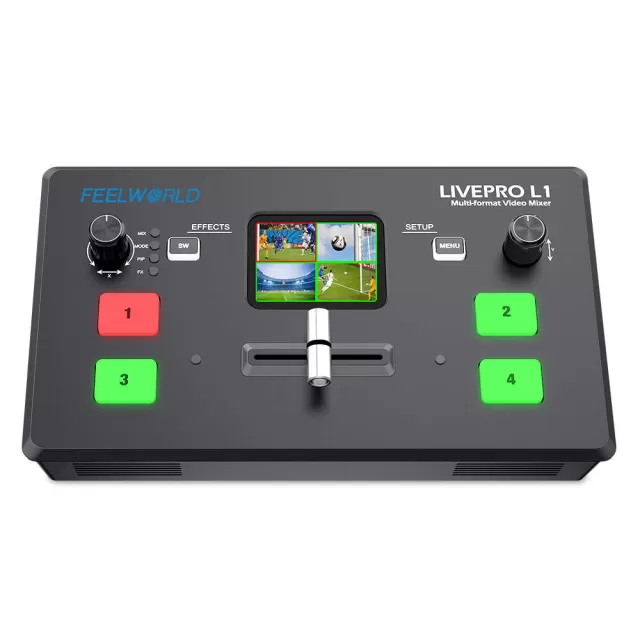
FEELWORLD LIVEPRO L1 V1 firmware
FEELWORLD · LIVEPRO L1 V1 · Video
Latest firmware for the FEELWORLD LIVEPRO L1 V1 is v2.01 (January 5, 2022).
Changelog
LIVEPRO L1 V1 firmware changelog
-
v2.01first tracked
Firmware history
-
Release notes & download
Show release notes Hide release notes
We are so excited to share with you that the firmware of FEELWORLD LIVEPRO L1 V1 upgrade to version 2.01 in chroma key feature.
Click firmware upgrade program download.
Firmware_Update_MAC_V2.01
Firmware_Update_Windows_V2.01
This is the upgrade operation video:
Note: Please Make Sure to Download the Latest Firmware Version 2.01
Windows
MAC
You can update firmware follow proceed, there is the detail of the upgrade instruction.
Operation Steps for Upgrade:
- Prepare tool: Upgrade package, XTOOL software and upgrade cable
- Upgrade Method: LAN port upgrade
2.1 Turn on the power on LIVEPRO L1 and use LAN cable to connect device.
2.2 so make sure the PC and device are in the same IP segment. As the picture show to check if your PC in the same IP segment.
2.3 Open the upgrade tool XTOOL, click Connection
2.4 Choose Net Comm in pop up window and confirm
2.5 Upgrade Program
After communication setting is done, the status light in bottom left turns green. Choose the upgrade file and open it. Usually, we just choose MCU or FPGA bin file to upgrade, but you also can select all by the XTOOL automatically. After selecting, click “Upgrade” and it will start to upgrade.
2.5.1 After upgrade is done, there will pop up a window showing “New Version Upgraded” then then users need to reboot the device to let the new version take effect.
2.5.2 Click “Version” XTOOL will show the latest version info of the device so that users can check if the upgrade is successful or not.
]]>
Watch the LIVEPRO L1 V1 for updates
Get an email the moment FEELWORLD publishes new firmware. Just your email — no account or password needed.