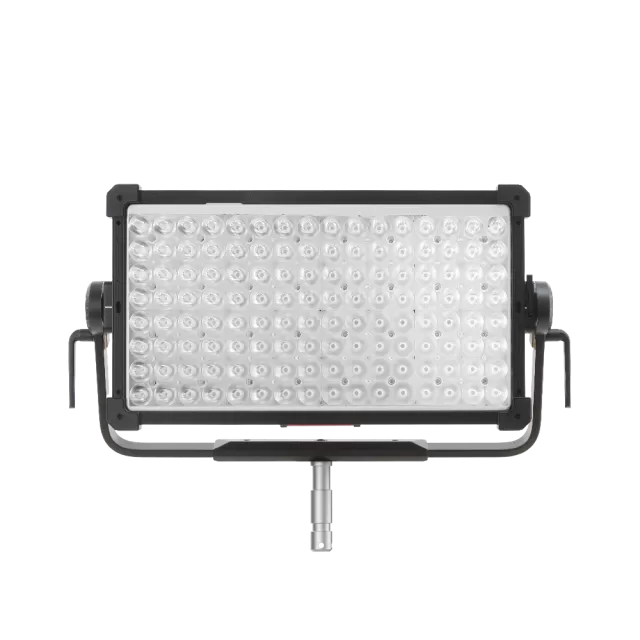
Aputure NOVA II 2x1 firmware
Aputure · NOVA II 2x1 · Video
Latest firmware for the Aputure NOVA II 2x1 is v1.5 (September 22, 2026).
Changelog
NOVA II 2x1 firmware changelog
Firmware history
-
Adds seven fan modes and moves DMX fan control to Control Profiles; fixes CRMX, pixel control, power-on, and crash issues. — summary by updatemystuff.com
Release notes & downloadShow release notes Hide release notes
Seven fan modes, DMX fan control moved to Control Profiles, and fixes for CRMX after factory reset, power on after upgrade, DMX Profile 109 pixel control, and an AC power cycling crash. This update must be performed with a USB drive. See Update Firmware via a USB Flash Drive for the procedure.
Enhancements
- Seven Fan Modes. The fan mode list is now seven modes: Smart, Max, High, Medium, Low, Delay, and Silent. See What do all the Fan Modes do? for what each mode does.
- DMX Fan Control Moved to Control Profiles. Removed the DMX control mode from the fan interface. To control the fan over DMX, use Control Profiles.
- Bluetooth and NFC Protocol Updates. Updated the Bluetooth and NFC protocols to support the new fan modes.
Bug Fixes
- CRMX Power State After Factory Reset. Fixed an issue where the UI displayed CRMX as on while the CRMX module power was off, after enabling the CRMX reset option for factory reset.
- CRMX Pairing After Factory Reset in TX Mode. Fixed an issue where, under CRMX pairing control, after applying and saving the key settings, switching to TX mode, and selecting Reset CRMX for Factory Settings, pairing failed and required returning to the CRMX interface to perform an unlink.
- Return to CRMX Control After Factory Reset. Fixed an issue where, after a factory reset that did not reset the CRMX connection control status, the fixture did not automatically revert to CRMX control and remained on the normal interface, while still being controllable normally.
- Power On After Upgrade with Studio Mode Off. Fixed an issue where upgrading the lighting control with Studio Mode off did not automatically power on after the upgrade, requiring the soft switch to power it on.
- DMX Profile 109 Pixel Control. Fixed an issue where pixel control behaved abnormally on DMX Profile 109 (HSI 8-bit).
- Firmware Crash on AC Power Cycling. Fixed an occasional crash when repeatedly plugging and unplugging AC.
-
Release notes & download
Show release notes Hide release notes
Small update to resolve a color issue This update must be performed with a USB drive. The update over Sidus Link and Sidus Link Pro will be coming soon.
Bug Fixes
- Resolved an issue where output in manual CCT mode differed from DMX-controlled CCT, causing DMX-controlled CCT to appear green.
- Resolved an issue where DMX Profile and DMX address configured via NFC did not take effect.
-
Release notes & download
Show release notes Hide release notes
This update improves lighting effects, DMX behavior, wireless control, and overall system stability. This update must be performed with a USB drive. The update over Sidus Link and Sidus Link Pro will be coming soon.
Improvements
- Improved NFC performance for faster and more reliable pairing and configuration.
- Updated fan control logic to better match revised cooling requirements and operating conditions.
- Improved Lead / Follow mode behavior for more reliable synchronization between fixtures.
- Improved performance and stability of built-in lighting FX.
- Improved Bluetooth control stability for more reliable app-based control.
- Improved synchronization accuracy for lighting effects running across multiple fixtures.
- Improved error code messages for clearer fault identification.
- Improved overheating behavior and related warning messaging.
Bug Fixes
- Fixed Light Engine orientation so Light Engine 1 is on the gaffer’s left and Light Engine 2 is on the gaffer’s right when facing the front of the fixture.
- Fixed an issue where DMX 16-bit control could behave abnormally at very low brightness levels.
- Fixed an issue where the fixture could incorrectly allow a DMX address of 0.
- Fixed control channel issues in specific DMX profiles, including Strobe and Control channels in Profiles 53, 54, 81–90, and 181–190.
- Fixed CRMX behavior so CRMX is now enabled by default after a factory reset.
- Fixed Factory Reset behavior where selecting Reset Sidus BT did not turn Sidus BT on.
- Fixed Tint not being honored when Strobe is enabled on DMX profiles with Control Channels.
- Fixed Control Channels not responding on certain DMX profiles where only Fan Control worked.
- Fixed steppy and slow RGB color chase behavior on xy profiles over CRMX and DMX.
- Fixed steppy output during intensity ramps with color fades over CRMX and DMX.
- Fixed performance degradation when running Intensity Ramp and RGB Color Chase effects simultaneously.
- Fixed DMX Source Profiles producing inaccurate source colors and unstable xy adjustments.
- Fixed Control Channel Strobe behavior not performing to specification.
- Fixed strobe pausing when other DMX parameters are adjusted.
- Fixed DMX Fan Control being unresponsive across Control Channel profiles.
- Fixed UI menus not live-updating when Control Channel commands change settings.
- Fixed Output Mode menu issues where Control Channel commands did not live update and could cause incorrect option highlighting.
- Fixed Control Channel commands being unresponsive on VRGB profiles.
- Fixed FX Profiles where the FX selection parameter always triggered the Club Lights effect.
- Fixed Control Channel commands being unresponsive on LE FX and LE Control profiles, including Strobe, Control Channel actions, and Fan Control.
Watch the NOVA II 2x1 for updates
Get an email the moment Aputure publishes new firmware. Just your email — no account or password needed.