

TASCAM SS-CDR250N firmware
TASCAM · SS-CDR250N
Latest firmware for the TASCAM SS-CDR250N is v2.18 (September 3, 2026).
Changelog
SS-CDR250N firmware changelog
-
v2.17v2.18Q-SYS Plugin support with direct recording capability, and fixed playlist name display.
Firmware history
-
Q-SYS Plugin support with direct recording capability, and fixed playlist name display. — summary by updatemystuff.com
Release notes & downloadShow release notes Hide release notes
< Maintenance items >
- Q-SYS Plugin V1.0.2.1 is now supported.
When the unit's DIRECT REC function is enabled, recording can now be started directly from the recording key in the Q-SYS plugin.
To use this feature, please update the unit's firmware to V2.18 or later, and use Q-SYS Plugin V1.0.2.1 or later.
The Q-SYS plug-in can be downloaded from the Q-SYS Library. https://library.qsys.com/asset?unique_id=1778871612037x367295399218046100
- In V2.17, when switching playlists from the RC-SS150 while it was connected to the main unit, playlist file names on the media would not be displayed. This has been fixed.
-
Release notes & download
Show release notes Hide release notes
< New functions >
- The “LINK LOSS DETECT” function has been added to improve connection stability in systems that use the Telnet protocol.
This function detects disconnected network cables or lost communication links and automatically releases the connections to the affected external controllers.
[ NOTE ]
- Ping responses are used for detection.
- Depending on the firewall settings of the external controller, it may not accept pings and interpret this as a network disconnection, causing the Telnet connection to be terminated.
- In this case, either turn off the LINK LOSS DETECT function or enable ICMP Echo Request in the firewall settings.
- For detailed information on the functions and how to set them up, please refer to "Owner's Manual Addendum V2.17".
SS-CDR250N
https://tascam.jp/int/product/ss-cdr250n/support#Manuals
SS-R250N
https://tascam.jp/int/product/ss-r250n/support#Manuals
< Maintenance items >
- A delay that would occur when playback started has been fixed in firmware version 2.14 or later.
- When playing a short MP3 file (less than approximately 1.5 seconds), the audio at the end of the file could be repeated. This has been fixed.
-
Release notes & download
Show release notes Hide release notes
< Maintenance items >
- In systems that use the Telnet protocol, if a controller repeatedly reconnected without logging out from the unit, it would become unable to connect. This has been fixed.
[ NOTE ]
- ICMP Echo Requests must be allowed in your computer's firewall settings.
- See the instructions below for setting procedures.
SS-CDR250N
https://tascam.jp/int/product/ss-cdr250n/support#Manuals
SS-R250N
https://tascam.jp/int/product/ss-r250n/support#Manuals
-
Version
2.15First seen Aug 8, 2026Release notes & downloadShow release notes Hide release notes
< New functions >
- Q-SYS is now supported.
When using this unit’s plug-in in Q-SYS Designer, please update the unit’s firmware to v2.15 or later.
< Maintenance items >
- To improve security, products with serial numbers “2590001” and higher now use unique random strings as the default network-related passwords (IP PASSWORD, ADMIN PASSWORD) instead of the model name (e.g., SS-R250N or SS-CDR250N).
[ NOTE ]
- This change will not be applied when updating the product currently in use, and existing passwords will not be overwritten. Existing passwords can continue to be used as is.
- Even if FACTORY PRESET is performed, the model name will continue to be used as the password for each item.
-
Version
2.14First seen Aug 8, 2026Release notes & downloadShow release notes Hide release notes
FPGA firmware: V0019 (December 17, 2024) < Maintenance items >
- When the media was set to CD and the PLAY MODE to SINGLE, selecting and playing another track some time after stopping playback of the first track could cause the sound to break up on rare occasions. This has been fixed.
- When the FILE TYPE in the recording settings was set to MP3 (MONO (2ch)), "Record Error!" would be displayed immediately after recording started, and recording would no longer be possible. This has been fixed.
- When playing back a file that was only about one second long, the audio at the end of the file could be repeated. This has been fixed.
- When playing back files in succession, if the first song was longer than the second song and the second song was less than 10 seconds long, the second song would be played twice in succession. This has been fixed.
- Operation stability has been improved.
[ NOTE ]
- First update the Unit firmware to V2.14, then update the FPGA firmware to V0019.
- If the Unit firmware is V2.13 or earlier, the FPGA firmware cannot be updated to V0019.
-
Version
2.13First seen Aug 8, 2026Release notes & downloadShow release notes Hide release notes
< Maintenance items >
- The IC change for units with serial numbers (24X0001 and later) is now supported. No changes have been made to the functions or specifications resulting from it.
-
Release notes & download
Show release notes Hide release notes
< New functions >
- Chinese fonts that comply with the GB18030-2022 standard are now supported.
< Maintenance items >
- If the pitch control function was on and the playback mode was set to "CONTINUE", a silent gap would occur between files when files were played back continuously. This has been fixed.
- If backup recording was conducted to media with a capacity of 64 GB or more, files that could not be recognized as audio data would sometimes be created. This has been fixed.
- When the automatic track function was set to "TIME", recording files of 2 GB or more, which cannot be recognized by this unit, could be created. This has been fixed.
- Operation stability has been improved.
-
Release notes & download
Show release notes Hide release notes
< Maintenance items >
- If the pitch control function was turned on and the pitch was changed when a file was played back, a few milliseconds of sound at the end would be missing. This has been fixed.
-
Version
2.10First seen Aug 8, 2026Release notes & downloadShow release notes Hide release notes
< New functions >
- "CURRENT MEDIA RECORDABLE TIME SENSE", which acquires the recordable time of the current media, has been added to the RS-232C/TELNET commands.
See the RS-232C/TELNET protocol Ver1.15 specifications for details.
< Maintenance items >
- When the playback area was FOLDER, executing a RS-232C/TELNET command "DELETE(0x7F03)" would sometimes delete a file other than the intended one. This has been fixed.
- Files created with the recording file format set to MONO (MIX) would be shown as "STEREO" when their INFO was viewed from the BROWSE menu. This has been fixed.
- When the playback mode was not CONTINUE and the FTP CLIENT AUTO UPLOAD setting was DEL. AFTER UPLOAD, the "Deleting Uploading File..." pop up that appeared after recording would freeze. This has been fixed.
Operation has been changed so that when the AUTO UPLOAD setting is DEL. AFTER UPLOAD, the playback mode is automatically switched to CONTINUE when recording starts.
- Operation stability has been improved.
-
Version
2.01First seen Aug 8, 2026Release notes & downloadShow release notes Hide release notes
< Maintenance items >
- As result of changes to the audio IC, DAT is not supported with the DD operation mode of the automatic track function by products with serial numbers of 2140001 and higher.
(Products with serial numbers lower than 2140001 will continue to support DAT even if their firmware is updated.)
-
Version
2.00First seen Aug 8, 2026Release notes & downloadShow release notes Hide release notes
< New functions >
- A function has been added that enables marks to be recorded especially for minute-taking applications when used in combination with an Audio-Technica Corporation ATDM-1012 or ATDM-1012DAN Digital SmartMixer.
See the operation manual (D01306120C) or addendum (D01369600A) for details.
-
Version
1.43First seen Aug 8, 2026Release notes & downloadShow release notes Hide release notes
< New functions >
- USER04 and USER05 options have been added to [MENU]-[REC4]-[FILE NAME].
When FILE NAME is set to USER04 or USER05, strings of up to 12 characters set by the user can automatically be added as file names during recording. USER WORD PRESET, USER WORD SENSE and FILE NAME SELECT using RS-232C/TELNET are also now supported in the same manner.
- SPECIFIED DEVICE STATUS SENSE and MEDIA FORMAT using RS-232C/TELNET are now supported.
See the RS-232C/TELNET protocol Ver1.14 specifications for details.
< Maintenance items >
- If the auto ready function was turned off immediately before the playing track completed, the unit would skip ahead two tracks and play it. This has been fixed.
- A POWER CONTROL command using RS-232C/TELNET would sometimes return 0xF4. This has been fixed to return 0xF5.
- If either IP SETUP or DNS SETUP setting mode was set to STATIC, the DNS ADDRESS would be fixed to "0.0.0.0". This has been fixed.
If STATIC is selected in IP SETUP, even if DNS ADDRESS is set to AUTO, it will become the value set for STATIC.
-
Version
1.42First seen Aug 8, 2026Release notes & downloadShow release notes Hide release notes
< New functions >
- Support was added for USER WORD PRESET and FILE NAME SELECT using RS-232C/TELNET.
See the RS-232C/TELNET protocol Ver1.13 specifications for details.
< Maintenance items >
- RS-232C PARITY BIT setting ODD and EVEN behaviors were reversed. This has been fixed.
- If the TIMER EVENT function was ON, executing PLAYLIST RENAME and DELETE operations would cause timer events not to be executed. This has been fixed.
- Operation stability has been improved.
-
Version
1.41First seen Aug 8, 2026Release notes & downloadShow release notes Hide release notes
< Maintenance items >
- When a medium different from the current one was selected, the TASCAM SS250 CONTROL (Ver2.0.0) would be forced to quit. This has been fixed.
- When using the link playback function, sometimes the slave device would not follow the master device. This has been fixed.
- When the resume playback function was set to OFF, after selecting a track using the TASCAM SS250 CONTROL, pressing the PAUSE button would not pause and pressing the PLAY button would incorrectly cause playback to start from the first track. These problems have been fixed.
- If the auto ready function was turned on immediately before the playback track completed, the unit would not pause at the beginning of the next track. This has been fixed.
- When the auto cue function was set to ON and the unit was paused, selecting another track on the BROWSE screen and executing the SELECT operation from the pop-up menu would cause playback to start with the PLAY LED blinking. This has been fixed.
- Operation stability has been improved.
-
Version
1.40First seen Aug 8, 2026Release notes & downloadShow release notes Hide release notes
< Maintenance items >
- When the play area was "FOLDER", if playback was started from an external remote control while the current folder name pop-up was being shown when changing folders, a "PLAY ERROR" could occur. This has been fixed.
-
Version
1.39First seen Aug 8, 2026Release notes & downloadShow release notes Hide release notes
< Maintenance items >
- If backup recording was repeated when the recording file format setting was MONO(MIX) or MONO(2ch), the names of the created files would not always be numbered consecutively. This has been fixed.
-
Version
1.38First seen Aug 8, 2026Release notes & downloadShow release notes Hide release notes
< Maintenance items >
- When the remote power control function was set to on and the unit was in standby, connecting from an external FTP client could cause control to become no longer possible. This has been fixed.
- If the sampling frequency of the first file played after turning the power on was not 44.1 kHz, sound output would be late. This has been fixed.
-
Version
1.37First seen Aug 8, 2026Release notes & downloadShow release notes Hide release notes
< New functions >
- "OFF" has been added to the POWER ON ACTION functions.
OFF: When power is turned on by an external source, the unit enters standby.
PLAY: When power is turned on by an external source, the unit automatically starts playback.
REC: When power is turned on by an external source, the unit automatically starts recording.
STOP: When power is turned on by an external source, the unit resumes a stopped state.
< Maintenance items >
- When the unit was in standby after being turned on by an external source, operation with an external controller was not possible even when the REMOTE POWER CONTROL function was ON. This has been fixed.
- When using the BROWSE function to view WAV file information, an incorrect date would be shown. This has been fixed.
- If the power was turned on and off repeatedly, playback would not resume in some cases even though the RESUME function was on. This has been fixed.
-
Version
1.36First seen Aug 8, 2026Release notes & downloadShow release notes Hide release notes
< Maintenance items >
- Incrementing the track after recording in MP3 format for a long time would cause recording to stop and a "Media Full" pop-up message to appear even if sufficient open space was available. This has been fixed.
- When using the link playback function, sometimes the slave device would not follow the master device. This has been fixed.
- Operation stability has been improved.
-
Version
1.35First seen Aug 8, 2026Release notes & downloadShow release notes Hide release notes
< New functions >
- A REBUILD function has been added that rebuilds the management data of files and folders.
Use MENU > MEDIA > MEDIA REBUILD to execute this function.
< Maintenance items >
- If media was loaded into the unit after a folder had been deleted using a computer, sometimes existing tracks could not be played back in folder playback mode. This has been fixed.
- A "PLAY ERROR" would occur when playing from a USB flash drive. This has been fixed.
- If the BROWSE operation was used to change the current folder when the playback area was folder, the resume playback position would not be cleared. This has been fixed.
- If the EDIT, PITCH, KEY or INPUT button was pressed when the COMBINE editing execution waiting screen was open, repeat playback would continue. This has been fixed.
- If recording was executed and stopped when the auto upload function was on and the playback area was set to folder, the number of playback tracks would be the number on the entire media rather than the number inside the folder. This has been fixed.
-
Version
1.34First seen Aug 8, 2026Release notes & downloadShow release notes Hide release notes
< Maintenance items >
- If the unit was turned on when the auto ready and resume playback functions were on and the power on action function was set to PLAY, a "READING MEDIA" pop-up would appear while still in playback standby. This has been fixed.
- When a download event was executed as a timer event function, the upload icon would be shown in addition to the download icon. This has been fixed.
- If the RS-232C "CURRENT TRACK TIME RETURN"(0xD8) exceeded 10000 minutes, "--------" was returned. This has been changed so that if 100 hours is exceeded, "5999 minutes 59 seconds 99 frames" will be returned.
- The sound quality when recording a low-level input signal in MP3 format has been improved.
-
Version
1.33First seen Aug 8, 2026Release notes & downloadShow release notes Hide release notes
< Maintenance items >
- Editing of file and folder names could not be done properly using RS-232C/TELNET. This has been fixed.
- After locking panel operation on the unit, the panel lock status could not be acquired properly using RS-232C/TELNET after restarting the unit.
-
Version
1.32First seen Aug 8, 2026Release notes & downloadShow release notes Hide release notes
< New functions >
- The output status of the PARALLEL connector 11-pin (Record Tally) when recording is paused can now be set.
Set using the [MENU]-[REMOTE]-[RECORD TALLY] item.
REC ONLY: Record Tally is not output when record?ing is paused. REC PAUSE/REC: Record Tally is output when recording is paused. (Low state)
< Maintenance items >
- When the resume playback function was turned off, random playback was not possible sometimes. This has been fixed.
- Operation stability has been improved.
-
Version
1.31First seen Aug 8, 2026Release notes & downloadShow release notes Hide release notes
< Maintenance items >
- During synchronized recording, recording would be late after the sync level was detected. This has been fixed.
- When using the timer event function, sometimes events would not be executed at their set times. This has been fixed.
- When using flash start, the audio output was delayed compared to other media if the medium was CD. This has been fixed.
- After setting DYNAMICS to "COMP SOFT" or "COMP HARD" and restarting the unit, the setting would not be retained. This has been fixed.
- Operation stability has been improved.
-
Version
1.30First seen Aug 8, 2026Release notes & downloadShow release notes Hide release notes
< New functions >
- TASCAM SS250 CONTROL (Ver2.0.0) is now supported.
- Support has been added for POWER CONTROL commands and TIME SKIP setting value change commands using RS-232C/TELNET.
POWER CONTROL commands are enabled by setting MENU > UTILITY > REMOTE POWER CONTROL to ON. See the RS-232C/TELNET protocol specifications Ver1.11 for details.
[ Confirm the following items before using a TASCAM SS250 CONTROL ] To use TASCAM SS250 CONTROL, confirm that its application version is Ver2.0.0 or higher.
If the version is older than Ver2.0.0, install Ver2.0.0 or higher.
For information about how to install the application, visit the TASCAM Web site ( https://tascam.jp/int/product/ss250_control/support ).
< Maintenance items >
- External synchronization was not possible even if OUTPUT RATE was set to EXTERNAL. This has been fixed.
- TIMER EVENT LIST "REC" events would operate with BALANCED input even if COAX/AES/Dante was selected by INPUT SELECT. This has been fixed.
- Did not respond to READY (0x14) commands by RS-232C/TELNET. This has been fixed.
- When copying files to an FTP server during recording by AutoUpload or BROWSE, 2GB files could not be transferred. This has been fixed.
- If recording for long periods of time was repeated when AutoUpload was set to ON, the beginnings of the audio files created were missing. This has been fixed.
- Searching forward/backward and moving between folder levels with the BROWSE screen open was not possible using the TASCAM RC-10 wireless remote control. This has been fixed.
- During digital output of CD-DA playback, time information was not output correctly. This has been fixed.
- After setting an event list, if the clock on the unit was turned back through the date and time setting, for example, some events would not be executed. This has been fixed.
- When using an RC-SS20, pressing the RC-SS20 LOAD/STOP button would not stop playback of tracks 11-20. This has been fixed.
- If different files were added for-playback events, playback of the 11th and later files was not possible. This has been fixed.
- Operation stability has been improved.
Drive firmware: T.0J < Maintenance items >
- Operation stability has been improved.
[ NOTE ]
If the drive firmware is version T.0H, update the firmware to V1.20 before updating the drive firmware to T.0J.
-
Version
1.20First seen Aug 8, 2026Release notes & downloadShow release notes Hide release notes
< New functions >
- Support has been added for file RENAME and folder operation and editing commands using RS-232C/TELNET.
See the RS-232C/TELNET protocol specifications Ver1.10 for details.
< Maintenance items >
- DIVIDE scrub playback would not stop when using an external controller. This has been fixed.
- If an entry was deleted during playback in PLAYLIST mode, a different track than the track assigned to the entry would be played back. This has been fixed.
- During relay recording, after switching to the SUB media for recording, pausing recording would cause the remaining time display to show "0:00". This has been fixed.
- After recording with INPUT SELECT set to DIGITAL, if recording was conducted with AUTO TRACK set to DD and DIRECT REC set to ON, recording could not be stopped. This has been fixed.
- CUE points could not be detected during AUTO CUE playback of tracks recorded as MONO (MIX). This has been fixed.
- When the "*_02.*" file of a track recorded as MONO (2CH) was deleted using BROWSE, playback of that track would become not possible. This has been fixed.
- After flash loading an MP3 track that was about one second long, playback would not be possible and a "Play Error." message would appear. This has been fixed.
- If RENAME was executed using BROWSE, the track playback order would change. This has been fixed.
- When recording with MONO (MIX), files would not be uploaded even when AUTO UPLOAD was ON. This has been fixed.
- Operation stability has been improved.
-
Release notes & download
Show release notes Hide release notes
< New functions >
- TASCAM SS250 CONTROL (Ver1.1.0) is now supported.
- A TIME mode has been added to the AUTO TRACK function.
Setting options: 1min-10min, 15min, 30min, 1hour, 2hour, 6hour, 8hour, 12hour, 24hour (default: 5min)
[ Confirm the following items before using a TASCAM SS250 CONTROL ] To use a TASCAM SS250 CONTROL, confirm that its firmware version is Ver1.1.0 or higher.
If the version is older than Ver1.1.0, update it to Ver1.1.0 or higher.
For information about how to install the application, visit the TASCAM Web site ( https://tascam.jp/int/product/ss250_control/support ).
< Maintenance items >
- After the FLASH LOAD function was executed, if tracks were played back consecutively, noise would occur on rare occasions. This has been fixed.
- When the recording format setting was MP3 and 64kbps was selected, recording would freeze. This has been fixed.
- When the recording format setting was MP3, noise would occur at the end of recording. This has been fixed.
- Mark setting operation has been improved.
- Media recognition has been improved.
- USB keyboard recognition has been improved.
- Operation stability has been improved.
-
Version
1.01First seen Aug 8, 2026Release notes & downloadShow release notes Hide release notes
< New functions >
- TASCAM SS250 CONTROL is now supported.
- RC-900 is now supported.
[ Confirm the following items before using the RC-900 ] To use an RC-900, confirm that its firmware version is Ver1.30 or higher.
If the version is older than Ver1.30, update it to Ver1.30 or higher.
For instructions about updating firmware, visit the TASCAM Web Site. ( https://tascam.jp/int/product/rc-900/support )
< Maintenance items >
- When an MP3 file was played, the mark display for the first track would disappear. This has been fixed.
- MP3 file flash playback operation has been improved.
- Operation stability has been improved.
Watch the SS-CDR250N for updates
Get an email the moment TASCAM publishes new firmware. Just your email — no account or password needed.
More TASCAM products we track
-
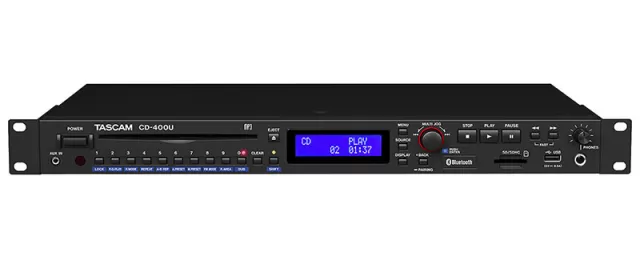 CD-400U
Latest firmware Sep 29, 2026
CD-400U
Latest firmware Sep 29, 2026
-
 DR-10L Pro
Latest firmware Sep 24, 2026
DR-10L Pro
Latest firmware Sep 24, 2026
-
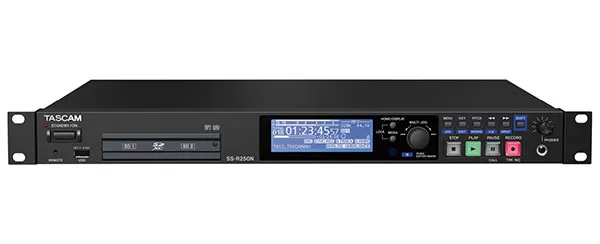 SS-R250N
Latest firmware Sep 3, 2026
SS-R250N
Latest firmware Sep 3, 2026
-
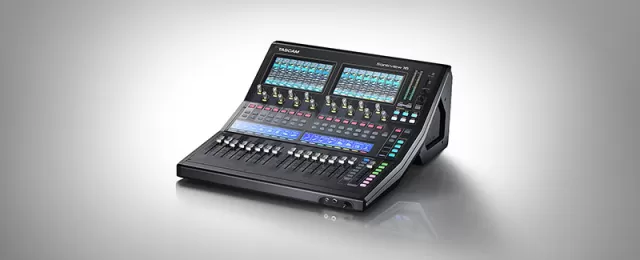 TASCAM Sonicview 16XP / TASCAM Sonicview 16dp
Latest firmware Aug 27, 2026
TASCAM Sonicview 16XP / TASCAM Sonicview 16dp
Latest firmware Aug 27, 2026
-
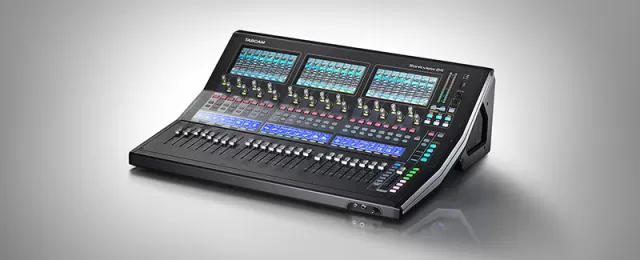 TASCAM Sonicview 24XP / TASCAM Sonicview 24dp
Latest firmware Aug 27, 2026
TASCAM Sonicview 24XP / TASCAM Sonicview 24dp
Latest firmware Aug 27, 2026
-
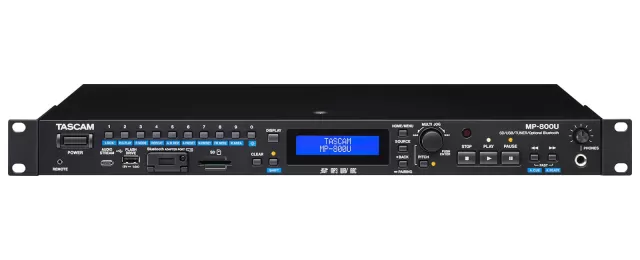 MP-800U
Latest firmware Jun 15, 2026
MP-800U
Latest firmware Jun 15, 2026