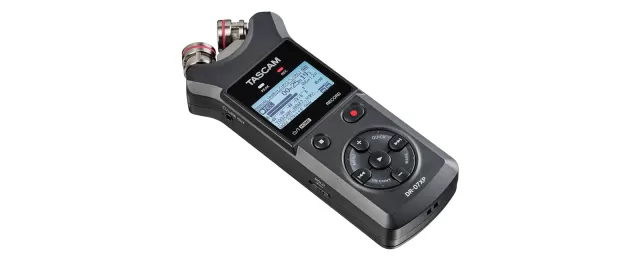
TASCAM DR-10X firmware
TASCAM · DR-10X · Video
Latest firmware for the TASCAM DR-10X is v2.01 (August 5, 2019).
Changelog
DR-10X firmware changelog
-
v1.02first tracked
Firmware history
-
Release notes & download
Show release notes Hide release notes
- When making settings using a text file, the data would not be properly loaded and applied if the DUAL REC (MODE) item was recorded as -6db or -12db in the settings file (DR-10_SysPara.txt).
This has been fixed.
-
Release notes & download
Show release notes Hide release notes
- Support for recording of MP3 formats The following can be set in a new menu.
MODE MP3 : OFF(default) / 128 / 192 OFF: WAV format will be used for recording audio files. 128: 128kbps MP3 format will be used for recording audio files. 192: 192kbps MP3 format will be used for recording audio files.
- NOTE * Dual recording is not possible when recording MP3 formats (only one file can be recorded).
- Level selection with dual recording function The following can be set in a new menu.
DUAL REC MODE : OFF(default) / -6 / - 12dB OFF: The dual recording function is disabled. -6: Dual recording occurs with an input level of -6 dB. -12dB: Dual recording occurs with an input level of -12 dB.
- Dual recording function can now be used when the POLY recording file type is selected.
- Level meters appear during recording and playback.
- NOTE * For details, see the "New functions in firmware version 2.00" in the DR-10C/DR-10X/DR-10L/DR-10SG Manual Addendum
- Operation stability has been improved.
-
Version
1.12First seen Aug 8, 2026Release notes & downloadShow release notes Hide release notes
- In V1.11, the modification dates and times of already recorded files (wav) on a microSD card would be updated erroneously when the card was loaded. This has been fixed.
- NOTE * This issue only occurred with V1.11. It did not occur with any other versions.
-
Version
1.11First seen Aug 8, 2026Release notes & downloadShow release notes Hide release notes
- Compatibility with music and video editing software has been improved for audio files handled by this unit.
- If the power shut down during the recording of files, those files could not be properly loaded by some audio and video editing software. This has been improved.
- Limiter operation has been improved.
- Setting operations using text files have been improved.
- An issue that would on rare occasions caused noise to be recorded at the end of files when set to 24-bit has been improved.
- The remaining recording time for cards is now shown correctly when the dual recording function is on.
- Operation stability has been improved.
-
Version
1.10First seen Aug 8, 2026Release notes & downloadShow release notes Hide release notes
- 44.1kHz, 16-bit and poly recording file formats can now also be selected in addition to the 48kHz, 24-bit and mono formats available before. These can be set using the new menu items shown below.
FS SAMPLE : 44.1kHz , 48kHz (default) BIT LENGTH : 16bit , 24bit (default) FILE TYPE : MONO (default), POLY
- NOTE * Dual recording is not possible when recording poly files (only one file can be recorded).
Poly file recording is not possible when dual recording (only mono files can be recorded).
- If the remaining battery charge is low, the remaining open space on the microSD card is low or recording cannot be started, for example, the unit can now output a warning sound (beeping) from the headphone jack. This can be set using the new menu item shown below.
WARNING BEEP : OFF (default), ON
- NOTE * For details, download the latest DR-10C or DR-10X Owner's Manual from the TEAC Global Site (http://teac-global.com/).
Maintenance items
- Operation stability has been improved.
-
Version
1.02First seen Aug 8, 2026Release notes & downloadShow release notes Hide release notes
- When the SYSTEM INIT menu item is executed (to initialize settings), the MODEL SELECT item setting is no longer reset.
This change only applies to the DR-10C.
- NOTE * For details, download the latest DR-10C Owner's Manual from the TEAC Global Site (http://teac-global.com/).
Watch the DR-10X for updates
Get an email the moment TASCAM publishes new firmware. Just your email — no account or password needed.