Sound Devices Astral ARX32 firmware
Sound Devices · Astral ARX32
Latest firmware for the Sound Devices Astral ARX32 is v8.40 (August 18, 2026).
Changelog
Astral ARX32 firmware changelog
-
v8.30.03v8.40Memory slots doubled to 8, TX battery shown as percentage, faster boot, and multiple fixes. -
v8.30v8.30.03Increases auxiliary audio outputs from 1 to 3, adds SoundBase compatibility, and improves edge-of-range performance. -
v8.20.02first tracked
Firmware history
-
Memory slots doubled to 8, TX battery shown as percentage, faster boot, and multiple fixes. — summary by updatemystuff.com
Release notes & downloadShow release notes Hide release notes
New
Added support for the new Astral Mini Plus transmitter
Quick Setup internal memory slots increased from 4 to 8
Added the capability to set the Astral HH transmitter display color via a DigiCo macro
Changes
Astral Outpost firmware updates are now started from the System > Firmware Update menu
Audio Output > Global RX Output Gain range is now –20 to 40 dB
Added an RX Power Off confirmation option in Notifications. When enabled, ARX prompts “Are You Sure?” before powering off
In Mirror Mode, the ID button and Local Nexlink Antenna selection are now available on the secondary ARX
Loading Factory Defaults now performs a full reset: unpairs all transmitters, restores default settings, and clears internal memory slots
Tone generator is now disabled after a power cycle
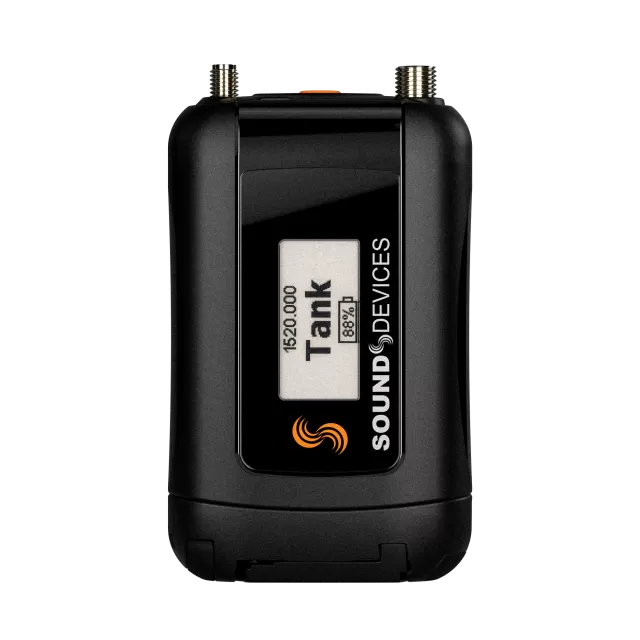
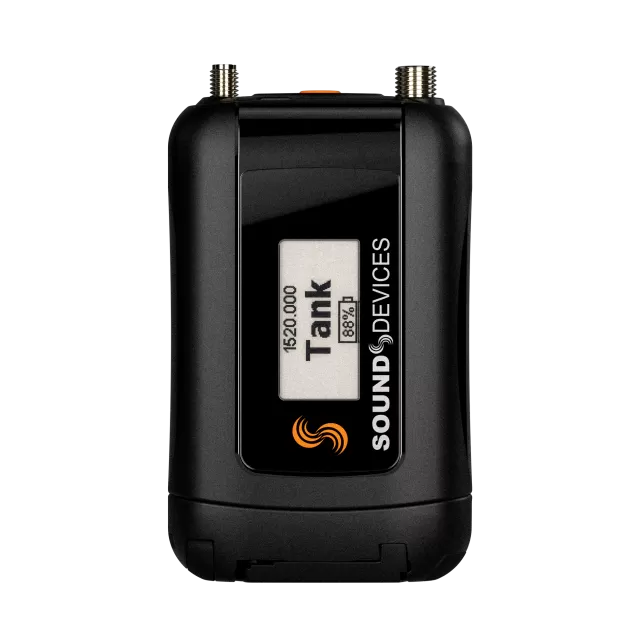
ARX now displays Astral TX battery level as a percentage
Added local macro triggering and notifications for testing macro paths
Faster boot time
Fixes
RF On commands from physical transmitter controls now turn off RF on other transmitters assigned to the same receiver channel
RF Off Confirmation now works correctly with multiple transmitters on one RX channel
Ethernet power defaults off when unit powers down (ARX16)
Receiver channels retain last transmitter name after power cycle; clear by toggling RX channel off/on
Improved XLR, lav, and guitar input selection UI in 1RX View and TX List
Secondary receiver shows RF power in Mirror mode
ARX displays a warning if transmitter recording fails (e.g., faulty or misformatted card)
Incoming macros cancel the ARX screensaver
RX channel Aux 2 and 3 outputs now fade in/out when toggled
Internal tone bypasses RX Channel HPF
Fixed missing RX channels in Web App Audio menu
Fixed ARX16 network flooding issue when powered off but plugged in
Web App RX Gain sliders hidden in Audio menu when docked to 8-Series
Firmware Update Guide (HTML) Firmware Update Guide (PDF)
-
Increases auxiliary audio outputs from 1 to 3, adds SoundBase compatibility, and improves edge-of-range performance. — summary by updatemystuff.com
Release notes & downloadShow release notes Hide release notes
New
Added Astral control and monitoring compatibility with SoundBase
Aux-triggered audio output paths increased from 1 to 3.
Option to send headphone solo to audio outputs (ARX16 and ARX32 only)
Changes
Faster lock of receiver to transmitter
RX Channel/Transmitter names are now retained over a power cycle.
Connected Astral Outposts are now included when performing an ‘All Devices’ firmware update from System → Firmware Update.
Loading factory default settings now clears the TX List, setting memory slots and current settings.
Updating firmware now clears the TX List (unpairs transmitters).
Web App ‘Show Mode’ can now be set independently in each browser client.
Fixes
Improved the performance at the edge of range such that (rare) bursts of static no longer occur.
NexLink communication is now always re-established when coming back into range.
REC+RF Mode no longer resets to RF Mode when a transmitter is powered off then back on.
Outpost IP address no longer incorrectly displays 0.0.0.0 when changing it to a static address.
Web App notifications no longer conflict with the RTSA Meter Views.
Firmware Update Guide (HTML) Firmware Update Guide (PDF)
-
Release notes & download
Show release notes Hide release notes
New
Added Astral control and monitoring compatibility with SoundBase
Aux-triggered audio output paths increased from 1 to 3.
Option to send headphone solo to audio outputs (ARX16 and ARX32 only)
Changes
Faster lock of receiver to transmitter
RX Channel/Transmitter names are now retained over a power cycle.
Connected Astral Outposts are now included when performing an ‘All Devices’ firmware update from System → Firmware Update.
Loading factory default settings now clears the TX List, setting memory slots and current settings.
Updating firmware now clears the TX List (unpairs transmitters).
Web App ‘Show Mode’ can now be set independently in each browser client.
Fixes
Improved the performance at the edge of range such that (rare) bursts of static no longer occur.
NexLink communication is now always re-established when coming back into range.
REC+RF Mode no longer resets to RF Mode when a transmitter is powered off then back on.
Outpost IP address no longer incorrectly displays 0.0.0.0 when changing it to a static address.
Web App notifications no longer conflict with the RTSA Meter Views.
Firmware Update Guide (HTML) Firmware Update Guide (PDF)
-
Release notes & download
Show release notes Hide release notes
NOTE: If updating an Astral ARX32 from v1.00, any attached Astral Opto needs to be physically unlinked and removed during the update. Versions v1.01 of Astral ARX32 and above do not require this step. After updating to v8.20, you must re-pair Astral Outposts.
Changes
Dante Controller > ‘Enable Sync To External’ is no longer automatically checked when ARX32 is Leader.
Fixes
ARX receivers no longer cause transmitters to split internal recordings into multiple files or stop recording completely.
'Network Disconnected' message now auto-clears when network connection is reestablished.
ARX receivers now correctly update Astral-HH control ring button and switch settings upon NexLink connection.
Firmware Update Guide (HTML) Firmware Update Guide (PDF)
Astral ARX32 v8.20 Firmware Released: October 02, 2025
NOTE: If updating an Astral ARX32 from v1.00, any attached Astral Opto needs to be physically unlinked and removed during the update. Versions v1.01 of Astral ARX32 and above do not require this step. After updating to v8.20, you must re-pair Astral Outposts.
New
Added support for simultaneous NexLink communication via multiple Astral Outposts.
Added support for distributing timecode to transmitters via NexLink from Astral Outposts.
New firmware update menu includes the ability to wirelessly update Astral transmitter firmware.
Ability to abort wireless pairing and exit the TX List’s wireless pairing screen.
Added Frequency Exclusion Regions – the ability to exclude specified frequency ranges from the AutoAssign and manual assign process.
Added TV Channel Finder algorithm for detecting and displaying 6, 7, or 8 MHz TV channels in the RTSA and Scan Views.
Added new Whip Antenna Length tool. Select a frequency range to display a real size graphic to assist in cutting whip antennas to the correct length.
Web App general improvements including:
Added keyboard entry for channel frequencies
Added new 1RX View ‘Select TX’ menu to manage multiple transmitters that are assigned to the same channel.
Added ‘dBm’ and duration scales to the RF History plot in the 1RX View.
Added duration shortcut in the duration scale of each 1RX View’s RF History plot.
Added –70dBFS to audio meter scales.
Added antenna A/B labeling to each antenna RSSI meter bar in 1RX Views.
Improved RF > Antenna Mode map graphics.
Added new 8RX row view in the Home tab.
Improved expand (+) and collapse (-) RX channel row functionality in the Home tab.
RTSA now shows transmitter names vertically to prevent names overlapping with neighboring transmitters.
New RTSA Meters mode for displaying Q + Audio Meters. Roll mouse over the meters to display the compact TX control panel with Power, RF, and Mute On/Off buttons.
More responsive audio and RF metering.
Normal + Peak Hold and Average + Peak Hold added to the RTSA Trace Type option list.
Dante and Control network port MAC addresses are now displayed in the Network Menu.
1RX View > Audio Outs > Aux On/Off toggle can now override/disable the TX Aux On state.
Default static IP is now different from the Astral reciever and Outpost.
In RF Mirror mode, if the Secondary unit takes over control due to the Primary failing, it no longer switches back to the Primary when the Primary comes back online.
Added option for the RF Mirror Secondary unit to use the Primary’s Outposts or its own local Outposts.
Added a loss of Network connection notification to OLEDs.
Changes
Main Menu icon color changes for consistency across all Astral Receivers and web apps.
Astral TX or Astral HH transmitter control button option ‘GPIO’ has been changed to ‘Control’. The Control option can be used to trigger Macros or GPIOs.
Accessing the Web App RTSA now goes directly to the last viewed band’s RTSA
Fixes
RF History now runs in the background – it no longer resets when switching views.
Improved audio performance at the edge of RF range and better interference resistance
Fixed inaccurate RF History duration and accuracy.
T&M modulation high-frequency phase drift no longer occurs.
Device Network naming from Dante Controller now works correctly
BNC sync input would not always lock to external word clock, is now fixed.
Fixes issue where USB thumb drive formatting would not always work.
NexLink re-connection and stability improvements.
Firmware Update Guide (HTML) Firmware Update Guide (PDF)
Sound Devices Astral ARX32 v8.10.02 Firmware Released: June 05, 2025
NOTE: If updating an Astral ARX32 from v1.00, any attached Astral Opto needs to be physically unlinked and removed during the update. Versions v1.01 of Astral ARX32 and above do not require this step.
Fixes
Fixed a bug where AutoAssigning RX Channels with paired TXs that have no power caused NexLink to not reconnect after power was reapplied.
Fixed diversity issue on receiver channel 16 (Astral ARX16 only)
Sound Devices Astral ARX32 v8.10 Firmware Released: April 23, 2025
NOTE: If updating an Astral ARX32 from v1.00, any attached Astral Opto needs to be physically unlinked and removed during the update. Versions v1.01 of Astral ARX32 and above do not require this step.
New
Ability to trigger DiGiCo console macros from Astral transmitters and receivers.
Added the ability to select which RX Channels should be AutoAssigned.
Added Outputs 1-64 to the Astral Web App > Audio tab and Outputs 1-32 to the Astral Web App > Audio tab.
Changes
RF sensitivity improved in both LR and Std by 3 to 5 dB, depending on antenna mode and proximity to antennas.
Improved RF demodulation for significantly improved multipath performance and multi-antenna performance.
Added an ‘Are You Sure’ confirmation popup when Network > Restart Network’ or ‘Clear Dante Settings’ are selected [ARX32 only].
Added an ‘Are You Sure’ confirmation popup for Group TX format commands from the ARX32 OLED GUI.
The TX List Search icon has been changed to a more obvious blue icon.
The ARX16 RSSI meter range changed to –100 to –65 dBm. The ARX32 RSSI meter
Watch the Astral ARX32 for updates
Get an email the moment Sound Devices publishes new firmware. Just your email — no account or password needed.