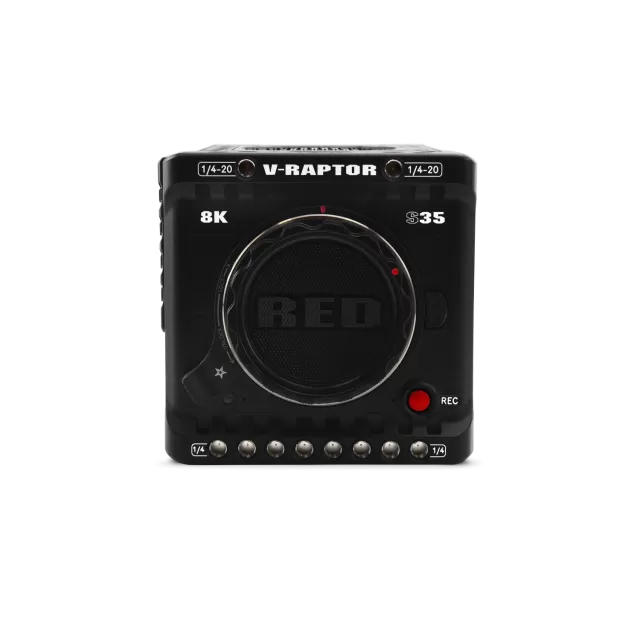
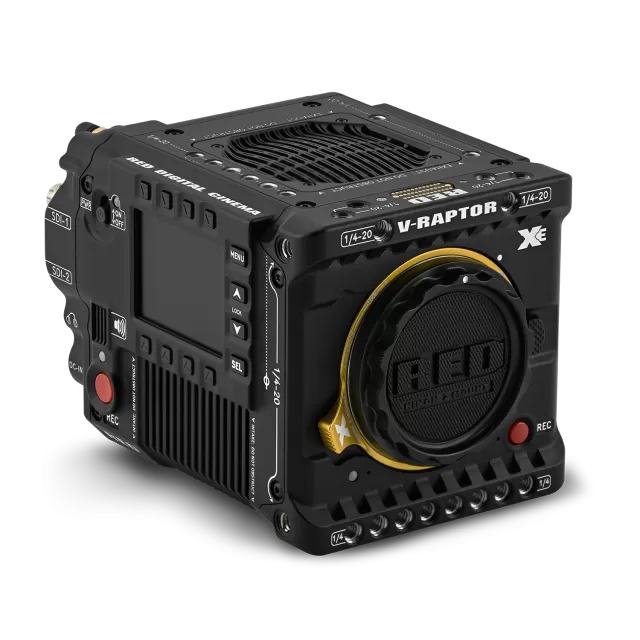
RED Digital Cinema V-RAPTOR XL 8K VV firmware
RED Digital Cinema · V-RAPTOR XL 8K VV · Body
Latest firmware for the RED Digital Cinema V-RAPTOR XL 8K VV is v2.2.4 (May 18, 2026).
Changelog
V-RAPTOR XL 8K VV firmware changelog
Firmware history
-
Release notes & download
Show release notes Hide release notes
SIGNIFICANT CHANGES SINCE V-RAPTOR 2.1.1 Reduced boot time Reduced power consumption Added support for Broadcast R3D in RED Connect Added support for Phantom Track in RED Connect Added Discrete Phantom Track control Added new Sensor Sync Shift interface Added support for timecode triggered recording Added External Tally Recording system Added Test Patterns to R3D Project Format Added User Buttons Video Overlays Added ND Iris Tracking Added Angelbird Media Updater (RD4.30) Added Angelbird V4 updater (RD5.04) Added SDI Signal Range control in Broadcast R3D Playback Added SmallHD RED Touch OS 6.1.2 Added Exascend Essential Pro Max 1TB/2TB support Added Nextorage B2 Pro+ 660GB/1330GB support Fixed inconsistent max Broadcast Gain Fixed 2nd Zebra with SDI 2 Changed Serial Protocol "Network (PPP)" to "Network RCP2 (PPP)" Improved GIG-E and REDConnect network stability Improved XL network stability Improved Broadcast Lens communication Improved sensor sync adjustment timing Improved continuously variable ND live preview Improved high ISO ProRes recordings and live preview Improved Broadcast R3D Detail parameter Improved Peaking performance Improved network stability
OPERATIONAL NOTES
RED CONNECT is a license enabled feature, for more info see https://support.reddigitalcinema.com/hc/en-us/articles/7391709361683 Some devices may experience intermittent connection issue over USB-C tethering.
Warning message will occur with unapproved media and batteries.
ST 2110 Return Feed is non-operational. © 2004-2026 RED Digital Cinema, Inc.
All Rights Reserved. login
-
Release notes & download
Show release notes Hide release notes
SIGNIFICANT CHANGES SINCE V-RAPTOR 2.0.9
- Added V-RAPTOR XE support
- Added continuously variable ND control
- Added Maximum Fan Control mode
- Improved lens compatibility
- Fixed possible 4K SDI issue at boot
- Fixed Broadcast Lens control with non-PL lenses
OPERATIONAL NOTES
RED CONNECT is a license enabled feature, for more info see https://support.reddigitalcinema.com/hc/en-us/articles/7391709361683 Some devices may experience intermittent connection issue over USB-C tethering.
Warning message will occur with unapproved media and batteries. © 2004-2025 RED Digital Cinema, Inc.
All Rights Reserved. login
-
Release notes & download
Show release notes Hide release notes
SIGNIFICANT CHANGES SINCE V-RAPTOR 2.0.8
- Added ProGrade Digital CFexpress 4.0 1.6TB (Iridium) support
- Updated regional Wi-Fi configurations
OPERATIONAL NOTES
RED CONNECT is a license enabled feature, for more info see https://support.reddigitalcinema.com/hc/en-us/articles/7391709361683 Some devices may experience intermittent connection issue over USB-C tethering.
Warning message will occur with unapproved media and batteries. © 2004-2025 RED Digital Cinema, Inc.
All Rights Reserved. login
-
Release notes & download
Show release notes Hide release notes
SIGNIFICANT CHANGES SINCE V-RAPTOR 2.0.3
- Added Broadcast Lens control support
- Added support for updating NIKKOR Z lenses
- Added RED PRO and AV PRO v4 support
- Added Face Detection Toggle assignable button
- Added PL Mount Power Toggle
- Added External Tally Thickness options
- Added Extra Small Video Overlay size
- Added VR Status to Lens Information overlay
- Added SmallHD RED Touch OS 6.1 firmware (SmallHD OS 6.1)
- Added External Tally support for SmallHD OS 6.1
- Added tilt to RED Touch Level Overlay for SmallHD OS 6.1
- Improved Lens compatibility
- Improved Face Detection recognition area
- Improved Face Detection transitions
- Improved network adapter compatibility
- Improved broadcast RCP communications
- Fixed applying preset with missing LUT
- Fixed Focus and Exposure Tools stacking
- Fixed occasional SDI audio distortion
- Fixed RED Touch Spectrum False Color for SmallHD OS 6.1
OPERATIONAL NOTES
RED CONNECT is a license enabled feature, for more info see https://support.reddigitalcinema.com/hc/en-us/articles/7391709361683 Some devices may experience intermittent connection issue over USB-C tethering.
Warning message will occur with unapproved media and batteries. (c) 2004-2025 RED Digital Cinema, Inc.
All Rights Reserved. login
-
Release notes & download
Show release notes Hide release notes
SIGNIFICANT CHANGES SINCE V-RAPTOR 1.8.5
- Added V-RAPTOR [X] Z Mount support
- Added Lens Menu
- Added Focus System Menu
- Added Focus Sensitivity Control
- Added support for hold type user buttons
- Added Serial RCP2 support
- Added Root History to ASC MHL
- Added Low Power Warning video overlay
- Added JPEG-XS MTU size support
- Added SmallHD RED Touch OS 6.0.1
- Improved Autofocus and Face Detection algorithms
- Fixed applying presets defined in User Pages
- Fixed Create Preset through DSMC3 RED TOUCH 7.0"
- Removed Beta label from Extended Highlights (V-RAPTOR [X] Only)
- Removed Beta label from Face Detection
OPERATIONAL NOTES
RED CONNECT is a license enabled feature, for more info see https://support.reddigitalcinema.com/hc/en-us/articles/7391709361683 Some devices may experience intermittent connection issue over USB-C tethering.
Warning message will occur with unapproved Media and Batteries.
Copyright (c) 2004-2025 RED DIGITAL CINEMA All Rights Reserved. login
-
Release notes & download
Show release notes Hide release notes
SIGNIFICANT CHANGES SINCE V-RAPTOR 1.7.5 Added Broadcast R3D Project Format Added support for T Stop Iris Display Added Playback to Camera Webpage Added RGB RAW Meters and Histogram to Video Overlay Added EVF Brightness to Video Overlay Added "Outdoor" EVF Brightness level Added External Tally Overlays Added List Filtering Added RED PRO CFexpress Updater (RD4.15) Added Nextorage B2 Pro 660GB/1330GB support Added SmallHD RED Touch OS 6 firmware Added Camera Horizon to RED Touch (PageOS 6) Fixed ND Color Calibration behavior in Preview and Playback Fixed SmallHD Color Space Selector in Broadcast R3D mode Improved Pre-Record behavior
OPERATIONAL NOTES
RED CONNECT is a license enabled feature, for more info see https://support.reddigitalcinema.com/hc/en-us/articles/7391709361683 Some devices may experience intermittent connection issue over USB-C tethering.
Warning message will occur with unapproved Media and Batteries.
Copyright (c) 2004-2024 RED Digital Cinema, Inc.
All Rights Reserved. login
-
Release notes & download
Show release notes Hide release notes
SIGNIFICANT CHANGES SINCE RAPTOR 1.6.2
- Added V-RAPTOR [X] and V-RAPTOR XL [X] Support
- Added RED COMPACT EVF support
- Added Video Overlays
- Added Horizon and Tilt Video Overlay
- Added Calibrate Gyroscope function
- Added advanced Image Flip selection
- Added ASC MHL checksum option
- Added Function Toggle control
- Added Proxy Record Menu
- Added ProRes Proxy Codec
- Added Dedicated False Color and Peaking Assignable Buttons
- Added Additional Slate Fields
- Added Remount Media Command
- Added Operations Guide QR Code
- Added SmallHD RED Touch OS 5.5.3
- Added ProGrade Gold 1TB/2TB Support
- Added Novachips 2TB support
- Fixed SmallHD ND Assignable Buttons (PageOS 5.5.3)
- Fixed Intermittent SDI Timecode with External TC
- Fixed Extended Highlights not achieving maximum fps (V-RAPTOR [X])
- Fixed incorrect 2K Format Heights (V-RAPTOR [X])
- Fixed incorrect Edge Timecode after exiting Playback
- Fixed SDI frequency changing after recording a clip
- Fixed Phantom Track monitor switching
- Fixed RAW RGB Exposure meter in EH mode
- Fixed EVF SDI Resolution/Frequency selections (V-RAPTOR XL/XL [X])
- Fixed RED thumbnail generation in EH mode
- Fixed Low Power shutdown
OPERATIONAL NOTES
RED CONNECT is a license enabled feature, for more info see https://support.reddigitalcinema.com/hc/en-us/articles/7391709361683 Some devices may experience intermittent connection issue over USB-C tethering.
Warning message will occur with unapproved Media and Batteries.
Copyright (c) 2004-2024 RED Digital Cinema, LLC.
All Rights Reserved. login
-
Release notes & download
Show release notes Hide release notes
SIGNIFICANT CHANGES SINCE RAPTOR 1.5.4
- Added Face Detection Beta for Auto Focus
- Added In-camera Online Firmware Upgrade method
- Added Advanced Playback Controls
- Added RED Connect SMPTE ST 2110-22
- Added RED Connect Return Feed (SMPTE ST 2110-20)
- Added RED Connect NMOS support
- Added multiple Calibration management
- Added ISO Display Mode Gain (dB)
- Added Remote Shutdown command
- Added mDNS discovery via Camera Name
- Added Web UI for S3 credentials
- Added clipname to HANC data during playback
- Added DSMC3 RED Touch 7" 5.5.0 firmware
- Added DSMC3 RED Touch 7" GIO Scope Interface (5.5.0)
- Added ability to disable DSMC3 RED Touch 7" Page System (5.5.0)
- Added edit list functionality to DSMC3 RED Touch 7" (5.5.0)
- Added OWC Atlas Ultra 1TB/2TB support
- Added SanDisk PRO-CINEMA 640GB support
- Fixed possible incorrect LUT on playback
- Optimized RCP outgoing messages
- Improved PTP locking
- Improved playback transition on DSMC3 RED Touch 7" (5.5.0)
OPERATIONAL NOTES
RED CONNECT is a license enabled feature, for more info see https://support.reddigitalcinema.com/hc/en-us/articles/7391709361683 Some devices may experience intermittent connection issue over USB-C tethering.
Warning message will occur with unapproved Media and Batteries.
Copyright (c) 2004-2023 RED Digital Cinema, LLC.
All Rights Reserved. login
-
Release notes & download
Show release notes Hide release notes
SIGNIFICANT CHANGES SINCE RAPTOR 1.5.2
- Added DSMC3 RED TOUCH 7.0" FW 5.4.2
- Fixed DSMC3 RED TOUCH 7.0" playback controls not showing
- Fixed some batteries causing unexpected shutdowns
OPERATIONAL NOTES
RED CONNECT is a license enabled feature, for more info see https://support.reddigitalcinema.com/hc/en-us/articles/7391709361683 Calibration must be performed in Sensor Flip mode.
Some devices may experience intermittent connection issue over USB-C tethering.
Warning message will occur with unapproved Media and Batteries.
Copyright (c) 2004-2023 RED Digital Cinema, LLC.
All Rights Reserved. login
-
Release notes & download
Show release notes Hide release notes
SIGNIFICANT CHANGES SINCE RAPTOR 1.4.4
- Added support for RED RF TO PL ADAPTER W/ ELECTRONIC ND
- Added RED Connect License support
- Added ability to edit FPS, Shutter, and Format lists.
- Added upcoming clip filename to SDI HANC while in preview
- Added Format Dimensions status
- Added RF Iris Compensation
- Added ND control to assignable buttons list
- Added ND Increments to Lens & Histogram Page
- Added DSMC3 RED TOUCH 7.0" FW 5.4.1
- Added RED Pro CFexpress 1TB support
- Added Angelbird AV PRO CFexpress 1TB MK2 support
- Added RED PRO 1TB support
- Added OWC 1.3TB support
- Added Prograde 1.3TB support
- Added firmware update prompt and automatic restart
- Added firmware update over USB Type-C
- Fixed proxy timecode offset under certain formats
- Fixed intermittent Gold Mount battery communication
- Fixed Absolute Frame Guide when values are outside the format limits
- Fixed R3D timecode mismatch in camera array
- Fixed stuck pixels in 7K 3:2 1.6x/1.8x format
- Fixed inconsistent Iris values on lens swap
- Improved V-RAPTOR XL DC-IN power handling
- Improved RCP2 CDL control
- Improved Cloud Upload File Types menu
Improved ND Stop Display Mode
- Improved External Only Audio over SDI
- Improved Network Static IP setup
- Improved DC IN low voltage warning interface
OPERATIONAL NOTES
RED CONNECT is a license enabled feature, for more info see https://support.reddigitalcinema.com/hc/en-us/articles/7391709361683 Calibration must be performed in Sensor Flip mode.
Some devices may experience intermittent connection issue over USB-C tethering.
Warning message will occur with unapproved Media and Batteries.
Copyright (c) 2004-2023 RED Digital Cinema, LLC.
All Rights Reserved. login
-
Release notes & download
Show release notes Hide release notes
SIGNIFICANT CHANGES SINCE RAPTOR 1.4.2
- Added Nextorage 660GB and 1.3TB support
- Improved support for third party battery plates
OPERATIONAL NOTES
RED CONNECT is a license enabled feature, for more info see https://support.reddigitalcinema.com/hc/en-us/articles/7391709361683 Calibration must be performed in Sensor Flip mode.
Some devices may experience intermittent connection issue over USB-C tethering.
Warning message will occur with unapproved Media and Batteries.
Copyright (c) 2004-2023 RED Digital Cinema, LLC.
All Rights Reserved. login
-
Release notes & download
Show release notes Hide release notes
SIGNIFICANT CHANGES SINCE RAPTOR 1.4.1beta None SIGNIFICANT CHANGES SINCE RAPTOR 1.4.0beta Added V-RAPTOR 8K S35 Support Added access to Cloud Upload menu without media inserted
SIGNIFICANT CHANGES SINCE RAPTOR 1.3.4
- Added V-RAPTOR 8K S35 Support
- Added access to Cloud Upload menu without media inserted
- Added Cloud Upload capability (Frame.io and S3)
- Added DSMC3 RED Touch 7" OS 5.1 upgrade
- Added TCP Streaming Option for RED Connect
- Added OWC 325GB and 640GB support
- Added Lexar Professional 1TB and 2TB support
- Added Wise 640GB support
Improved Sensor Flip Calibration Process
- Fixed Side UI battery percentage accuracy
- Fixed incorrect ND value during Playback
- Fixed blank LCD when first entering Playback
OPERATIONAL NOTES
RED CONNECT is a license enabled feature, for more info see https://support.reddigitalcinema.com/hc/en-us/articles/7391709361683 Calibration must be performed in Sensor Flip mode.
Some devices may experience intermittent connection issue over USB-C tethering.
Warning message will occur with unapproved Media and Batteries.
Copyright (c) 2004-2023 RED Digital Cinema, LLC.
All Rights Reserved. login
-
Release notes & download
Show release notes Hide release notes
SIGNIFICANT CHANGES SINCE RELEASE 1.2.7
- Added ELQ R3D Quality
- Added RED CONNECT (BETA) - Full Resolution Live R3D Streaming (See Operational Notes Below)
- Added AF Improvements
- Added Quiet Record Fan Control
- Added DSMC3 Monitor through-camera firmware update support (Requires SmallHD OS5 or later)
- Added enhanced timecode behavior
- Added User calibration optimization reducing process from several minutes to approximately 30 seconds
- Added discrete monitor LUT support
- Added Basic, Standard and Technical overlay mode
- Added Tint to SDI Advanced Overlay
- Added Overlay Opacity control
- Added voltage display for non-communicating batteries
- Added Low Voltage Warning control
- Added QR code support for Wi-Fi passwords
- Added RCP2 external lens data support
- Added 'Auto' to Top LCD Resolution menu
- Added RED PRO 1.3TB and 4TB support
- Added Angelbird AV PRO MK2 660GB, 1320GB, 2TB and 4TB support
- Added Exascend Archon 2TB CFx support
- Added ProGrade 325GB and 650GB support
- Fixed custom preset disappearing when assigned to user page
- Fixed unintended RF lens motor movement in manual mode
- Fixed Sigma Cine lens communication issue
- Fixed incorrectly displayed minimum lens F stop
- Fixed incorrect scrolling text
- Fixed issue with Sensor Flip calibration
- Fixed horizontal tear in 4K 8:1 at HFR
- Fixed horizontal tear in Flip/Mirror mode
- Fixed 'low speed' message with SanDisk CFx card
- Fixed refresh of LUT menu after import or delete
- Fixed slow/stalled playback of long clip
- Fixed EF lens detection on startup in AF mode
- Fixed CFx Time Indicator on startup
- Fixed Livestream freeze after disabling
- Fixed no static IP after reboot
- Changed PPP Baud Rate and IP Address string in UI
- Changed user calibration dialog to include time estimate
- Removed BETA from Autofocus feature
- Improved SDI Latency
OPERATIONAL NOTES
RED CONNECT is a license enabled feature, for more info see https://support.reddigitalcinema.com/hc/en-us/articles/7391709361683 Calibration must be performed in Sensor Flip mode.
Some devices may experience intermittent connection issue over USB-C tethering.
Warning message will occur with unapproved Media and Batteries.
Copyright (c) 2004-2022 RED Digital Cinema, LLC.
All Rights Reserved. login × Terms and Condition I agree to the terms and conditions download
Watch the V-RAPTOR XL 8K VV for updates
Get an email the moment RED Digital Cinema publishes new firmware. Just your email — no account or password needed.
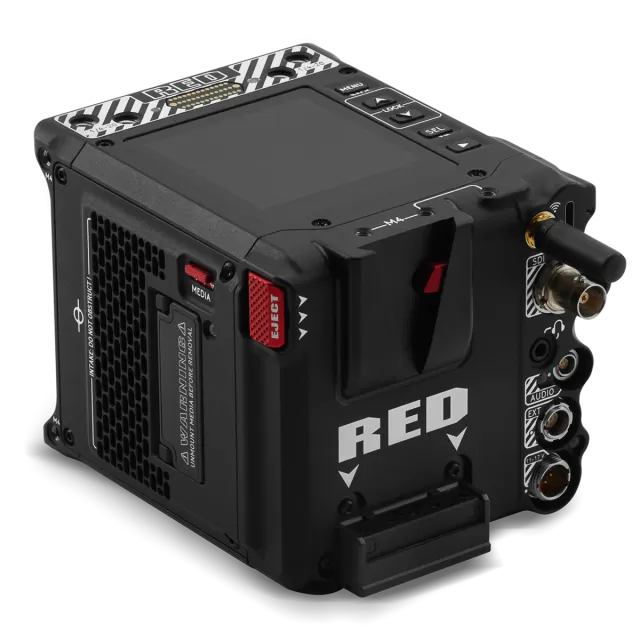
![RED Digital Cinema V-RAPTOR [X] 8K VV](https://updatemystuff.com/storage/products/red-v-raptor-x-8k-vv-ed80d350.webp)