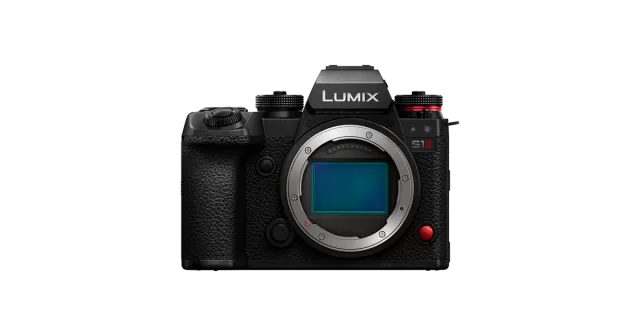
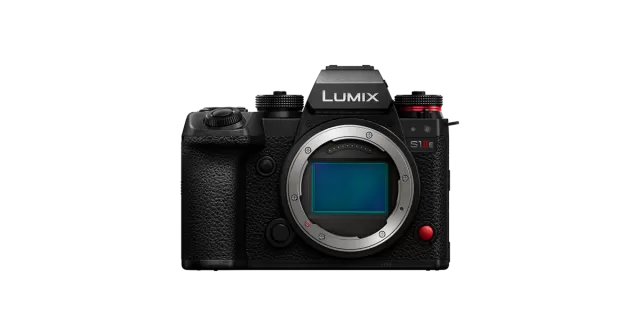
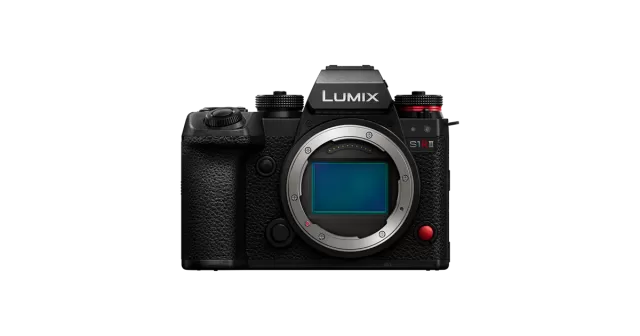
Panasonic Lumix DC-S5 firmware
Panasonic Lumix · DC-S5 · DC-S5 · Body
Latest firmware for the Panasonic Lumix DC-S5 is v2.9 (July 29, 2025).
Specifications
DC-S5 specifications
- Body type
- SLR Style Mirrorless
- Resolution
- 24.2 MP
- Sensor
- CMOS
- Sensor size
- 35.6 × 23.8 mm
- Processor
- Venus Engine
- ISO range
- 100–51200
- Fastest shutter
- 1/8000
- Burst rate
- 7 fps
- Battery life
- 440 shots (CIPA)
- Storage
- Dual SD/SDHC/SDXC slots (UHS-II supported in slot 1)
- Video
- MPEG4, H.264, H.265
- Mount
- Leica L
- Weight
- 714 g
- Dimensions
- 133 × 97 × 82 mm
- Weather sealed
- Yes
- Price at launch
- $1999
Changelog
DC-S5 firmware changelog
Firmware history
-
Release notes & download
Show release notes Hide release notes
Enhanced the security of products. Improved operational stability.
-
Release notes & download
Show release notes Hide release notes
Improvements - Added a pop-up message when using a Panasonic collapsible lens.
- Improved operational stability.
-
Release notes & download
Show release notes Hide release notes
Improved compatibility with the Panasonic Battery grip DMW-BG1 - Battery grip DMW-BG1 can be used.
-
Release notes & download
Show release notes Hide release notes
Improved the phenomenon that vertical lines are appeared when playing back pictures recorded with the camera held vertically when [Rotate Disp.] is set to [ON].
-
Release notes & download
Show release notes Hide release notes
Improved the accuracy of white balance adjustment in DaVinci Resolve Studio for Blackmagic RAW data recorded on the Blackmagic Video Assist 12G HDR.
- DaVinci Resolve or DaVinci Resolve Studio is required to play back and edit Blackmagic RAW data.
- Selectable recording mode depends on the firmware version of Blackmagic Video Assist 12G HDR. Please refer to the Blackmagic Design website for the information on the corresponding firmware version of Blackmagic Video Assist 12G HDR.
- All functions may not be available depending on the situation. There were cases where the function assigned to the video button of Panasonic Remote Shutter DMW-RS2 (sold separately) did not work during video recording. This phenomenon has been fixed.
-
Release notes & download
Show release notes Hide release notes
There were rare cases that the camera freeze depending on the operation timing while using Bluetooth. This phenomenon has been solved.
-
Release notes & download
Show release notes Hide release notes
Added functions - RAW video data output over HDMI to Blackmagic Video Assist 12G HDR has been supported. » [5.9K] / [4K] / [Anamorphic (4:3) 3.5K] 12-bit RAW video data can be output over HDMI to Blackmagic Video Assist 12G HDR, to be recorded as Blackmagic RAW.
- All functions may not be available depending on the situation.
- DaVinci Resolve or DaVinci Resolve Studio is required to play back the Blackmagic RAW data. DaVinci Resolve Studio is required to edit the Blackmagic RAW data. Expanded compatibility with DJI Gimbal - Active Track Function of DJI Gimbal "DJI RS 2" and "DJI RSC 2" can be used.
- All functions may not be available depending on the situation. For details, please check the DJI official announcement. · DJI RS 2 Release Notes · DJI RSC 2 Release Notes Improved operational stability - There were cases where line-like noise appeared on the external monitor connected over HDMI. This bug has been fixed.
- In some picture quality modes of video setting, there were cases where a file that cannot be recognized as a video file was generated when the camera is moved quickly or when the subject moves at high speed. This bug has been fixed. Operating Instructions for the Change of Specifications
-
Release notes & download
Show release notes Hide release notes
Added functions - Users can choose to add or not to add camera orientation information in [Vertical Position Info (Video)] menu to prevent unintended image rotation in playback. - [Power Save Mode] can be selectable while the camera is powered with an AC adaptor(DMW-AC10, sold separately).
Other improvements - There were rare cases that the display such as AF frame blinks during video recording.
This phenomenon has been solved.
- There were rare cases that operating the camera during photo/video playback caused a freeze depending on the operation timing. This phenomenon has been solved.
- There were cases that the specified AF position was shifted when using Pinpoint AF in full screen display. This phenomenon has been solved. Operating Instructions for the Change of Specifications
-
Release notes & download
Show release notes Hide release notes
There were cases the focus cannot be properly set on the touched subject when using a Touch AF. This bug has been fixed.
-
Release notes & download
Show release notes Hide release notes
Improved AF performance - Recognition performance during video recording in V-Log has been improved.
- Human/Animal recognition can be set ON or OFF when the AF mode is set to [1-Area] or [1-Area+]. - [AF+MF] can be used during video recording. Added video functions - The following C4K(4096x2160) video recording mode in MOV format has been supported.
- C4K60p/50p, 4:2:0 8bit LongGOP, 150Mbps, LPCM * C4K30p/25p/24p, 4:2:2 10bit LongGOP, 150Mbps, LPCM * C4K30p/25p/24p, 4:2:0 8bit LongGOP, 100Mbps, LPCM - RAW video data output over HDMI has been supported. * [5.9K] / [4K] / [Anamorphic (4:3) 3.5K] 12-bit RAW video data can be output over HDMI. The Apple ProRes RAW can be recorded on Atomos NINJA V. · All functions may not be available depending on the situation. · Software that supports Apple ProRes RAW is required to edit RAW video recorded with NINJA V. · Apply the LUT(Look up table ) available on the following customer supports site to make the same color grading as V-Log/V-Gamut https://panasonic.jp/support/global/cs/dsc/download/lut/s1h_raw_lut/ - It is possible to display the Vector Scope. - [Master Pedestal Level] function has been added. - [SS/Gain Operation] function has been added. Other added functions - [L.ClassicNeo] and [L.Monochrome S] have been added in [Photo Style]. - [Horizontal Image Flip(Monitor)] / [Vertical Image Flip(Monitor)] enables to reverse or not to reverse the monitor image when the free-angle monitor is rotated. Improved operational stability - There were cases low contrast images were not properly saved. This bug has been fixed.
- There were cases the light trails were interrupted in Live View Composite shooting. This bug has been fixed.
- There were cases linelike noise arose at the bottom of the image when it was shot at high shutter speed. This bug has been fixed. Operating Instructions for the Change of Specifications
-
Release notes & download
Show release notes Hide release notes
Improved connection quality with the cloud server.
Watch the DC-S5 for updates
Get an email the moment Panasonic Lumix publishes new firmware. Just your email — no account or password needed.