Insta360 GO Ultra firmware
Insta360 · Insta360 GO Ultra · GO Ultra · Video
Latest firmware for the Insta360 GO Ultra is v1.9.29 (September 4, 2026).
Changelog
Insta360 GO Ultra firmware changelog
-
v1.8.91v1.9.29New Ultra Wide Lens support with 185° FOV and improved AI voice assistant.
Firmware history
-
New Ultra Wide Lens support with 185° FOV and improved AI voice assistant. — summary by updatemystuff.com
Release notes & downloadShow release notes Hide release notes
- Added support for the new Ultra Wide Lens for GO Ultra, featuring an ultra-wide 185° FOV for a more immersive first-person perspective.
- Optimized the AI voice assistant for improved performance and usability.
- Fixed minor bugs and made general performance improvements.
-
Release notes & download
Show release notes Hide release notes
Meet Kira, GO Ultra's new AI Voice Assistant!
Press and hold the camera's Shutter Button to activate the voice assistant at any time.
Once the camera is powered on, you can also launch it quickly with the Q Button on the Action Pod or by saying "Hey Kira." From face-to-face translation to photo and voice Q&A, Kira is always ready to help.
Notes
- Update the app to version 2.30.0 or later to use this feature. This feature is currently not supported on HarmonyOS NEXT.
- After updating the firmware, connect to the Insta360 app before first use and follow the prompts to grant the required permissions.
- The voice assistant's Q&A feature is built with Google Gemini. Responses are generated automatically and are provided for reference and general information only. They do not constitute any express or implied advice, commitment, guarantee, or official opinion, nor do they represent the position or views of the company or its affiliates.
-
Release notes & download
Show release notes Hide release notes
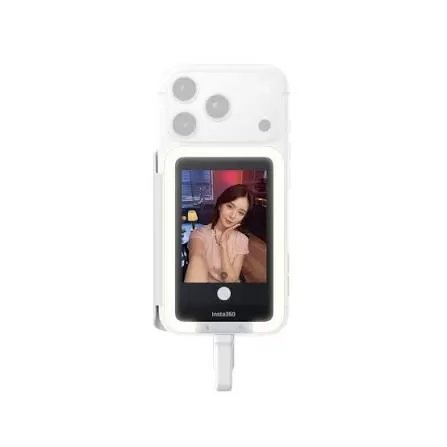
- Capture beautiful portraits and create content effortlessly with three new in-camera CCD photo filters and Portrait Mode 2.0, plus the new Mini Fill Light (available in early June).
-
Release notes & download
Show release notes Hide release notes
Supports Insta360+ cloud service. Auto-sync footage to the cloud to free up your SD card.
- Note: This feature is not available in some countries/regions. Please refer to actual usage for details.
-
Release notes & download
Show release notes Hide release notes
- GO Ultra is now compatible with the new Micro Lens Kit, which includes 4 different lenses, with focal distances from 5cm to 38cm. Shoot stunning close-ups, get improved depth of field, and capture sharp, detailed POVs.
-
Release notes & download
Show release notes Hide release notes
- Added a new New Laughter Capture feature. In Pre-Recording Mode, Laughter Capture detects laughter and starts recording automatically for a hands-free experience. Pair with the FOMO Flexi Mount so you never miss the moment.
- Added a new I-Log mode. Preserves original color detail and provides a professional grading space for post-production.
- When using the flip screen at a 180° angle for selfies, the final image is now mirrored for a “what you see is what you get” result. (Not supported in FreeFrame Video Mode.)
- PureVideo Mode now supports 2× zoom for more flexible compositions.
-
Release notes & download
Show release notes Hide release notes
- Image quality optimized.
-
Release notes & download
Show release notes Hide release notes
- Overall system stability improved
-
Release notes & download
Show release notes Hide release notes
- Portrait Mode can now be used with filters and also supports upgraded smoothing and brightening for an improved portrait effect overall.
- All four film-style filters upgraded with authentic vintage film effects.
- Insta360 GO Ultra features in-camera Live Photos. Capture dynamic moments easily and export them to your phone with the Insta360 app.
- Mic Air compatibility added. (Mic Air must be upgraded to firmware version 1.0.0.20 or above)
- Camera control and status updates now available on Huawei WATCH Ultimate 2 and WATCH 5. The Insta360 app now includes a custom Huawei WATCH dashboard theme, which features styles for WATCH GT 6 and GT 6 Pro.
- Insta360 Mini Power Handle compatibility added.
Note. Portrait Mode can be used with Filters in videos with a maximum resolution and frame rate of 4K30fps. The smoothing feature is currently only available in Photo Mode.
-
Release notes & download
Show release notes Hide release notes
- PureVideo Mode enhanced with improved image clarity.
- Portrait Mode optimized in most scenarios.
-
Release notes & download
Show release notes Hide release notes
- Auto PureVideo feature added. The camera will now intelligently switch between Video and PureVideo by detecting the ambient light in real time.
- Jitter Blur Reduction when shooting with the Magnet Pendant in low-light environments is now optimized. This feature is enabled by default when using PureVideo Mode.
- Overall system stability improved.
-
Release notes & download
Show release notes Hide release notes
- Unmatched Image Quality Supports 4K60fps video, 4K30fps Active HDR, 50MP photos, Live Photos, 4K Clarity Zoom, Portrait Mode, and unique filters.
- Low Light Excellence Flagship 1/1.28"" sensor, cutting-edge 5nm AI chip, and dedicated low light shooting mode (PureVideo) deliver bright and crisp footage, even at night.
- Ultra Stable, Ultra-Wide Footage Capture the whole scene with a super wide 156° FOV, with FlowState Stabilization and 360° Horizon Lock for shake-free shots.
- Flicker-Free Clarity The new Ambient Light Sensor prevents flickering, captures more realistic colors, and increases detail.
- Wireless playback supported:
Recorded footage can be viewed on the expansion dock's screen even when detached from the standalone camera.
- New Accessories for Easy Control Try the new Insta360 Ring or Mini Remote to control the camera easily while on the go. Great for running, cycling, and more.
- Android Quick Share support added. Photos and videos can be transferred directly to your smartphone without connecting to the Insta360 app. Compatible with OPPO, vivo, Xiaomi, and other smartphones with Quick Share functionality.
- Dynamic Stats Overlays Sync your GPS, heart rate, speed, and more directly from Strava, Garmin or COROS device, or Apple Watch, and add the data as an overlay on your footage.
- Toddler Titan Mode added. Use the Toddler Titan Hat Clip and Micro Lens to capture your child's emotions in high-quality close-up.
- New, Smarter Audio AI algorithms minimize background noise and clarify the sounds you want to hear. Great for vlogging.
- Compatible with wireless microphones Capture crystal-clear audio anywhere with our wireless mic.
- Smooth Slow-Mo Up to 240fps slow motion with high clarity.
13 .Compatible with Apple Find My Drop or misplace your camera? Track it down accurately via the Apple Find My network.
- Third-Party Device Integration Control your camera and shoot remotely via your Apple Watch, COROS, or other devices.
Watch the Insta360 GO Ultra for updates
Get an email the moment Insta360 publishes new firmware. Just your email — no account or password needed.