Insta360 Ace Pro 2 firmware
Insta360 · Insta360 Ace Pro 2 · Ace Pro 2 · Video
Latest firmware for the Insta360 Ace Pro 2 is v2.0.51 (July 30, 2026).
Changelog
Insta360 Ace Pro 2 firmware changelog
Firmware history
-
Release notes & download
Show release notes Hide release notes
Camera stability and user experience improvements.
-
Release notes & download
Show release notes Hide release notes
Camera stability and user experience improvements.
-
Release notes & download
Show release notes Hide release notes
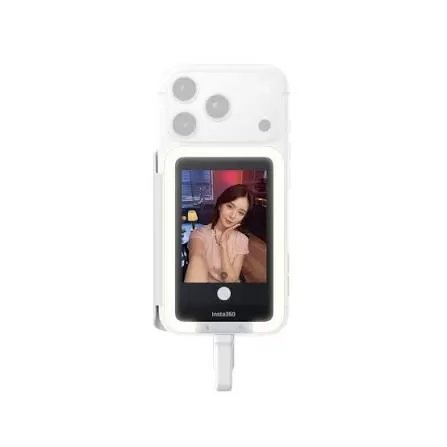
- Added support for the 2-in-1 Flash + Fill Light to enhance supplemental lighting performance during shooting.
- Improved camera stability and overall user experience.
Note: Press and hold the 2-in-1 Flash + Fill Light power button for 10 seconds to reset it. Then go to "Me" > "Accessory Settings" to update it to the latest firmware (v1.0.0.11) for the best experience.
-
Release notes & download
Show release notes Hide release notes
Camera stability and user experience improvements.
-
Release notes & download
Show release notes Hide release notes
- Low-light performance improvements for clearer, more detailed night videos.
- Camera stability and user experience improvements.
-
Release notes & download
Show release notes Hide release notes
- Added support for live streaming via the Insta360 app to YouTube.
- Updated Portrait Mode: Features an improved Brighten effect, and the Smooth effect is now available in Video Mode at 4K30fps and below.
- The Insta360 app now supports cropping flat photos.
- Supports AssistiveTouch gestures on Apple Watch (Series 9 and later) to control the shutter and other buttons in the Insta360 app, allowing for convenient camera control.
-
Release notes & download
Show release notes Hide release notes
- Improved image quality in very dark environments, enhancing brightness and color accuracy.
- Optimized the CC Film, CC2 Film, NC Film, and NC2 Film filters for richer textures and better color performance.
- Enhanced indoor portraits under low color temperature, brightening skin tones for a natural look.
- Improved the low-light effects of the Insta360 Star Filter, producing softer and more natural-looking starburst effects.
-
Release notes & download
Show release notes Hide release notes
- Added support for the Insta360 Ace Pro 2 Xplorer Grip Pro Kit, featuring two dials for seamless zoom and exposure control.
- Added support for Bluetooth connection with the Insta360 Ace Pro 2 Pocket Printer, enabling instant printing of your favorite moments.
- Added support for the new Insta360 Ace Pro 2 Cinematic Lens, Ultra Wide Lens, and Close-Up Lens. Activate the corresponding lens mode via Shortcut Menu → Accessories → Lens Master.
- Added support for the new Slide Zoom feature. Long press the zoom button on the camera screen or use the zoom toggle on the Xplorer Grip Pro Kit for smooth zoom control.
- Added two new Leica color profiles: Leica B&W High Contrast and Leica Eternal.
- Added Retro Neon and Vintage Vacation color profiles, unlocking cinematic color aesthetics.
- A new collection of cinematic editing templates has been added to FlashCut in the Insta360 app. Instantly unlock film-style looks and camera movements with one tap. Access via: Edit → FlashCut.
Note: please update the Insta360 app to version 2.13.0 or higher before using the new lenses.
-
Release notes & download
Show release notes Hide release notes
- The Insta360 app now features a new HUAWEI co-branded dashboard and supports importing diving data recorded by your HUAWEI Watch to display stats in your videos.
- Added support for HUAWEI Watch integration. You can now control the camera through the Insta360 app on your HUAWEI Watch using touch or gesture control.
- Supports the Insta360 Ring Remote to control the camera with a quick tap of your thumb.
- Supports the Insta360 Mini Power Handle, which features a built-in battery for simultaneous charging and shooting and a button for easy camera operation.
- Supports in-camera Live Photo feature. Enable it in Photo Mode to capture Live Photos.
- Supports the Insta360 Black Mist Filter to soften highlights and give portraits a dreamy glow. Once installed, swipe down on the touchscreen and select Black Mist Filter Mode in Accessories - Lens Master.
- Portrait Mode is upgraded to support in-camera brightening and smoothing effects, and supports multiple filters when enabled.
Note: Photo Mode supports brightening and smoothing, while Video Mode supports brightening up to 4K60fps.
-
Release notes & download
Show release notes Hide release notes
- Camera stability and user experience improvements.
-
Release notes & download
Show release notes Hide release notes
- Added four new film-style filters for an instant retro film look.
- The Insta360 app now supports AquaVision 3.0 to color correct underwater footage by intelligently matching various color styles, offering more diverse color restoration for underwater scenes.
- The Insta360 app now supports importing data from Suunto, Strava, and Magene to generate on-screen stats dashboards in your videos. Suunto dive data can also be used to create a specialized diving dashboard.
- Camera stability and user experience improvements.
Please update the Insta360 app to version 2.6.0 or higher.
-
Release notes & download
Show release notes Hide release notes
- Improved Portrait Mode by addressing color balance in certain conditions and brightness issues in low-light environments.
- Camera stability and user experience improvements.
-
Release notes & download
Show release notes Hide release notes
- Supports Quick File Transfer to easily transfer footage to your phone with one click when the camera is connected to the Insta360 app. Please update the Insta360 app to version v2.1.0 or above.
- Camera stability and user experience improvements.
-
Release notes & download
Show release notes Hide release notes
- Insta360 Ace Pro 2 is now compatible with Insta360 Mic Air for professional-level audio.
- New Selfie Mirror feature automatically detects when the touchscreen is flipped 180° and flips the final image to match the image preview. Enable in settings. Supported in all shooting modes except for FreeFrame Video Mode.
- Camera stability and user experience improvements.
Watch the Insta360 Ace Pro 2 for updates
Get an email the moment Insta360 publishes new firmware. Just your email — no account or password needed.