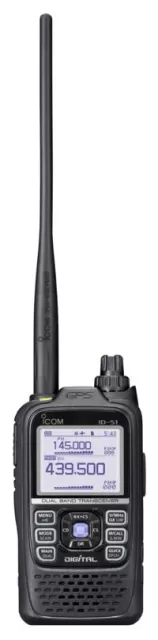
Icom ID-5100A firmware
Icom · ID-5100A · ID-5100A · Handheld
Latest firmware for the Icom ID-5100A is vE8 (July 22, 2022).
Specifications
ID-5100A specifications
- Type
- Amateur VHF/UHF transceiver
- Frequency range
- USA / TX: 144-148 / 430-450 MHz / RX: 118-174 / 375-550 MHz
- Modes
- TX: FM / FM-N / DV (D-Star) / RX: AM / AM-N / FM / FM-N / DV (D-Star)
Show the full specification Hide the full specification
General
- Mode
- TX: FM / FM-N / DV (D-Star) RX: AM / AM-N / FM / FM-N / DV (D-Star)
- Type
- Amateur VHF/UHF transceiver
- Weight
- Main unit: 1.3 Kg (2.9 lb) Controller: 260 g (9.2 oz)
- Power supply
- 13.8 VDC ±15%
- Tuning steps
- 5 / 6.25 / 8.33 / 10 / 12.5 / 15 / 20 / 25 / 30 / 50 KHz
- Other features
- Touch screen LCD. Bluetooth and remote control from Android device Built-in GPS (inside controller), DV dual watch, Antenna RX diversity CTCSS/PL, DTCS. SD card slot, DTMF decoder, Twin RX (V+V, V+U, U+U)
- Frequency range
- USA TX: 144-148 / 430-450 MHz RX: 118-174 / 375-550 MHz
- Dimensions (W*H*D)
- Main unit: 150*40*173 mm (5.9*1.6*6.8") Controller: 182*25*82 mm (7.2*1*3.2")
- Frequency stability
- ±2.5 ppm @ -10 to +60°C (14 to 140°F)
- Repeater shift / offset
- ±0 to 59.995 MHz
- Channels / memory management
- 1000 regular 25 scan edge pairs 4 call (2 per band) Non-volatile EEPROM storage
- Antenna impedance / connector
- 50 ohm / SO-239
- Current drain / power consumption
- RX: 1.2 to 1.8 A TX: Max 13 A
Miscellaneous
- Manufactured
- Japan, 2014-201x
Receiver Section
- Sensitivity
- FM/NFM (Ham bands): 0.18 uV (12 dB SINAD) DV (Ham bands): 0.28 uV (BER 1%)
- Image rejection
- 55-60 dB
- Receiver system
- Double conversion superheterodyne 1st IF: 38.85 MHz (A band). 46.35 MHz (B band) 2nd IF: 450 KHz
- AF output power / speaker
- 2 W at 10% distortion / 8 ohm
- External speaker connector
- 3.5 mm, 8 ohm
Transmitter Section
- RF output power
- HighMidLow 2 m:50 W15 W5 W 70 cm:50 W15 W5 W
- Modulation system
- FM/NFM: Variable reactance frequency modulation DV: GMSK reactance frequency modulation
- Spurious emissions
- Better than -60 dBc
- Microphone input level
- ? mV
- Max FM deviation (Factory set)
- FM: ±5 KHz NFM: ±2.5 KHz
- Microphone impedance / connector
- 600 ohm / 8-pin (Modular)
Changelog
ID-5100A firmware changelog
-
vE6vE7Fixes standby beep sounding after PTT transmission; DSP firmware updated to 1.14. -
vE5vE6Fixed call-ending frame transmission after PTT release, resolving standby beep delays and extended repeater downlink. -
vE4vE5Standby beep now sounds immediately when communicating with third-party DV equipment, eliminating previous delay. -
vE3vE4Fixes data loss in DV Fast Data mode and updates DSP firmware -
vE2vE3Storage expanded for repeater lists, call signs, and GPS; Bluetooth headset and tone control options enhanced. -
vE1vE2DV Fast Data support added, tone squelch for FM repeaters, and new GPS features. -
vE1first tracked Fixes external speaker display, data recognition, and receiver sensitivity.
Firmware history
All versions below were published by Icom on icomjapan.com, icomamerica.com, icomeurope.com and icom.co.jp. Third-party and modified firmware is never listed.
-
Source:
icomjapan.comRelease notes & downloadShow release notes Hide release notes
Changes from Release E7
- Changed for production reasons. (The functions and operations have not changed.)
-
Fixes standby beep sounding after PTT transmission; DSP firmware updated to 1.14. — summary by updatemystuff.com
Source:
icomjapan.comRelease notes & downloadShow release notes Hide release notes
Changes from Release E6
Fixed the problem where the standby beep may sound approximately two seconds after receiving a reply when simply pushing PTT to key up the repeater. This occurred on transceivers using Release E5 or Release E6 firmware.
To update the firmware
Thoroughly read " Firmware update instructions " and follow the instructions in it.
An OPC-2350LU, OPC-1529R or OPC-2218LU is required to install the firmware update. To use the OPC-2218LU for the first time, a USB driver is required. Download the driver here .
Making a backup file of programmed contents and settings before updating the firmware is recommended.
The DSP firmware will be updated to 1.14.
-
Fixed call-ending frame transmission after PTT release, resolving standby beep delays and extended repeater downlink. — summary by updatemystuff.com
Source:
icomjapan.comRelease notes & downloadShow release notes Hide release notes
Changes from Release E5
Fixed the problem where the call-ending frame may not be sent when transmitting the D-PRS DV-A or NMEA DV-G position data in the DV mode using Release E4 or Release E5 firmware.
Release E6 fixes the following problems.
The call-ending frame was not sent after releasing PTT. This caused a delay in sounding the standby beep from the receiving transceiver.
The repeater does not stop transmitting the downlink soon after the transceiver finishes transmitting the uplink.
To update the firmware
Thoroughly read " Firmware update instructions " and follow the instructions in it.
An OPC-2350LU, OPC-1529R or OPC-2218LU is required to install the firmware update. To use the OPC-2218LU for the first time, a USB driver is required. Download the driver here .
Making a backup file of programmed contents and settings before updating the firmware is recommended.
The CPU M firmware will be updated to 1.21.
-
Standby beep now sounds immediately when communicating with third-party DV equipment, eliminating previous delay. — summary by updatemystuff.com
Source:
icomjapan.comRelease notes & downloadShow release notes Hide release notes
Changes from Release E4
With the previous firmware, there was a delay in sounding the standby beep when the transceiver communicated with other manufacturers' DV equipment*.
With the latest firmware, the transceiver sounds the standby beep with no delay, even when the transceiver communicates with other manufacturers' DV equipment.
- It does not occur when directly communicating with transceivers and/or application software made by Icom or Kenwood.
To update the firmware
Thoroughly read " Firmware update instructions " and follow the instructions in it.
An OPC-2350LU, OPC-1529R or OPC-2218LU is required to install the firmware update. To use the OPC-2218LU for the first time, a USB driver is required. Download the driver here .
Making a backup file of programmed contents and settings before updating the firmware is recommended.
The transceiver's settings are initialized if updating from firmware earlier than Release E2.
The DSP firmware will be updated to 1.13.
-
Fixes data loss in DV Fast Data mode and updates DSP firmware — summary by updatemystuff.com
Source:
icomjapan.comRelease notes & downloadShow release notes Hide release notes
Changes from Release E3
Fixed an issue where data loss may occur while communicating in the DV Fast Data mode.
To update the firmware
Thoroughly read " Firmware update instructions " and follow the instructions in it.
An OPC-2350LU, OPC-1529R or OPC-2218LU is required to install the firmware update. To use the OPC-2218LU for the first time, a USB driver is required. Download the driver here .
Making a backup file of programmed contents and settings before updating the firmware is recommended.
The transceiver's settings are initialized if updating from firmware earlier than Release E2.
The DSP firmware will be updated to 1.12.
-
Storage expanded for repeater lists, call signs, and GPS; Bluetooth headset and tone control options enhanced. — summary by updatemystuff.com
Source:
icomjapan.comRelease notes & downloadShow release notes Hide release notes
Improvements
The number of repeater lists, Your Call Sign and GPS memory has been increased.
- Repeater list: from 1200 (30 groups) to 1500 (50 groups)
- Your Call Sign: from 200 to 300
- GPS memory: from 200 to 300
Auto Dimmer condition settings are added to keep or cancel the function.
- An item is added to allow you to increase or not increase the LCD backlight level when you push the PTT button.
- An item is added to allow you to increase or not increase the LCD backlight level when you receive a DV signal in the DV mode.
Bluetooth® headset functions are added to select the desired [PTT] and microphone combination when the Bluetooth® headset is used.
- An option is added to transmit audio on the connected microphone by pushing the [PTT] on the Bluetooth® headset.
- An option is added to transmit audio on a Bluetooth® headset by pushing the [PTT] on the connected microphone.
An option is added in the Tone function to select different tones separately in transmission and reception such as CTCSS, DTCS, tone frequency and code.
An item is added to change the backlight brightness level according to the time setting.
An item is added to mute the received audio on the SUB band when transmitting.
An item is added to continuously display the power source voltage.
The cooling fan control has been optimized.
The previously selected Quick Menu screen item is displayed, even if the transceiver is turned OFF and then ON.
A scan pauses when a short DV signal (Kerchunk) is received during the DV mode scan (Including the DR scan).
The ID-5100 now displays the changed [TO] and [FROM] data on the DR screen when using the RS-MS1A.
Refer to ID-5100A/ID-5100E Firmware update information— Release E3 for details.
To set the added features in Release E3, use CS-5100 Revision 1.20. Download the software here .
An OPC-2350LU, OPC-1529R or OPC-2218LU is required to install the firmware update. To use the OPC-2218LU for the first time, a USB driver is required. Download the driver here .
Before downloading, thoroughly read " Firmware update instructions (here) " to know what the update requires. CAUTION: You MUST first save your transceiver's data onto an SD card or to your PC using the CS-5100 cloning software. ALL the transceiver’s data will be erased during the update.
Never turn OFF the equipment power or disconnect the data communication cable during the update.
You must update both the controller (front panel) and the transceiver at the same time.
The following firmware have been updated:
- CPU M to Version 1.20
- CPU C to Version 1.20
- DSP to Version 1.11
If you update from Release E2 or earlier, you cannot downgrade to Release E2 or earlier again.
This firmware updates to the latest firmware version. If you update from an earlier version, review all previous update information as well for additional feature details. Download the information here .
-
DV Fast Data support added, tone squelch for FM repeaters, and new GPS features. — summary by updatemystuff.com
Source:
icomjapan.comRelease notes & downloadShow release notes Hide release notes
Improvements
DV Fast Data is now supported.
The Near Repeater Search function is improved.
Tone squelch (TSQL) is now supported when using FM repeaters in the DR function.
The [TONE] FUNC key is now displayed when using FM repeaters in the DR function. (Only ID-5100E)
A “to me: Alarm/High Tone” option is added in the Standby Beep function, and is set as the default.
The RX History screen default is changed from call signs to names.
The RX History screen setting is now stored.
A function is added in the DV mode to display the distance that is in the recorded audio files, between you and the other stations.
A GPS Record Sentence option is added in GPS Logger.
An External GPS option is added to GPS Select in GPS Setting to support an external GPS input from the DATA jack.
The Save and Load speed of icf setting files and CSV repeater list files to/from an SD card is faster.
Beep tones sound when pushing the headset PTT on a non-Icom Bluetooth headset.
For more information, please refer to " ID-5100A/ID-5100E Firmware update information– Release E2 "
An OPC-2350LU, OPC-1529R or OPC-2218LU is required to install the firmware update. To use the OPC-2218LU for the first time, a USB driver is required. Download the driver here .
Before downloading, please thoroughly read “Firmware update instructions (here)” to know what the update requires.
CAUTION: You MUST first save your transceiver's data onto an SD card or to your PC using the CS-5100 cloning software. ALL the transceiver's data will be erased during the update.
Never turn OFF the equipment power or disconnect the data communication cable during the update.
The following firmware have been updated:
- CPU M to Version 1.10
- CPU C to Version 1.10
- DSP to Version 1.10
-
Fixes external speaker display, data recognition, and receiver sensitivity. — summary by updatemystuff.com
Source:
icomjapan.comRelease notes & downloadShow release notes Hide release notes
Improvements
Fixed the problem where the RS-MS1A does not display pictures and text received by the ID-5100 when the SP2 external speaker jack is in use.
Fixed the problem where the D-PRS data in the B band Single watch mode, and/or the right side band Dualwatch mode, may not be recognized.
Fixed the problem where RX sensitivity decreases in the Single watch mode.
The calibration area on the touch screen has been revised to help the user make a more accurate screen calibration.
An OPC-2218LU or OPC-1529R is required to install the firmware update. To use the OPC-2218LU, a USB driver is required. Download the driver here .
Before downloading, please thoroughly read " Firmware update instructions (here) " to know what the update requires.
Save the transceiver's data onto an SD card or to your PC using the CS-5100 cloning software. It is possible that your data could get lost or corrupted during the update.
Never turn OFF the equipment power or disconnect the data communication cable during the update.
The CPU M firmware is updated to Version 1.05.
The CPU C firmware is updated to Version 1.01.
Watch the ID-5100A for updates
Get an email the moment Icom publishes new firmware. Just your email — no account or password needed.