

Changelog
RF 24 firmware changelog
-
v1.0.8first tracked
Firmware history
-
Release notes & download
Show release notes Hide release notes
Firmware Version 2.0.7 incorporates the following enhancement:
- Adds full-time manual focus, which allows constant manual focus adjustment in both One-Shot and Servo AF modes.
- This function is enabled when used with compatible cameras.
- Adds the ability to use the focus ring as a control ring. Example: By assigning the control ring the ability to change the aperture, you can adjust the aperture without click sounds being recorded by the microphone.
- This function is enabled when used with compatible cameras.
- Improves other system stability. If the lens' firmware is already Version 2.0.7, it is not necessary to update the firmware. You can check the firmware version of the lens from the camera menu. Refer to the camera instruction manual for how to check the current firmware version. Please perform the firmware update with only the firmware file to be updated stored on the memory card. Preparations for a firmware update: After the downloaded compressed file (.zip) is extracted, a firmware folder is created.
- Extracting the downloaded file: Right-click the zip file, and then select Extract All to extract the file. In the folder you downloaded are the firmware (001207.afu / file size: 2,883,636 bytes) and instructions on the firmware update procedures (a PDF file in five languages: Japanese, English, French, Spanish, and Simplified Chinese). Before starting the firmware update operations, please be sure to carefully review the instructions to confirm your understanding of the firmware update procedures. (The following is the history of past firmware updates.) Changes in version 2.0.6:
- The lens-based image stabilizer function works together with the camera-based image stabilizer function to achieve greater image stabilization effects with EOS R5/EOS R6.
-
Version
1.1.0First seen Jul 5, 2026Release notes & downloadShow release notes Hide release notes
Firmware Version 1.1.0 incorporates the following enhancement:
- Improves AF tracking performance during zooming in still photography when used with specific cameras*1. Enhances smoothness of AF tracking during zoom operations in video recording. *1 Applicable cameras (as of February 20, 2025): EOS R1/EOS R5 Mark II If the lens' firmware is already Version 1.1.0, it is not necessary to update the firmware. You can check the firmware version of the lens from the camera menu. Refer to the camera instruction manual for how to check the current firmware version. Preparations for a firmware update: After the downloaded compressed file (.dmg file) is extracted, a firmware folder is created.
- Extracting the downloaded file: The downloaded folder is automatically extracted, and a firmware folder is created. If the download folder cannot be automatically extracted, double-click the folder. In the folder you downloaded are the firmware (RF049110.afu / file size: 2,883,636 bytes) and instructions on the firmware update procedures (a PDF file in five languages: Japanese, English, French, Spanish, and Simplified Chinese). Before starting the firmware update operations, please be sure to carefully review the instructions to confirm your understanding of the firmware update procedures. (The following is the history of past firmware updates.) Changes in version 1.0.8:
- Canon Virtual Production System functions are supported. Lens metadata suitable for virtual production is output to a camera compatible with the Canon Virtual Production System. *1 *1 Canon Virtual Production System compatible cameras: EOS C400/EOS C80 Please refer to the camera's user manual for detail.
-
Version
1.0.8First seen Jul 5, 2026Release notes & downloadShow release notes Hide release notes
Firmware Version 1.0.8 incorporates the following enhancement:
- Adds the ability to correct focus breathing during movie recording.
- Compatible with cameras that supports focus breathing correction. If the lens' firmware is already Version 1.0.8, it is not necessary to update the firmware. You can check the firmware version of the lens from the camera menu. Refer to the camera instruction manual for how to check the current firmware version. Preparations for a firmware update: After the downloaded compressed file (.dmg file) is extracted, a firmware folder is created.
- Extracting the downloaded file: The downloaded folder is automatically extracted, and a firmware folder is created. If the download folder cannot be automatically extracted, double-click the folder. In the folder you downloaded are the firmware ( RF023108.afu / file size: 2,883,636 bytes) and instructions on the firmware update procedures (a PDF file in five languages: Japanese, English, French, Spanish, and Simplified Chinese). Before starting the firmware update operations, please be sure to carefully review the instructions to confirm your understanding of the firmware update procedures. (The following is the history of past firmware updates.) Changes in version 1.0.7:
- The lens-based image stabilizer function works together with the camera-based image stabilizer function to achieve greater image stabilization effects with EOS R5/EOS R6. Changes in version 1.0.4:
- Reduces color unevenness when capturing images using long (Bulb) exposure mode with the EOS Ra.
- Manual focus cannot be activated during exposure. And performing zoom operations during exposure, the subject may be out of focus.
Watch the RF 24 for updates
Get an email the moment Canon publishes new firmware. Just your email — no account or password needed.
More Canon lenses we track
-
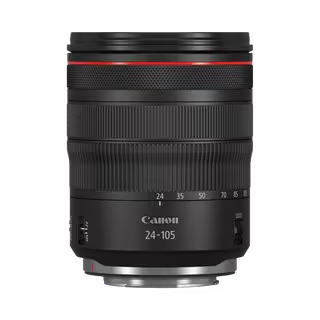 RF 24-105mm F4L IS USM
Latest firmware Jan 5, 2026
RF 24-105mm F4L IS USM
Latest firmware Jan 5, 2026
-
 RF 100-300mm F2.8 L IS USM
Latest firmware Feb 17, 2025
RF 100-300mm F2.8 L IS USM
Latest firmware Feb 17, 2025
-
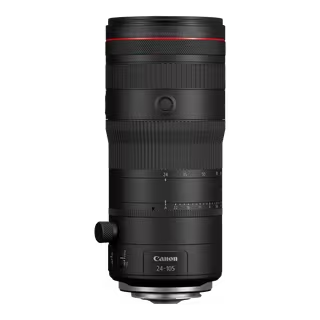 RF 24-105mm F2.8 L IS USM Z
Latest firmware Feb 17, 2025
RF 24-105mm F2.8 L IS USM Z
Latest firmware Feb 17, 2025
-
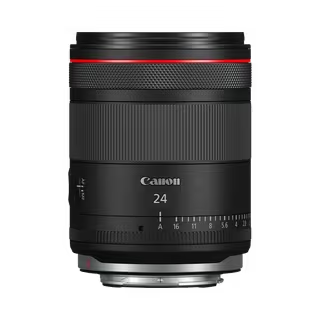 RF 24mm F1.4L VCM
Latest firmware Feb 17, 2025
RF 24mm F1.4L VCM
Latest firmware Feb 17, 2025
-
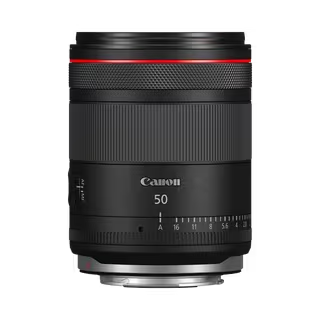 RF 50mm F1.4L VCM
Latest firmware Feb 17, 2025
RF 50mm F1.4L VCM
Latest firmware Feb 17, 2025
-
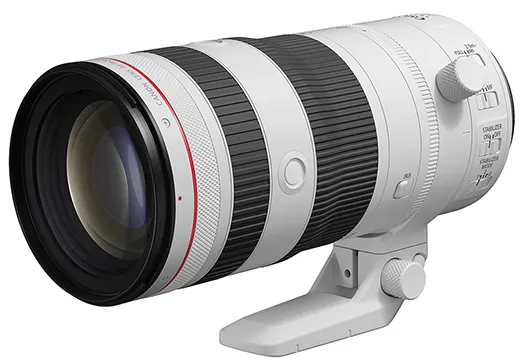 RF 70-200mm F2.8 L IS USM Z
Latest firmware Feb 17, 2025
RF 70-200mm F2.8 L IS USM Z
Latest firmware Feb 17, 2025